I cannot seem to resolve what appears to be a common issue with Entity Framework 6. I have reviewed the many topics related to this issue on SO, and am unable to find a solution that works for my particular case.
I have up until this point been developing using localdb with code first migrations, which worked fine. But now that I am moving this to a actual SQL server instance it throws the following error while attempting migrations:
“The ADO.NET provider with invariant name ‘System.Data.SqlClient;’ is either not registered in the machine or application config file, or could not be loaded. See the inner exception for details.
at System.Data.Common.DbProviderFactories.GetFactory(String providerInvariantName)”
I have attempted the following fixes:
1) Uninstalled and Reinstalled Entity Framework
2) Added the code and used :
public abstract class BaseDomainContext : DbContext
{
    static BaseDomainContext()
    {
        // ROLA - This is a hack to ensure that Entity Framework SQL Provider is copied across to the output folder.
        // As it is installed in the GAC, Copy Local does not work. It is required for probing.
        // Fixed "Provider not loaded" error
        var ensureDLLIsCopied = System.Data.Entity.SqlServer.SqlProviderServices.Instance;
    }
}
as the base class for my DbSet classes.
3) Added everything to a fresh solution and received the same error.
4) Removed the writecontext and tried migrations with just read, still failed.
5) Attempted several rewrites using information from MSDN
6) I have confirmed that EntityFramework.SqlServer.dll is in my bin directory. It is also referenced properly. Plus I have only one project under my solution.
7) Confirmed I am not using the WebConfig under views.
8) Confirmed I have System.Data dll in bin folder.
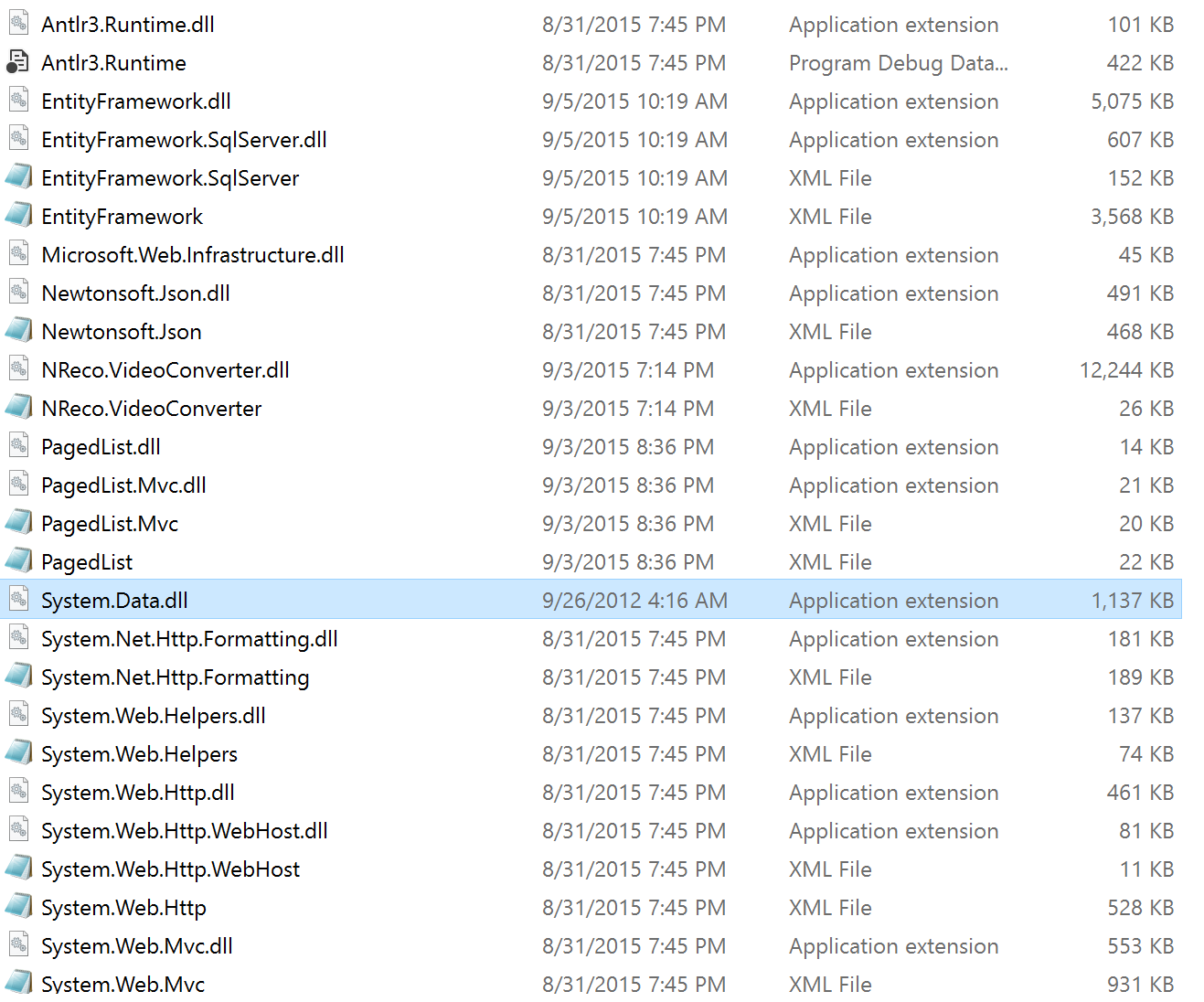
Clean/Rebuilding and deletion of existing migrations folder done after each of the above steps.
I am at a loss to explain why I still am receiving this error.
Web Config
    <section name="entityFramework" type="System.Data.Entity.Internal.ConfigFile.EntityFrameworkSection, EntityFramework, Version=6.0.0.0, Culture=neutral, PublicKeyToken=b77a5c561934e089" requirePermission="false" />
  <!-- For more information on Entity Framework configuration, visit http://go.microsoft.com/fwlink/?LinkID=237468 --></configSections>
  <appSettings>
    <add key="webpages:Version" value="3.0.0.0" />
    <add key="webpages:Enabled" value="false" />
    <add key="ClientValidationEnabled" value="true" />
    <add key="UnobtrusiveJavaScriptEnabled" value="true" />
  </appSettings>
  <connectionStrings>

    <add name="ReadContext" connectionString="Server=Sql2014intsnace;Database=database;User Id=secret; Password=secret;" providerName="System.Data.SqlClient;" />
    <add name="WriteContext" connectionString="Server=Sql2014intsnace;Database=database;User Id=secret; Password=secret;" providerName="System.Data.SqlClient;" />
  </connectionStrings>
  <system.web>
    <compilation debug="true" targetFramework="4.5" />
    <httpRuntime targetFramework="4.5" />
    <authentication mode="Windows" />
    <authorization>
      <deny users="?" />
    </authorization>
  </system.web>
  <system.webServer>
    <handlers>
      <remove name="ExtensionlessUrlHandler-Integrated-4.0" />
      <remove name="OPTIONSVerbHandler" />
      <remove name="TRACEVerbHandler" />
      <add name="ExtensionlessUrlHandler-Integrated-4.0" path="*." verb="*" type="System.Web.Handlers.TransferRequestHandler" preCondition="integratedMode,runtimeVersionv4.0" />
    </handlers>
  </system.webServer>
  <runtime>
    <assemblyBinding xmlns="urn:schemas-microsoft-com:asm.v1">
      <dependentAssembly>
        <assemblyIdentity name="Microsoft.Owin" publicKeyToken="31bf3856ad364e35" />
        <bindingRedirect oldVersion="1.0.0.0-3.0.0.0" newVersion="3.0.0.0" />
      </dependentAssembly>
      <dependentAssembly>
        <assemblyIdentity name="Microsoft.Owin.Security.OAuth" publicKeyToken="31bf3856ad364e35" />
        <bindingRedirect oldVersion="1.0.0.0-3.0.0.0" newVersion="3.0.0.0" />
      </dependentAssembly>
      <dependentAssembly>
        <assemblyIdentity name="Microsoft.Owin.Security.Cookies" publicKeyToken="31bf3856ad364e35" />
        <bindingRedirect oldVersion="1.0.0.0-3.0.0.0" newVersion="3.0.0.0" />
      </dependentAssembly>
      <dependentAssembly>
        <assemblyIdentity name="Microsoft.Owin.Security" publicKeyToken="31bf3856ad364e35" />
        <bindingRedirect oldVersion="1.0.0.0-3.0.0.0" newVersion="3.0.0.0" />
      </dependentAssembly>
      <dependentAssembly>
        <assemblyIdentity name="Newtonsoft.Json" culture="neutral" publicKeyToken="30ad4fe6b2a6aeed" />
        <bindingRedirect oldVersion="0.0.0.0-6.0.0.0" newVersion="6.0.0.0" />
      </dependentAssembly>
      <dependentAssembly>
        <assemblyIdentity name="System.Web.Helpers" publicKeyToken="31bf3856ad364e35" />
        <bindingRedirect oldVersion="1.0.0.0-3.0.0.0" newVersion="3.0.0.0" />
      </dependentAssembly>
      <dependentAssembly>
        <assemblyIdentity name="System.Web.Mvc" publicKeyToken="31bf3856ad364e35" />
        <bindingRedirect oldVersion="0.0.0.0-5.2.2.0" newVersion="5.2.2.0" />
      </dependentAssembly>
      <dependentAssembly>
        <assemblyIdentity name="System.Web.Optimization" publicKeyToken="31bf3856ad364e35" />
        <bindingRedirect oldVersion="1.0.0.0-1.1.0.0" newVersion="1.1.0.0" />
      </dependentAssembly>
      <dependentAssembly>
        <assemblyIdentity name="System.Web.WebPages" publicKeyToken="31bf3856ad364e35" />
        <bindingRedirect oldVersion="0.0.0.0-3.0.0.0" newVersion="3.0.0.0" />
      </dependentAssembly>
      <dependentAssembly>
        <assemblyIdentity name="WebGrease" publicKeyToken="31bf3856ad364e35" />
        <bindingRedirect oldVersion="0.0.0.0-1.5.2.14234" newVersion="1.5.2.14234" />
      </dependentAssembly>
    </assemblyBinding>
  </runtime>
  <entityFramework>
    <defaultConnectionFactory type="System.Data.Entity.Infrastructure.SqlConnectionFactory, EntityFramework" />
    <providers>
      <provider invariantName="System.Data.SqlClient" type="System.Data.Entity.SqlServer.SqlProviderServices, EntityFramework.SqlServer" />
    </providers>
    <contexts>
  <context type="ProjectName.Models.ReadContext, ProjectName">
    <databaseInitializer type="System.Data.Entity.MigrateDatabaseToLatestVersion`2[[ProjectName.Models.ReadContext, ProjectName], [ProjectName.Migrations.Configuration, ProjectName]], EntityFramework" />
  </context>
</contexts>
  </entityFramework>
</configuration>
Answers:
Thank you for visiting the Q&A section on Magenaut. Please note that all the answers may not help you solve the issue immediately. So please treat them as advisements. If you found the post helpful (or not), leave a comment & I’ll get back to you as soon as possible.
Method 1
You have this:
<add name="ReadContext"
     connectionString="Server=Sql2014intsnace;Database=database;User Id=secret; Password=secret;"
     providerName="System.Data.SqlClient;" /> <-- semi-colon
It should be this:
<add name="ReadContext"
     connectionString="Server=Sql2014intsnace;Database=database;User Id=secret; Password=secret;"
     providerName="System.Data.SqlClient" /> <-- no semi-colon
Otherwise, you’re telling ADO to find a provider named System.Data.SqlClient; – there isn’t one.
Method 2
I got this error but for me, it was something entirely different. I was able to solve it by looking at only Unable to find the requested .Net Framework Data Provider and finding this answer.
I then had to edit:
C:WindowsMicrosoft.NETFramework64v4.0.30319Configmachine.config
And:
C:WindowsMicrosoft.NETFrameworkv4.0.30319Configmachine.config
Searching for DbProviderFactories both configs looked like this:
<system.data>
    <DbProviderFactories>
        <add name="IBM DB2 for i .NET Provider" invariant="IBM.Data.DB2.iSeries" description=".NET Framework Data Provider for IBM i" type="IBM.Data.DB2.iSeries.iDB2Factory, IBM.Data.DB2.iSeries, Version=12.0.0.0, Culture=neutral, PublicKeyToken=9cdb2ebfb1f93a26" />
    </DbProviderFactories>
    <DbProviderFactories />
</system.data>
When I removed the trailing <DbProviderFactories /> everything started working again.
Method 3
For me, this issue is caused by damaged EntityFramework. Uninstall EntityFramework as well as Visual Studio and Re-Installing the Visual Studio – The visual studio installation covers the .Net Framework SDK installation kind of resolved this issue.
All methods was sourced from stackoverflow.com or stackexchange.com, is licensed under cc by-sa 2.5, cc by-sa 3.0 and cc by-sa 4.0