I’ve made one Asp.net MVC website, and I’m very confused between the different timeout settings.
What is the difference between:
- SessionState Timeout in web.config:

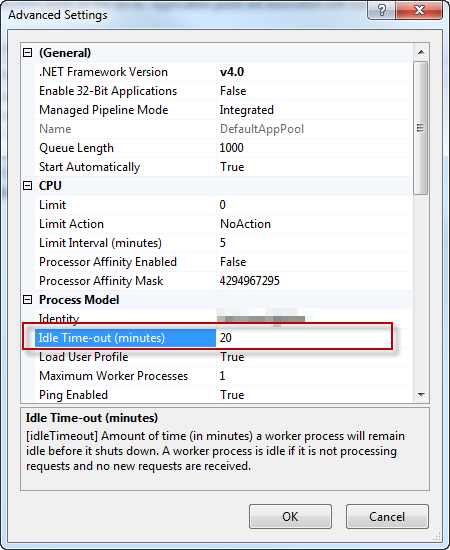
- Application pool timeout
-
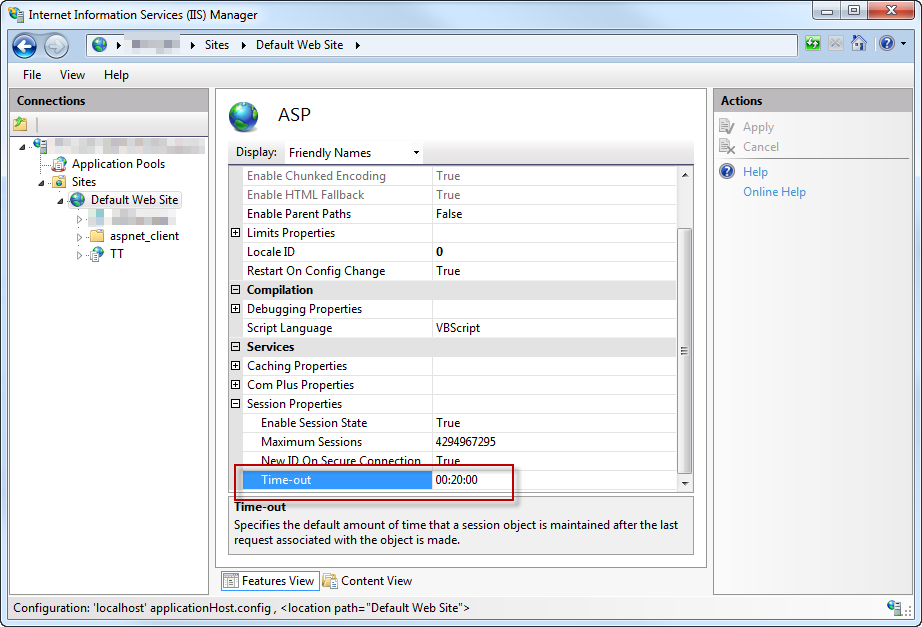
Asp.Net Session timeout property
Which one should I set if I want to have a timout of (say) 6 hours? All of them? Only some?
Answers:
Thank you for visiting the Q&A section on Magenaut. Please note that all the answers may not help you solve the issue immediately. So please treat them as advisements. If you found the post helpful (or not), leave a comment & I’ll get back to you as soon as possible.
Method 1
The application pool timeout is the length of time the site has to be idle for before the application pool will shut down the worker process to release resources. The downside is that when the next visitor comes to the website it takes a long time to restart things so that first request after a shutdown will be quite slow.
IIS7 Application Pool Idle Time-out Settings
The session timeout refers to the session id that a user gets on first request to the site, and when that expires.
I think the ASP one that you’ve included the screenshot of is for classic ASP, not ASP.NET.
So to increase the session timeout you would use the one in the config file.
There’s also a Session state section when you click on the website in IIS that you could possibly use either and there’s a timeout at the bottom of the page for it.
But if the value for the application pool timeout is shorter, then your session setting will be irrelevant as the worker process will shut down before the session expires. So you should also change your application pool settings.
All methods was sourced from stackoverflow.com or stackexchange.com, is licensed under cc by-sa 2.5, cc by-sa 3.0 and cc by-sa 4.0