ELMAH shows host, code, type, error, user, date and time by default on its error log web page. Is there any way to configure it and show other fields like IP or REFERER?
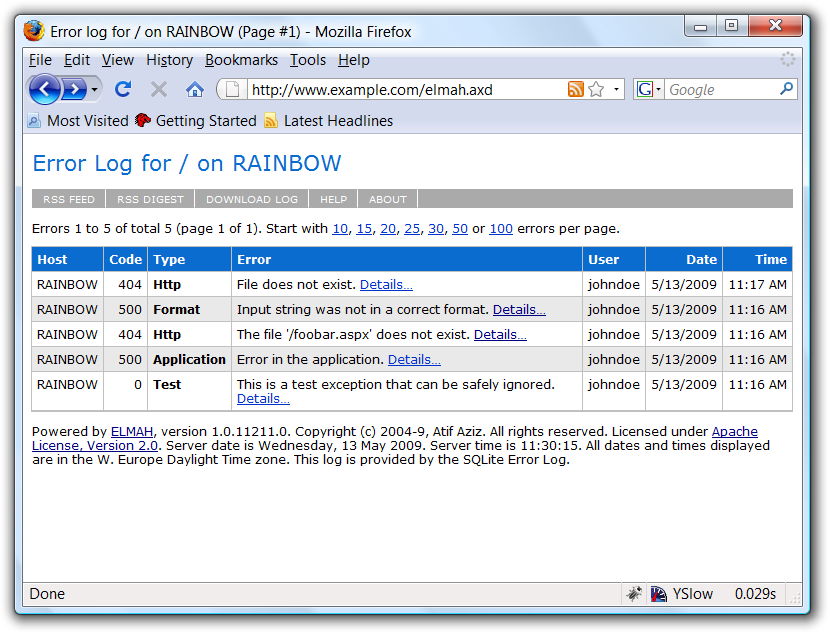
(source: googlecode.com)
Answers:
Thank you for visiting the Q&A section on Magenaut. Please note that all the answers may not help you solve the issue immediately. So please treat them as advisements. If you found the post helpful (or not), leave a comment & I’ll get back to you as soon as possible.
Method 1
You could write your own error page. Bind a datagrid to ErrorLog.GetErrors() and use whatever columns you want:
List<ErrorLogEntry> entries = new List<ErrorLogEntry>();
ErrorLog.GetDefault(HttpContext.Current).GetErrors(0, 50, entries);
string ip = entries[0].Error.ServerVariables["REMOTE_ADDR"];
string referrer = entries[0].Error.ServerVariables["HTTP_REFERER"];
Method 2
ELMAH is open-source. You can download the source and make any modifications you like (within the terms of the license, of course.)
You should be able to trap any data made available by the HttpConext.Request object. You’d have to modify the code that grabs and stores the data, and the database to make columns for that new data.
All methods was sourced from stackoverflow.com or stackexchange.com, is licensed under cc by-sa 2.5, cc by-sa 3.0 and cc by-sa 4.0