I’m trying to remove or hide items from a list and I’m facing two problems, 1- the newly cannot be removed, 2- Tried to tag the deleted items as isDeleted = true using Javascript then later delete them in the controller following this answer https://stackoverflow.com/a/40572625/10773318 but it didn’t work.
Here’s my view models
 public class CreateEditParentViewModel
{
    public int Id { get; set; }
    public IList<ChildViewModel> ChildrenLists { get; set; }
}

    public class ChildViewModel
{
        public int Id { get; set; }
        public string Name { get; set; }
        public bool isDeleted { get; set; }
}
In the main view
    <div id="editorRows">
    @foreach (var item in Model.ChildrenLists)
    {
        <partial name="_RowPartial" model="item" />
    }
    </div>
<a id="addItem" asp-action="BlankRow" asp-controller="Home">Add Row...</a> <br />
<input type="submit" value="Finished" />
The javascript in the main view
@section scripts {
<script>
    $("#addItem").click(function () {
        $.ajax({
            url: this.href,
            cache: false,
            success: function (html) { $("#editorRows").append(html); }
        });
        return false;
    });

    $("a.deleteRow").click(function () {
        $(this).parents("div.editorRow:first").remove(); //does not work with newly added
        return false;
    }); //what it should do: hide and set isDeleted = true if id is not null - remove if null
</script>
Finally the partial view
<div class="editorRow">
@using (Html.BeginCollectionItem("ChildrenLists"))
{
    @Html.HiddenFor(m => m.Id)
    @Html.HiddenFor(m => m.isDeleted)
    <span>Name: </span> @Html.EditorFor(m => m.Name);
}
<a href="#" class="deleteRow">delete</a>
Answers:
Thank you for visiting the Q&A section on Magenaut. Please note that all the answers may not help you solve the issue immediately. So please treat them as advisements. If you found the post helpful (or not), leave a comment & I’ll get back to you as soon as possible.
Method 1
1- the newly cannot be removed
You can manually bind click event handler for the new generated <a href="#" class="deleteRow"> element, like below.
success: function (html) {
    $("#editorRows").append(html);

    $("a.deleteRow").bind("click", function () {
        //...
        //code logic here
    });
}
2- Tried to tag the deleted items as isDeleted = true using Javascript
To achieve the requirement, you can refer to the following code snippet.
<script>
    $("#addItem").click(function () {
        $.ajax({
            url: this.href,
            cache: false,
            success: function (html) {
                $("#editorRows").append(html);

                $("a.deleteRow").bind("click", function () {
                    del_row($(this));
                });
            }
        });
        return false;
    });

    $("a.deleteRow").click(function () {

        del_row($(this));

        return false;
    });

    function del_row(el) {
        console.log("del");
        console.log($(el).siblings("input[id$='__Id']").val());
        var childitem_id = $(el).siblings("input[id$='__Id']").val();

        if (childitem_id == 0 || childitem_id == "") {
            $(el).parent("div.editorRow").remove();
        } else {
            $(el).siblings("input[id$='__isDeleted']").val("true");
            $(el).parent("div.editorRow").hide();
        }

        return false;
    }
</script>
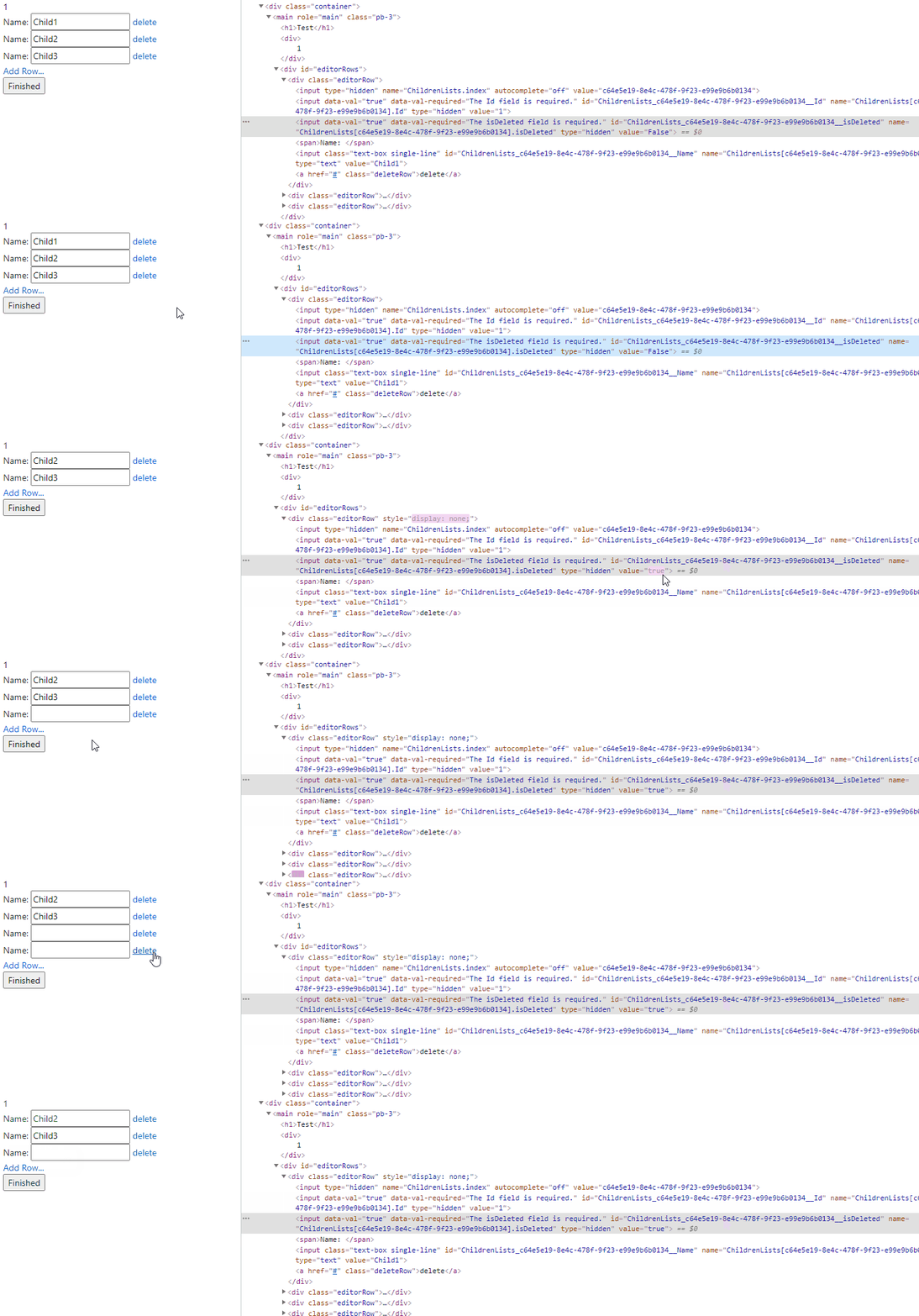
Test Result
All methods was sourced from stackoverflow.com or stackexchange.com, is licensed under cc by-sa 2.5, cc by-sa 3.0 and cc by-sa 4.0