I have this form
  <form method="post" data-ajax="true" data-ajax-method="post" asp-action="Requests" asp-
    controller="Home">

   <select id="Records" class="form-control col-lg-12"> <option value="0" selected>--Choose--
   </option>
   <option value="1">All records</option>
   <option value="2">Per User</option> </select>
   <input type="submit" value="Go" class="btn btn-success"/>
   </form>
I need to pass the selected value to controller,then to do some checks and then to reload my data. How can I pass the value 1 or 2 to controller? Any idea? thank you
Answers:
Thank you for visiting the Q&A section on Magenaut. Please note that all the answers may not help you solve the issue immediately. So please treat them as advisements. If you found the post helpful (or not), leave a comment & I’ll get back to you as soon as possible.
Method 1
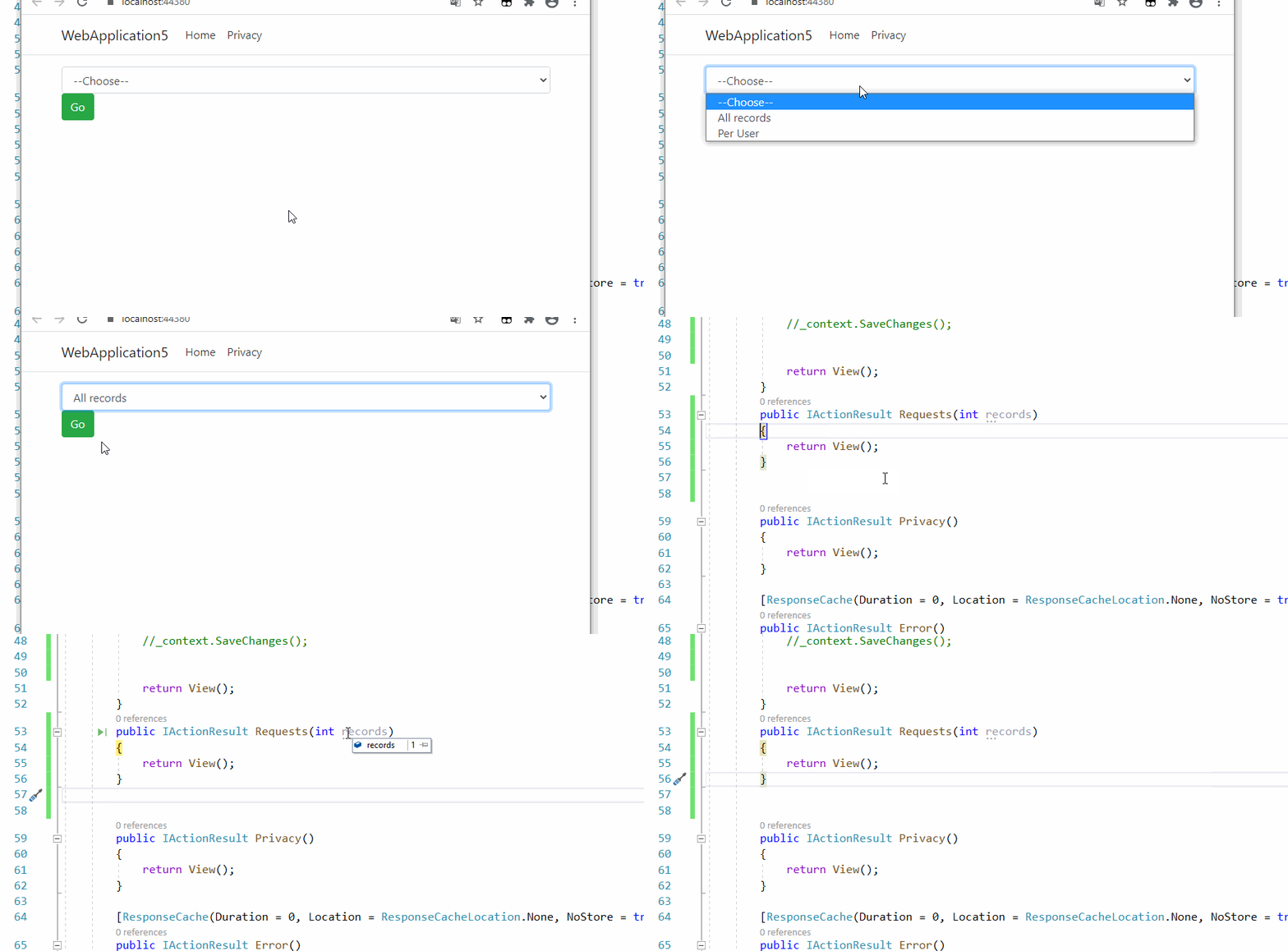
You should add a name attribute to the select element. such as name="records" like below
<form method="post" data-ajax="true" data-ajax-method="post" asp-action="Requests" asp-
      controller="Home">

    <select id="Records" name="records" class="form-control col-lg-12">
        <option value="0" selected>
            --Choose--
        </option>
        <option value="1">All records</option>
        <option value="2">Per User</option>
    </select>
    <input type="submit" value="Go" class="btn btn-success" />
</form>
And the controller should accept a parameter with the same name.
public IActionResult Requests(int records)
{

    return View();
}
Result:
All methods was sourced from stackoverflow.com or stackexchange.com, is licensed under cc by-sa 2.5, cc by-sa 3.0 and cc by-sa 4.0