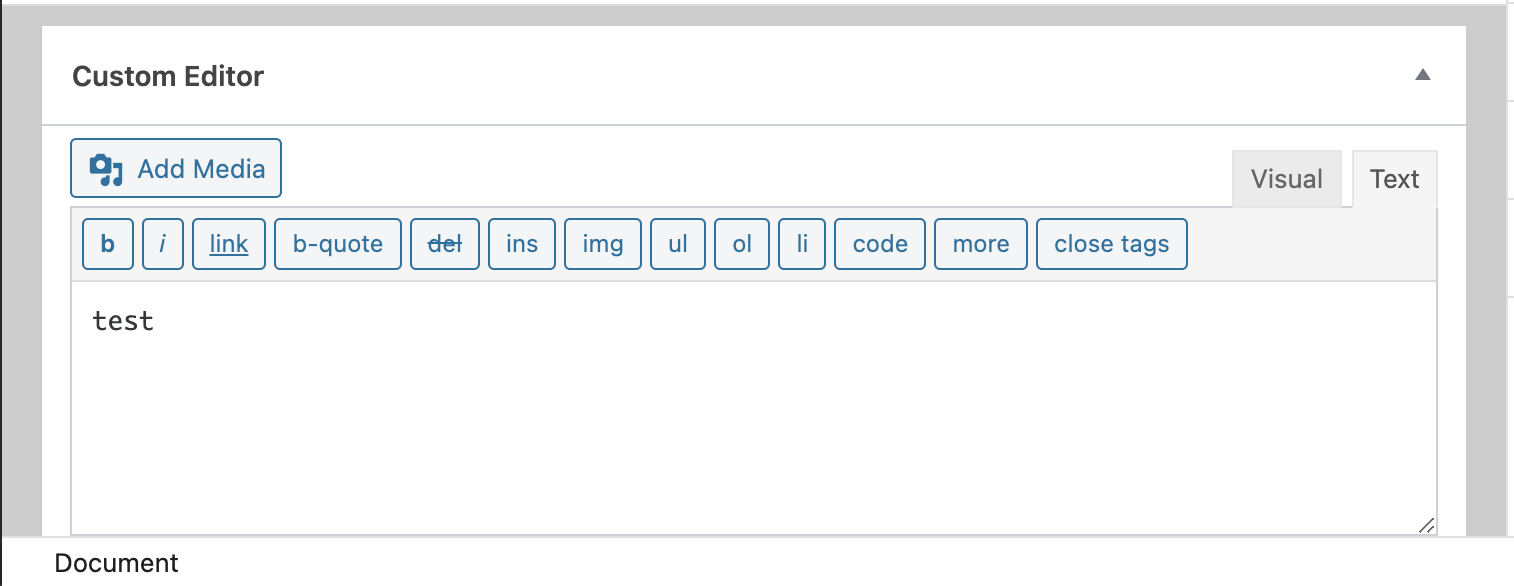
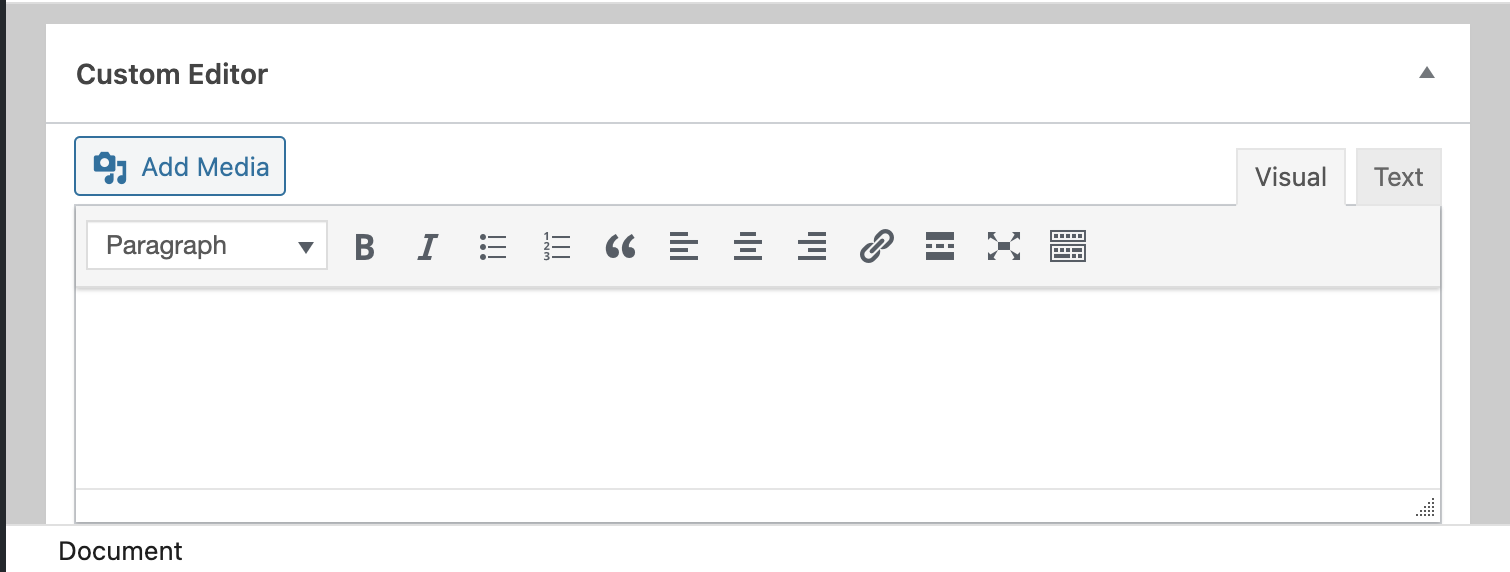
If you click on the Text tab, you can see the content, but when you switch back to the Visual tab, it displays nothing. It’s not white text on white background either… it just has no content. The functionality works otherwise. I can enter or change content via the Text tab, and that works. But it never shows the content in the Visual tab.
I have disabled all plugins and switched to the 2020 theme, running on WordPress 5.6 on my local machine, same results. Here’s my test code:
add_action('admin_init', 'custom_editor_meta_box');
function custom_editor_meta_box () {
    add_meta_box ( 'custom-editor', 'Custom Editor', 'custom_editor_callback', 'post',);
}

function custom_editor_callback ( $post ) {
    $content = get_post_meta($post->ID, 'custom_editor', true);

    wp_editor ( $content, 'custom_editor', array ( "media_buttons" => true ),);
}

add_action('save_post', 'custom_editor_save_postdata');
function custom_editor_save_postdata ( $post_id ) {
    if( isset( $_POST['custom_editor_nonce'] ) && isset( $_POST['post'] ) ) {
        if( defined( 'DOING_AUTOSAVE' ) && DOING_AUTOSAVE ) {
            return;
        }

        if ( !wp_verify_nonce ( $_POST['custom_editor_nonce'] ) ) {
            return;
        }

        if( 'post' == $_POST['post'] && !current_user_can( 'edit_post', $post_id ) ) {
            return;
        }
    }

    if ( !empty( $_POST['custom_editor'] ) ) {
        $data = $_POST['custom_editor'];
        update_post_meta($post_id, 'custom_editor', $data);
    }
}
Updated test code (still same results):
function custom_editor_meta_box () {
    add_meta_box ( 'custom-editor', 'Custom Editor', 'custom_editor_callback', 'post',);
}

function custom_editor_callback ( $post ) {
    $content = get_post_meta($post->ID, 'custom_editor', true);

    wp_editor ( $content, 'custom_editor', array ( "media_buttons" => true ) );
}

add_action('save_post', 'custom_editor_save_postdata');
function custom_editor_save_postdata ( $post_id ) {
    if ( !empty( $_POST['custom_editor'] ) ) {
        $data = $_POST['custom_editor'];
        update_post_meta($post_id, 'custom_editor', $data);
    }
}
Answers:
Thank you for visiting the Q&A section on Magenaut. Please note that all the answers may not help you solve the issue immediately. So please treat them as advisements. If you found the post helpful (or not), leave a comment & I’ll get back to you as soon as possible.
Method 1
Just want to add in case anyone needs a quick temporary patch before the next WP core release: I found installing the Enable jQuery Migrate Helper plugin solved it for several of my custom meta boxes. Obviously not a long term solution.
Method 2
The issue appears to be a bug with WordPress 5.6. See this thread of comments for the same issue with the CMB2 “developer’s toolkit for building metaboxes, custom fields, and forms,” which I implemented as an alternative to try (it produced the same results I get with the original code I posted).
Method 3
A temporary workaround that works for me is, make a ‘text’ mode default for wp-editor, like
// Set wp-editor in the 'Text' mode by default.
add_filter(
    'wp_default_editor',
    function () {
        return 'html';
    }
);
When we switch from text to visual, the wp-editor(tinyMCE) works fine, though its not a perfect fix but a quick win over adding a whole new plugin(Enable jQuery Migrate Helper).
All methods was sourced from stackoverflow.com or stackexchange.com, is licensed under cc by-sa 2.5, cc by-sa 3.0 and cc by-sa 4.0