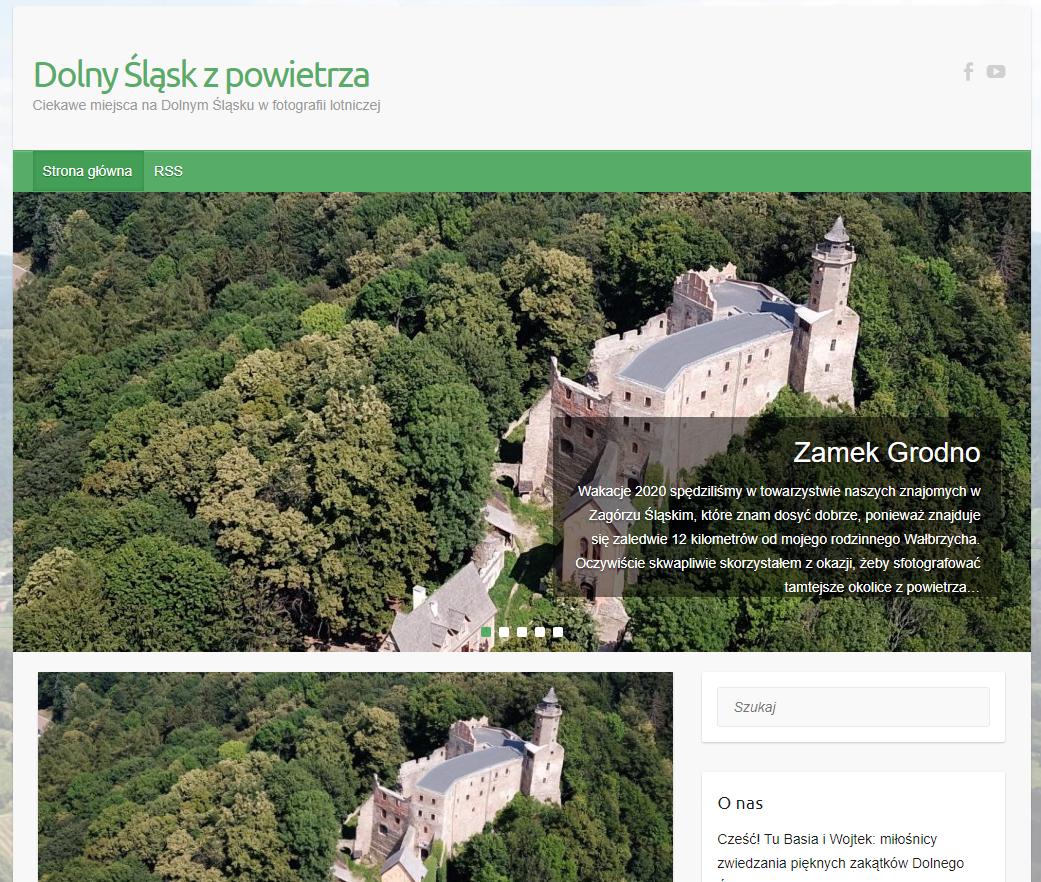
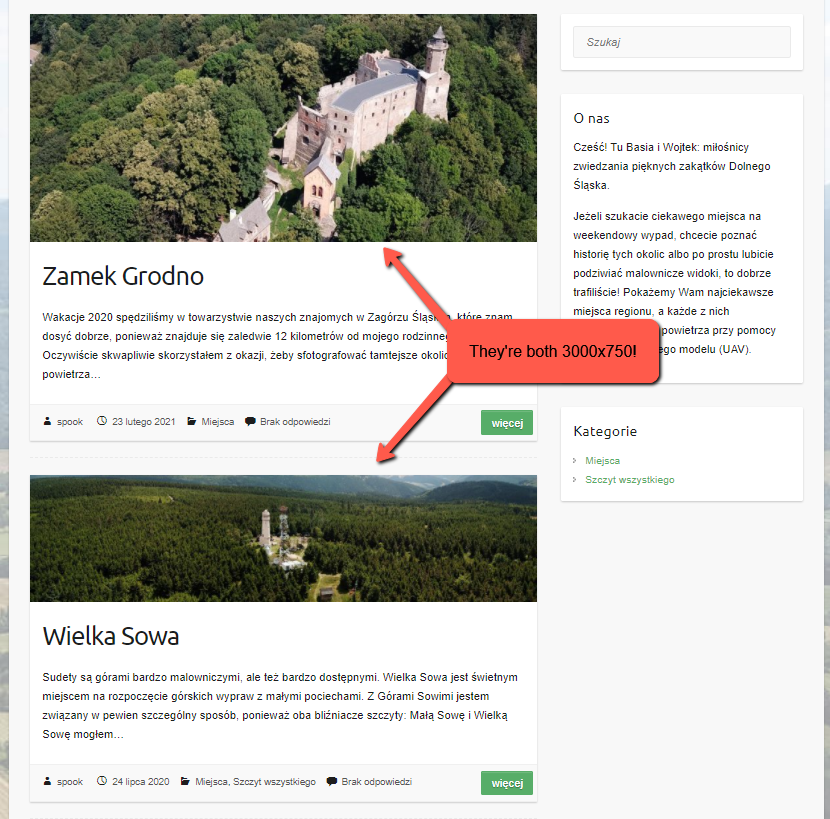
I’m consistently using 3000×750 images for the standout images for my entries. I’ve recently added a new post with such image (I’m 100% sure about its size) and I’ve realized, that for some reason it started looking differently than others (see images below, headers for clarity):
This is a valid header image:
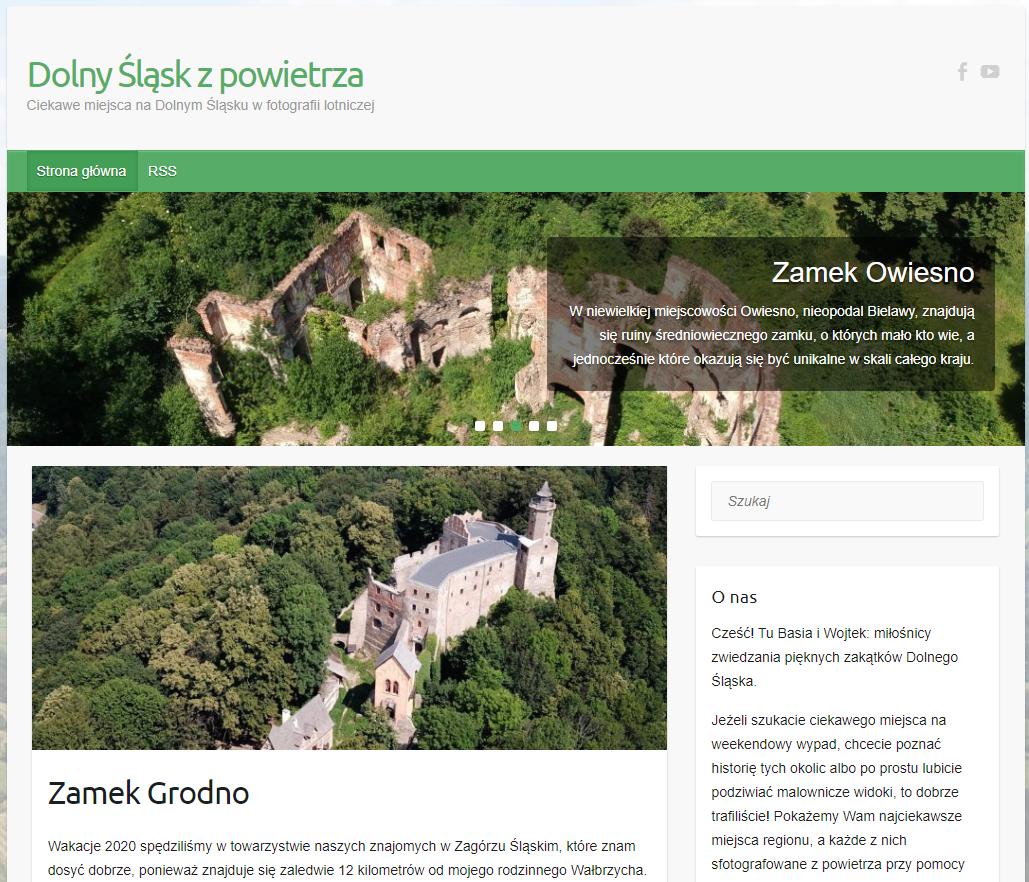
This is an invalid header image (too high):
This can also be seen when you scroll down to the posts themselves:
I opened FTP connection and figured out, that there are different sizes of thumbnails for old and new images:
| Old thumbnail sizes | New thumbnail sizes |
|---|---|
| 1024 x 256 | 1024 x 256 |
| 1018 x 460 | |
| 768 x 192 | 768 x 192 |
| 670 x 300 | |
| 474 x 342 | |
| 730 x 410 | |
| 300 x 75 | 300 x 75 |
| 230 x 230 | |
| 150 x 150 | 150 x 150 |
| 60×60 |
So suddenly WordPress started generating different sizes of thumbnails than it did earlier.
My configuration is:
- WordPress 4.9.16 (I’m avoiding the dreaded Gutenberg this way)
- Travelify theme
- The website is reachable under URL https://zpowietrza.org.pl
- Plugins:
- Akismet antyspam
- All in One WP Security
- GA Google Analytics
- Kiwi Social Share – Social Media Share Buttons & Icons
- MetaSlider
- Simple Lightbox
- UserRestrictionPlugin (my own, ensures, that only two specific users are registered)
- Zastępowanie medium (Replacing media)
So far I tried to find any theme-related settings, which relate to thumbnail sizes, but I failed to find any, which is relevant. I also tried disabling all relevant plugins before adding the header image, but it also didn’t worked.
Why thumbnail images suddenly started being created in different sizes? Which component may be responsible for that?
Answers:
Thank you for visiting the Q&A section on Magenaut. Please note that all the answers may not help you solve the issue immediately. So please treat them as advisements. If you found the post helpful (or not), leave a comment & I’ll get back to you as soon as possible.
Method 1
for performance reasons, WordPress creates copies of image files in various sizes. There are three default sizes, while rest of them are usually defined by themes or plugins.
If you don’t want to use the resized image, then use a full-size image while adding an image to the post.
if these are featured images, then you need to modify the code to use full size.(unless your theme has an option for it)
As far as Gutenberg considered you can install this plugin to disable Gutenberg
https://wordpress.org/plugins/classic-editor/
All methods was sourced from stackoverflow.com or stackexchange.com, is licensed under cc by-sa 2.5, cc by-sa 3.0 and cc by-sa 4.0