Hey all i am trying to find the section within the edit.php page where it populates the table with all my current pages. What i want to do is add another colum to the table in order to launch a side page for changing a picture.
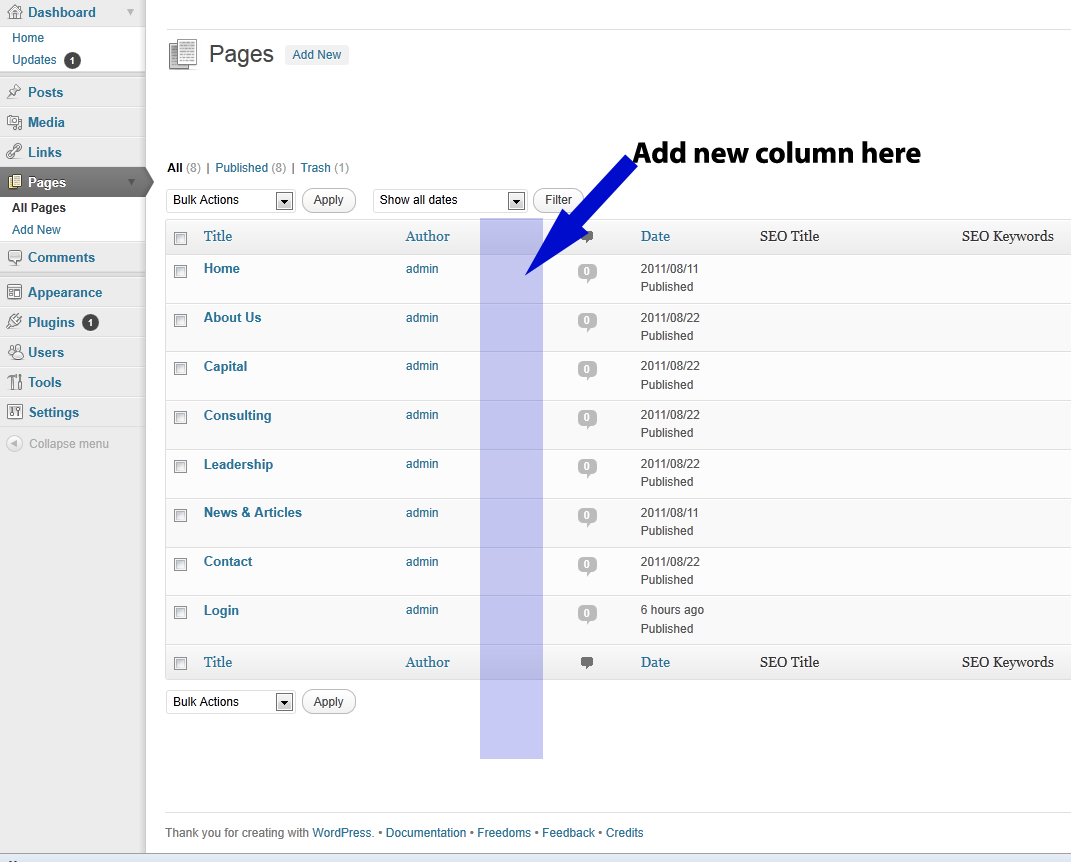
Could anyone point me to the code that populates the table?
Thanks!
David
Answers:
Thank you for visiting the Q&A section on Magenaut. Please note that all the answers may not help you solve the issue immediately. So please treat them as advisements. If you found the post helpful (or not), leave a comment & I’ll get back to you as soon as possible.
Method 1
Also an tutorial with an solution for page and post to add thumbnail in a column: http://wpengineer.com/1960/display-post-thumbnail-post-page-overview/
Change the content from thumbnail to your content and remove the hooks for post:
// for posts
// add_filter( 'manage_posts_columns', 'fb_AddThumbColumn' );
// add_action( 'manage_posts_custom_column', 'fb_AddThumbValue', 10, 2 );
// for pages
add_filter( 'manage_pages_columns', 'fb_AddThumbColumn' );
add_action( 'manage_pages_custom_column', 'fb_AddThumbValue', 10, 2 );
the id of page in backend is in the hook and you can add on all tables in backend new columns, also an example for Multisite Table:
http://wpengineer.com/2188/view-blog-id-in-wordpress-multisite/
    add_action( 'manage_sites_custom_column', array( $this, 'add_columns' ), 10, 2 );
    add_action( 'manage_blogs_custom_column', array( $this, 'add_columns' ), 10, 2 );
Method 2
Here is how i did it:
/****** Add Thumbnails in Manage Posts/Pages List ******/
if ( !function_exists('AddThumbColumn') && function_exists('add_theme_support') ) {
    // for post and page
    add_theme_support('post-thumbnails', array( 'post', 'page' ) );
    function AddThumbColumn($cols) {
        $cols['thumbnail'] = __('Thumbnail');
        return $cols;
    }
    function AddThumbValue($column_name, $post_id) {
            $width = (int) 60;
            $height = (int) 60;
            if ( 'thumbnail' == $column_name ) {
                // thumbnail of WP 2.9
                $thumbnail_id = get_post_meta( $post_id, '_thumbnail_id', true );
                // image from gallery
                $attachments = get_children( array('post_parent' => $post_id, 'post_type' => 'attachment', 'post_mime_type' => 'image') );
                if ($thumbnail_id)
                    $thumb = wp_get_attachment_image( $thumbnail_id, array($width, $height), true );
                elseif ($attachments) {
                    foreach ( $attachments as $attachment_id => $attachment ) {
                        $thumb = wp_get_attachment_image( $attachment_id, array($width, $height), true );
                    }
                }
                    if ( isset($thumb) && $thumb ) {
                        echo $thumb;
                    } else {
                        echo __('None');
                    }
            }
    }
    // for posts
    add_filter( 'manage_posts_columns', 'AddThumbColumn' );
    add_action( 'manage_posts_custom_column', 'AddThumbValue', 10, 2 );
    // for pages
    add_filter( 'manage_pages_columns', 'AddThumbColumn' );
    add_action( 'manage_pages_custom_column', 'AddThumbValue', 10, 2 );
}
And the code above was taken from this page: http://wpmu.org/how-to-add-post-thumbnails-to-the-wordpress-post-and-page-management-screens/
All methods was sourced from stackoverflow.com or stackexchange.com, is licensed under cc by-sa 2.5, cc by-sa 3.0 and cc by-sa 4.0