I am using ASP.NET Core 1.1 MVC to build an JSON API. Given the following model and action method:
public class TestModel
{
    public int Id { get; set; }

    [Range(100, 999)]
    public int RootId { get; set; }

    [Required, MaxLength(200)]
    public string Name { get; set; }

    public string Description { get; set; }
}

[HttpPost("/test/{rootId}/echo/{id}")]
public IActionResult TestEcho([FromBody] TestModel data)
{
    return Json(new
    {
        data.Id,
        data.RootId,
        data.Name,
        data.Description,
        Errors = ModelState.IsValid ? null : ModelState.SelectMany(x => x.Value.Errors)
    });
}
The [FromBody] on my action method parameter is causing the model to be bound from the JSON payload that is posted to the endpoint, however it also prevents the Id and RootId properties from being bound via the route parameters.
I could break this up into to separate models, one bound from the route and one from the body or I could also force any clients to send the id & rootId as part of the payload, but both of those solutions seem to complicate things more than I’d like and don’t allow me to keep the validation logic in a single place. Is there any way to get this situation working where the model can be bound properly and I can keep my model & validation logic together?
Answers:
Thank you for visiting the Q&A section on Magenaut. Please note that all the answers may not help you solve the issue immediately. So please treat them as advisements. If you found the post helpful (or not), leave a comment & I’ll get back to you as soon as possible.
Method 1
- Install-Package HybridModelBinding
-
Add to Statrup:
services.AddMvc() .AddHybridModelBinder(); -
Model:
public class Person { public int Id { get; set; } public string Name { get; set; } public string FavoriteColor { get; set; } } -
Controller:
[HttpPost] [Route("people/{id}")] public IActionResult Post([FromHybrid]Person model) { } -
Request:
curl -X POST -H "Accept: application/json" -H "Content-Type:application/json" -d '{ "id": 999, "name": "Bill Boga", "favoriteColor": "Blue" }' "https://localhost/people/123?name=William%20Boga" -
Result:
{ "Id": 123, "Name": "William Boga", "FavoriteColor": "Blue" } - There are other advanced features.
Method 2
After researching I came up with a solution of creating new model binder + binding source + attribute which combines functionality of BodyModelBinder and ComplexTypeModelBinder. It firstly uses BodyModelBinder to read from body and then ComplexModelBinder fills other fields. Code here:
public class BodyAndRouteBindingSource : BindingSource
{
    public static readonly BindingSource BodyAndRoute = new BodyAndRouteBindingSource(
        "BodyAndRoute",
        "BodyAndRoute",
        true,
        true
        );

    public BodyAndRouteBindingSource(string id, string displayName, bool isGreedy, bool isFromRequest) : base(id, displayName, isGreedy, isFromRequest)
    {
    }

    public override bool CanAcceptDataFrom(BindingSource bindingSource)
    {
        return bindingSource == Body || bindingSource == this;
    }
}
[AttributeUsage(AttributeTargets.Parameter | AttributeTargets.Property, AllowMultiple = false, Inherited = true)]
public class FromBodyAndRouteAttribute : Attribute, IBindingSourceMetadata
{
    public BindingSource BindingSource => BodyAndRouteBindingSource.BodyAndRoute;
}
public class BodyAndRouteModelBinder : IModelBinder
{
    private readonly IModelBinder _bodyBinder;
    private readonly IModelBinder _complexBinder;

    public BodyAndRouteModelBinder(IModelBinder bodyBinder, IModelBinder complexBinder)
    {
        _bodyBinder = bodyBinder;
        _complexBinder = complexBinder;
    }

    public async Task BindModelAsync(ModelBindingContext bindingContext)
    {
        await _bodyBinder.BindModelAsync(bindingContext);

        if (bindingContext.Result.IsModelSet)
        {
            bindingContext.Model = bindingContext.Result.Model;
        }

        await _complexBinder.BindModelAsync(bindingContext);
    }
}
public class BodyAndRouteModelBinderProvider : IModelBinderProvider
{
    private BodyModelBinderProvider _bodyModelBinderProvider;
    private ComplexTypeModelBinderProvider _complexTypeModelBinderProvider;

    public BodyAndRouteModelBinderProvider(BodyModelBinderProvider bodyModelBinderProvider, ComplexTypeModelBinderProvider complexTypeModelBinderProvider)
    {
        _bodyModelBinderProvider = bodyModelBinderProvider;
        _complexTypeModelBinderProvider = complexTypeModelBinderProvider;
    }

    public IModelBinder GetBinder(ModelBinderProviderContext context)
    {
        var bodyBinder = _bodyModelBinderProvider.GetBinder(context);
        var complexBinder = _complexTypeModelBinderProvider.GetBinder(context);

        if (context.BindingInfo.BindingSource != null
            && context.BindingInfo.BindingSource.CanAcceptDataFrom(BodyAndRouteBindingSource.BodyAndRoute))
        {
            return new BodyAndRouteModelBinder(bodyBinder, complexBinder);
        }
        else
        {
            return null;
        }
    }
}
public static class BodyAndRouteModelBinderProviderSetup
{
    public static void InsertBodyAndRouteBinding(this IList<IModelBinderProvider> providers)
    {
        var bodyProvider = providers.Single(provider => provider.GetType() == typeof(BodyModelBinderProvider)) as BodyModelBinderProvider;
        var complexProvider = providers.Single(provider => provider.GetType() == typeof(ComplexTypeModelBinderProvider)) as ComplexTypeModelBinderProvider;

        var bodyAndRouteProvider = new BodyAndRouteModelBinderProvider(bodyProvider, complexProvider);

        providers.Insert(0, bodyAndRouteProvider);
    }
}
Method 3
You can remove the [FromBody] decorator on your input and let MVC binding map the properties:
[HttpPost("/test/{rootId}/echo/{id}")]
public IActionResult TestEcho(TestModel data)
{
    return Json(new
    {
        data.Id,
        data.RootId,
        data.Name,
        data.Description,
        Errors = ModelState.IsValid ? null : ModelState.SelectMany(x => x.Value.Errors)
    });
}
More info:
Model binding in ASP.NET Core MVC
UPDATE
Testing
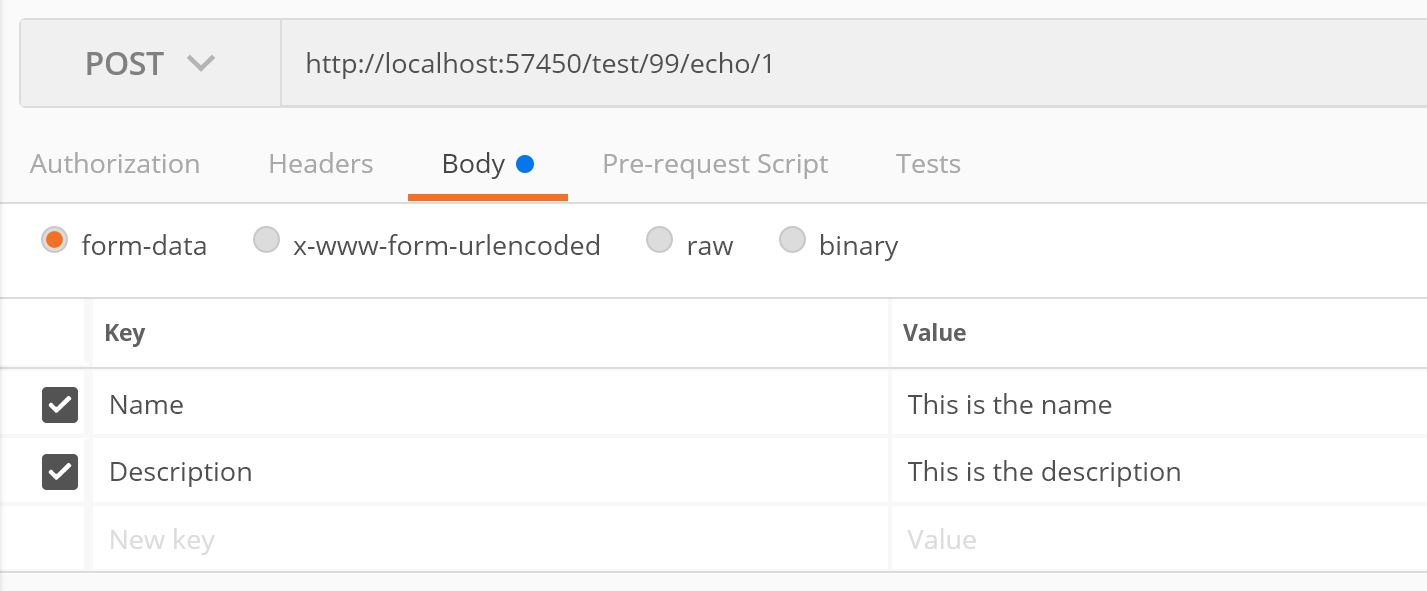

UPDATE 2
@heavyd, you are right in that JSON data requires [FromBody] attribute to bind your model. So what I said above will work on form data but not with JSON data.
As alternative, you can create a custom model binder that binds the Id and RootId properties from the url, whilst it binds the rest of the properties from the request body.
public class TestModelBinder : IModelBinder
{
    private BodyModelBinder defaultBinder;

    public TestModelBinder(IList<IInputFormatter> formatters, IHttpRequestStreamReaderFactory readerFactory) // : base(formatters, readerFactory)
    {
        defaultBinder = new BodyModelBinder(formatters, readerFactory);
    }

    public async Task BindModelAsync(ModelBindingContext bindingContext)
    {
        // callinng the default body binder
        await defaultBinder.BindModelAsync(bindingContext);

        if (bindingContext.Result.IsModelSet)
        {
            var data = bindingContext.Result.Model as TestModel;
            if (data != null)
            {
                var value = bindingContext.ValueProvider.GetValue("Id").FirstValue;
                int intValue = 0;
                if (int.TryParse(value, out intValue))
                {
                    // Override the Id property
                    data.Id = intValue;
                }
                value = bindingContext.ValueProvider.GetValue("RootId").FirstValue;
                if (int.TryParse(value, out intValue))
                {
                    // Override the RootId property
                    data.RootId = intValue;
                }
                bindingContext.Result = ModelBindingResult.Success(data);
            }

        }

    }
}
Create a binder provider:
public class TestModelBinderProvider : IModelBinderProvider
{
    private readonly IList<IInputFormatter> formatters;
    private readonly IHttpRequestStreamReaderFactory readerFactory;

    public TestModelBinderProvider(IList<IInputFormatter> formatters, IHttpRequestStreamReaderFactory readerFactory)
    {
        this.formatters = formatters;
        this.readerFactory = readerFactory;
    }

    public IModelBinder GetBinder(ModelBinderProviderContext context)
    {
        if (context.Metadata.ModelType == typeof(TestModel))
            return new TestModelBinder(formatters, readerFactory);

        return null;
    }
}
And tell MVC to use it:
services.AddMvc()
  .AddMvcOptions(options =>
  {
     IHttpRequestStreamReaderFactory readerFactory = services.BuildServiceProvider().GetRequiredService<IHttpRequestStreamReaderFactory>();
     options.ModelBinderProviders.Insert(0, new TestModelBinderProvider(options.InputFormatters, readerFactory));
  });
Then your controller has:
[HttpPost("/test/{rootId}/echo/{id}")]
public IActionResult TestEcho(TestModel data)
{...}
Testing
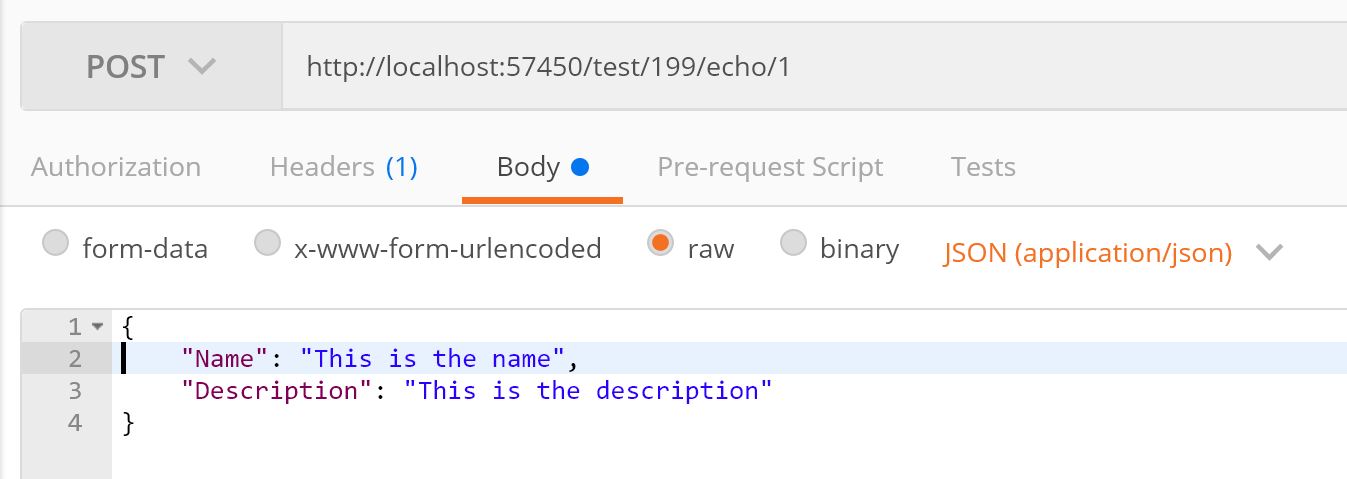

You can add an Id and RootId to your JSON but they will be ignored as we are overwriting them in our model binder.
UPDATE 3
The above allows you to use your data model annotations for validating Id and RootId. But I think it may confuse other developers who would look at your API code. I would suggest to just simplify the API signature to accept a different model to use with [FromBody] and separate the other two properties that come from the uri.
[HttpPost("/test/{rootId}/echo/{id}")]
public IActionResult TestEcho(int id, int rootId, [FromBody]TestModelNameAndAddress testModelNameAndAddress)
And you could just write a validator for all your input, like:
// This would return a list of tuples of property and error message.
var errors = validator.Validate(id, rootId, testModelNameAndAddress);
if (errors.Count() > 0)
{
    foreach (var error in errors)
    {
        ModelState.AddModelError(error.Property, error.Message);
    }
}
Method 4
I have not tried this for your example but it should work as asp.net core support model binding like this.
You can create model like this.
public class TestModel
{
    [FromRoute]
    public int Id { get; set; }

    [FromRoute]
    [Range(100, 999)]
    public int RootId { get; set; }

    [FromBody]
    [Required, MaxLength(200)]
    public string Name { get; set; }

    [FromBody]
    public string Description { get; set; }
}
Update 1: Above will not work in case when stream is not rewindable. Mainly in your case when you post json data.
Custom Model binder is solution but if you still don’t want to create that one and just want to manage with Model then you can create two Model.
public class TestModel
    {
        [FromRoute]
        public int Id { get; set; }

        [FromRoute]
        [Range(100, 999)]
        public int RootId { get; set; }

        [FromBody]
        public ChildModel OtherData { get; set; }
    }


    public class ChildModel
    {
        [Required, MaxLength(200)]
        public string Name { get; set; }

        public string Description { get; set; }
    }
Note : This works perfectly with application/json binding as it is working bit differently then other content-type.
Method 5
What I ended up doing (translated to your case) was:
- Model
public class TestModel
{
    public int Id { get; set; }

    [Range(100, 999)]
    public int RootId { get; set; }

    [Required, MaxLength(200)]
    public string Name { get; set; }

    public string Description { get; set; }
}
- Controller
[HttpPost("/test/{rootId}/echo/{id}")]
public IActionResult TestEcho(int rootId, int id, TestModel data)
{
    data.RootId = rootId;
    data.Id = id;
    return Json(new
    {
        data.Id,
        data.RootId,
        data.Name,
        data.Description,
        Errors = ModelState.IsValid ? null : ModelState.SelectMany(x => x.Value.Errors)
    });
}
It might not be the same signature on the controller method. It may not look as elegant as only having the model in the signature. It was – however – easy, as it doesn’t require any external packages to be downloaded and only requires small changes to your controller method (one extra line and declared parameter per added route parameter).
All methods was sourced from stackoverflow.com or stackexchange.com, is licensed under cc by-sa 2.5, cc by-sa 3.0 and cc by-sa 4.0