In my web application all the .aspx pages resides in Pages directory. The project structure is shown below:
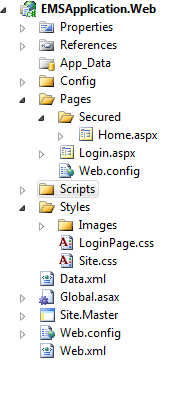
The Home.aspx is set as Start Page and the Web.config file of the Pages folder contains:
<configuration>
<location path="Secured">
    <system.web>
    <authorization>
        <deny users="?"/>
        <allow users="*"/>
    </authorization>
    </system.web>
</location>
</configuration>
And the main Web.config has:
<authentication mode="Forms">
  <forms loginUrl="~/Pages/Login.aspx" timeout="2880" defaultUrl="~/Pages/Secured/Home.aspx" />
</authentication>
So when the application launches it redirects to the Login page with the URL:
http://localhost:2453/Pages/Login.aspx?ReturnUrl=%2fPages%2fSecured%2fHome.aspx
Now if I delete the
Login.aspx?ReturnUrl=%2fPages%2fSecured%2fHome.aspx
from that URL and press enter it is taking me to the Directory Listing:
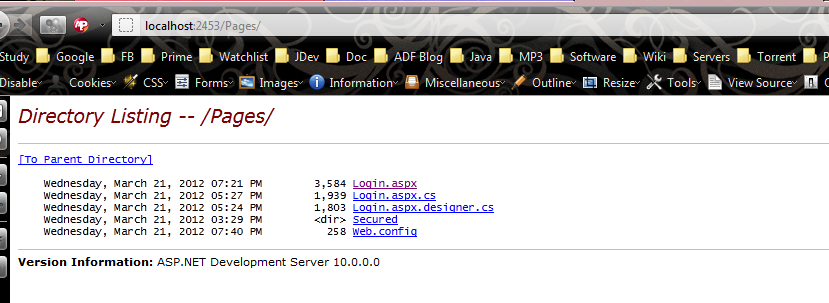
What I want that it will again send me to the Login page located at
How can I achieve this? Your help be appreciated.
Thanks.
The localhost:
Answers:
Thank you for visiting the Q&A section on Magenaut. Please note that all the answers may not help you solve the issue immediately. So please treat them as advisements. If you found the post helpful (or not), leave a comment & I’ll get back to you as soon as possible.
Method 1
You need to disable directory browsing from IIS or from the web.config
<configuration>
  <location path="Secured">
    <system.webServer>
      <directoryBrowse enabled="false" />
    </system.webServer>
  </location>
</configuration>
this entry above applies to IIS 7+, for IIS 6 you’ll have to do it from IIS Manager
Method 2
There are 2 ways using which you can disable the Directory Listing:
This has been tested & works for IIS 10.
1. Web.config
<configuration>
   <system.webServer>
       <directoryBrowse enabled="false" /> <!--this line will disable directory browsing-->
   </system.webServer>
</configuration>
2. IIS
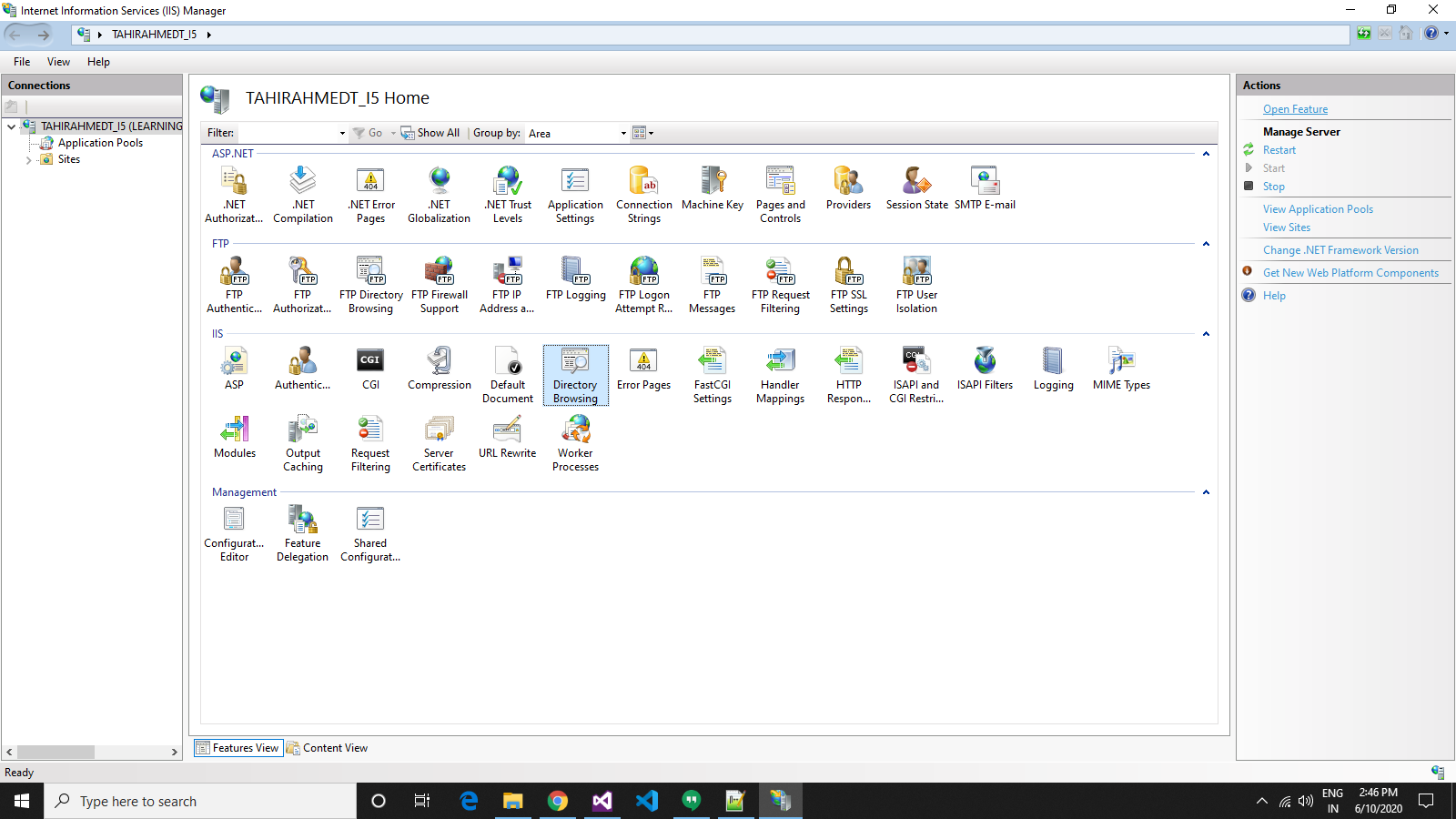
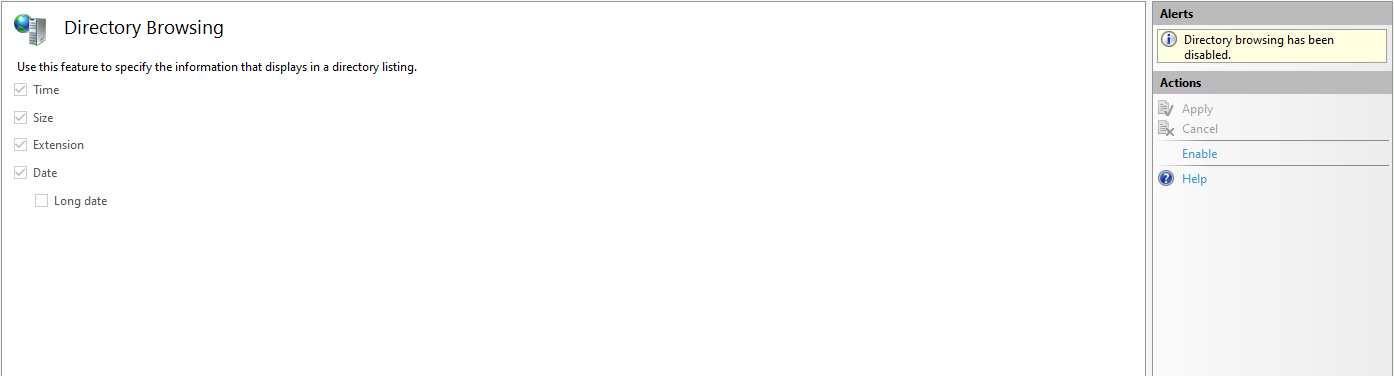
Go to Internet Information Services(IIS) and look for the Directory Browser option. Select it and on the right corner you see an option Open Feature. Click on it and it will take you to another tab. Now select Disable and you see that the browsing has been disabled.
All methods was sourced from stackoverflow.com or stackexchange.com, is licensed under cc by-sa 2.5, cc by-sa 3.0 and cc by-sa 4.0