I have placed a media button as a post meta field to insert an image URL into a text field when Insert Into Page button is clicked. It works up to the point of opening the media repository window, selecting image and insert, however no value is passed to the input field.
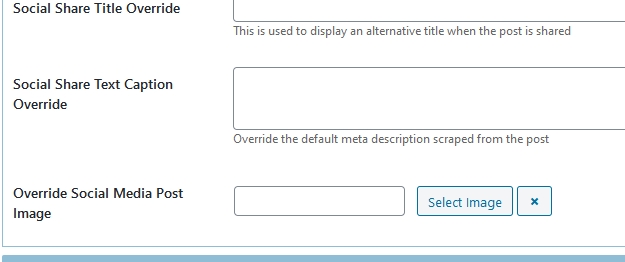
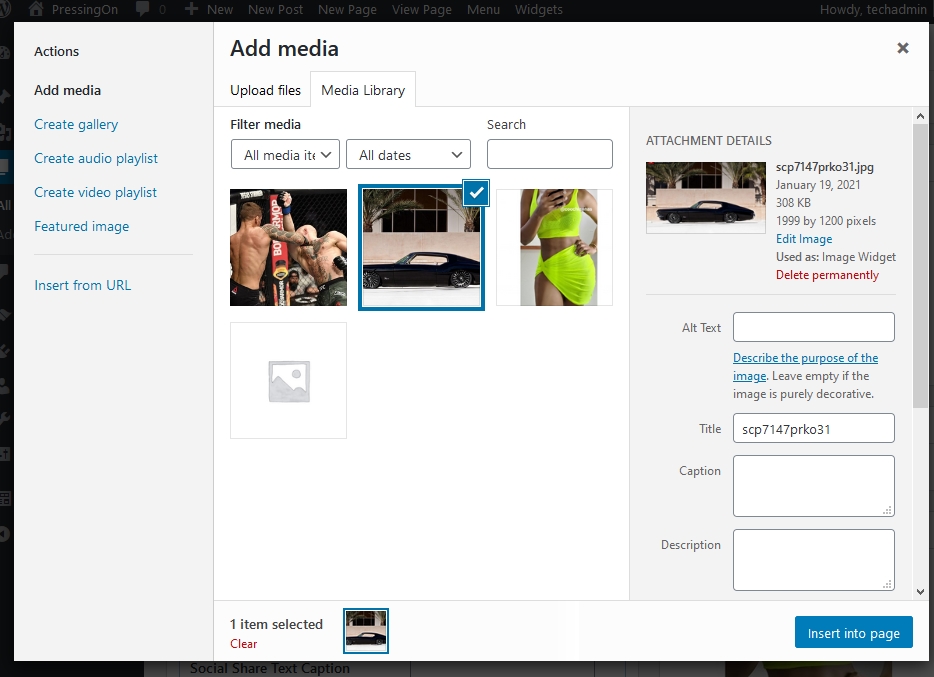
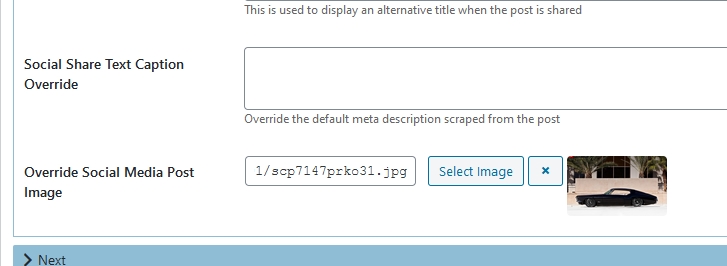
Expected result
The result should be that the URL along with media ID are inserted as
https://avalon.com/dev/wp-content/uploads/2021/01/scp7147prko31.jpg|12 but no value is returned. I can enter a URL manually and the data is saved.
I have scanned my code thoroughly and tried numerous methods with the javascript where I figure is the source of the failure. The debug console indicates that there is a fault with an expected function named tabs associated with the plugin classic editor but I cannot locate such. I even disabled the plugin and the failure persists.
I’ve stared down the code for now 4 hours and cannot define a solution, so I am seeking assistance to resolve.
Console Log
Uncaught TypeError: $(...).tabs is not a function
<anonymous> https://avalon.com/dev/wp-admin/post.php?post=2&action=edit&classic-editor&message=1:300
jQuery 2
    mightThrow
    process
post.php:300:21
The code
public static function mediabutton($fname, $value)
{
    add_action('admin_enqueue_scripts', function() {
        wp_enqueue_media();
    });

    $js = '<script>
    jQuery(function($)
    {
        if( $(".mb-insertimg").length > 0 )
        {
            if( typeof wp !== "undefined" && wp.media && wp.media.editor ) {
                $(".mb-insertimg").on("click", function(e) {
                    e.preventDefault();

                    wp.media.editor.send.attachment = function(props, attachment) {
                        $("#mb-socialimg").val(wp.media.attachment(attachment.id).get("url")+"|"+attachment.id);
                    };
                    wp.media.editor.open($(this));
                    return false;
                });
            }
        }

        $("a.clearit").on("click", function() {
            $("#mb-socialimg").val("");
        });
    });
    </script>';

    $thumb= $imgUrl='';
    if( !empty($value) )
    {
        if( strstr($value, '|') ) {
            list($imgUrl, $imgId) = explode('|', $value);
            $tid = wp_get_attachment_image_src($imgId, 'thumbnail');
            $thumb = '<img src="'.$tid[0].'" />';
        }else{
            $imgUrl = $value;
            $thumb = '<img src="'.$value.'" />';
        }
    }

    $img = '
    <div class="mb-imginsert">
    <span><input type="text" id="mb-socialimg" name="'.$fname.'" value="'.$imgUrl.'" /></span>
    <span><button class="mb-insertimg button">Select Image</button></span>
    <span><a class="button clearit dashicons dashicons-no" style="width: auto;" href="javascript:;"></a></span>
    <span>'.$thumb.'</span>
    </div>
    '.$js;

    return $img;
}
Answers:
Thank you for visiting the Q&A section on Magenaut. Please note that all the answers may not help you solve the issue immediately. So please treat them as advisements. If you found the post helpful (or not), leave a comment & I’ll get back to you as soon as possible.
Method 1
Apparently there was a conflict in the complex string
$("#mb-socialimg").val(wp.media.attachment(attachment.id).get("url")+"|"+attachment.id);
I changed to the following and now it all works well
$("#mb-socialimg").val(attachment.url+"|"+attachment.id);
All methods was sourced from stackoverflow.com or stackexchange.com, is licensed under cc by-sa 2.5, cc by-sa 3.0 and cc by-sa 4.0