Is there a variant of cat that outputs syntax-highlighted lines of code when used on a source file?
An idea: maybe vi[m] or another editor can be asked to dump the syntax-highlighted contents of said files to stdout and exit immediately?
Answers:
Thank you for visiting the Q&A section on Magenaut. Please note that all the answers may not help you solve the issue immediately. So please treat them as advisements. If you found the post helpful (or not), leave a comment & I’ll get back to you as soon as possible.
Method 1
Passing the file through pygmentize-f terminal will attempt to detect the type from the filename and highlight it appropriately.
Method 2
The Source-highlight package is shipped with the esc.outlang output language definition, which highlights with ANSI escape sequences.
A handy wrapper src-hilite-lesspipe.sh is also included in the package, so displaying highlighted output in the terminal is just src-hilite-lesspipe.sh source.file.
Actually src-hilite-lesspipe.sh‘s primary reason is to help automating the use of source-highlight with less. You just set:
export LESSOPEN="| /path/to/src-hilite-lesspipe.sh %s"
export LESS=' -R '
Then any less source.file will show highlighted source code. (Code in unknown language will pass through unaltered. Highlighting will be also skipped in case of redirected content, like less < source.file.)
Method 3
Highlight is simple to use and faster than pygmentize
Method 4
I use vimcat.
https://github.com/ofavre/vimcat
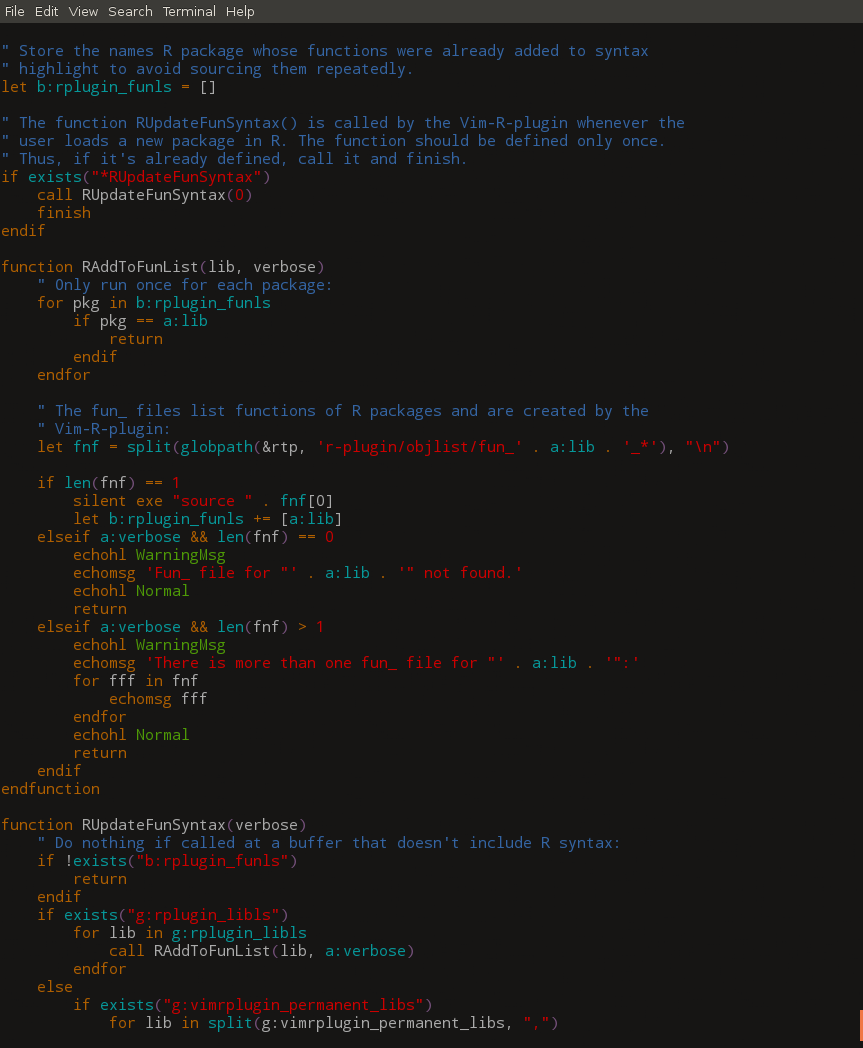
It looks good enough for me.
Method 5
Based on @Mikael Öhman’s comment on @Ignacio Vazquez-Abrams’s answer, I wrote this Python program to use pygments if possible or else use cat.
#! /usr/bin/env python3

from argparse import ArgumentParser
import subprocess
import os
import os.path


def main():
    parser = ArgumentParser(description='cat alternative that uses ANSI characters')
    parser.add_argument('file', help='the file to print out the contents of', type=str)
    args = parser.parse_args()
    if not os.path.isfile(args.file):
        parser.error(f'file not found: {args.file}')
    cat = False
    result = subprocess.run(('pygmentize -f terminal256 -O style=native ' + args.file).split(), stdout=subprocess.PIPE,
        stderr=subprocess.PIPE,
    )
    if result.stderr:
        cat = True
    commands = {
        True: 'cat ',
        False: 'pygmentize -f terminal256 -O style=native '
    }
    os.system(commands[cat] + args.file)


if __name__ == '__main__':
    main()
All methods was sourced from stackoverflow.com or stackexchange.com, is licensed under cc by-sa 2.5, cc by-sa 3.0 and cc by-sa 4.0