The default API example in Visual Studio 2019 instantiates an ILogger<T>. If I invoke it via _logger.Log(LogLevel.Information, "hello") how can I view the log file? This question assumes use of Azure App Service.
namespace WebApplication1.Controllers
{
    [ApiController]
    [Route("[controller]")]
    public class WeatherForecastController : ControllerBase
    {
        private static readonly string[] Summaries = new[]
        {
            "Freezing", "Bracing", "Chilly", "Cool", "Mild", "Warm", "Balmy", "Hot", "Sweltering", "Scorching"
        };

        private readonly ILogger<WeatherForecastController> _logger;

        public WeatherForecastController(ILogger<WeatherForecastController> logger)
        {
            _logger = logger;
        }
    }
}
Answers:
Thank you for visiting the Q&A section on Magenaut. Please note that all the answers may not help you solve the issue immediately. So please treat them as advisements. If you found the post helpful (or not), leave a comment & I’ll get back to you as soon as possible.
Method 1
-
You can stream logs live in Cloud Shell, use the following command:
az webapp log tail –name appname –resource-group myResourceGroup
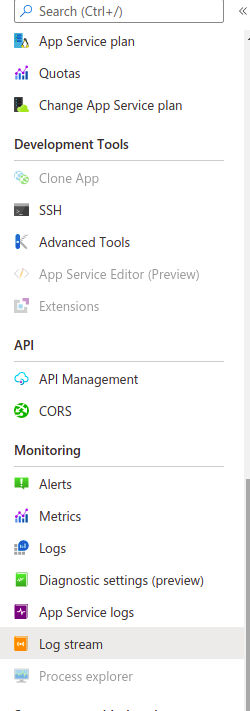
- Or you can navigate to your app and select Log stream.
Method 2
I am sharing the Azure portal steps in Azure App Service and also the code required for it.
-
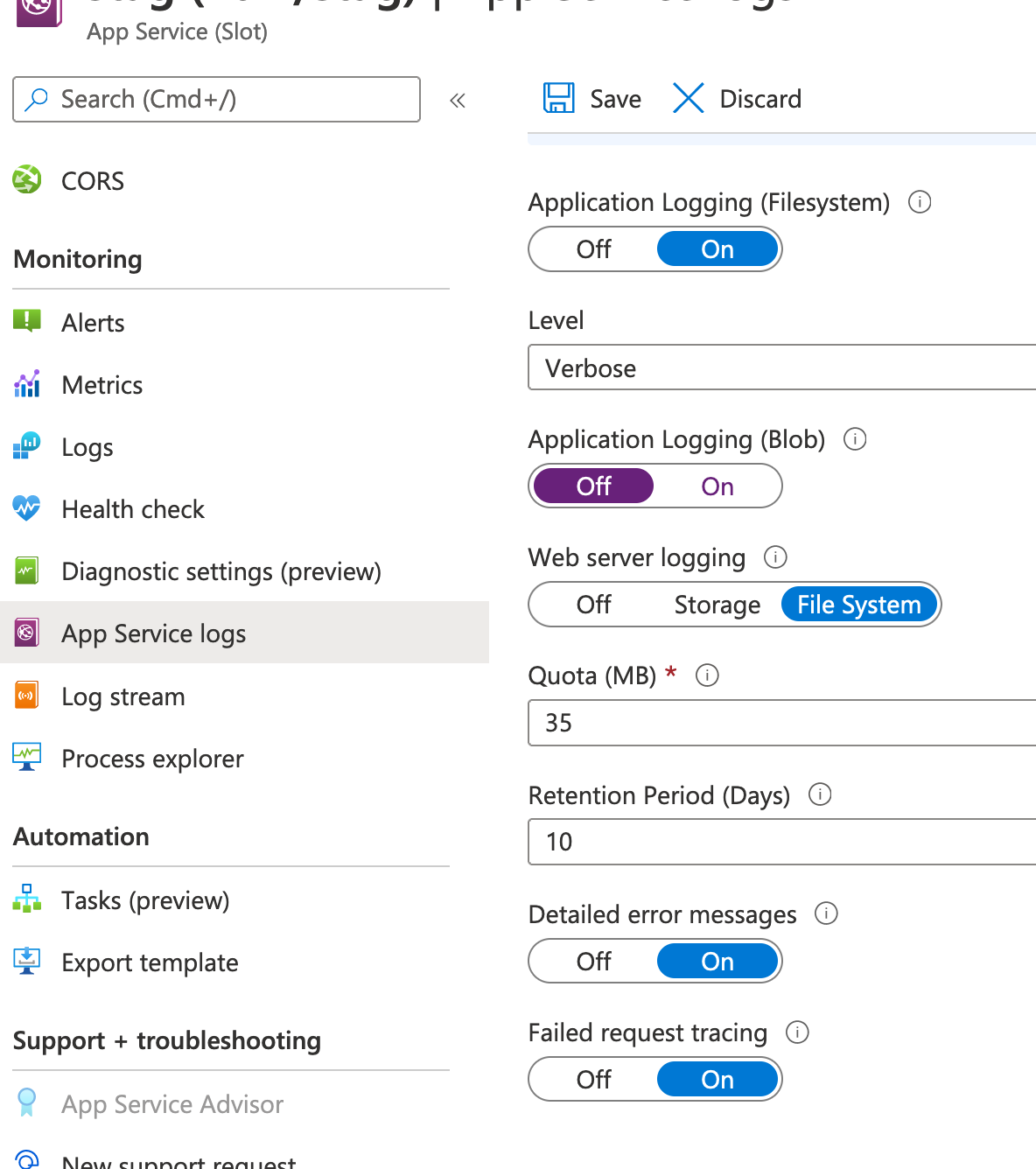
First of all enable logging via App Service Logs Options
-
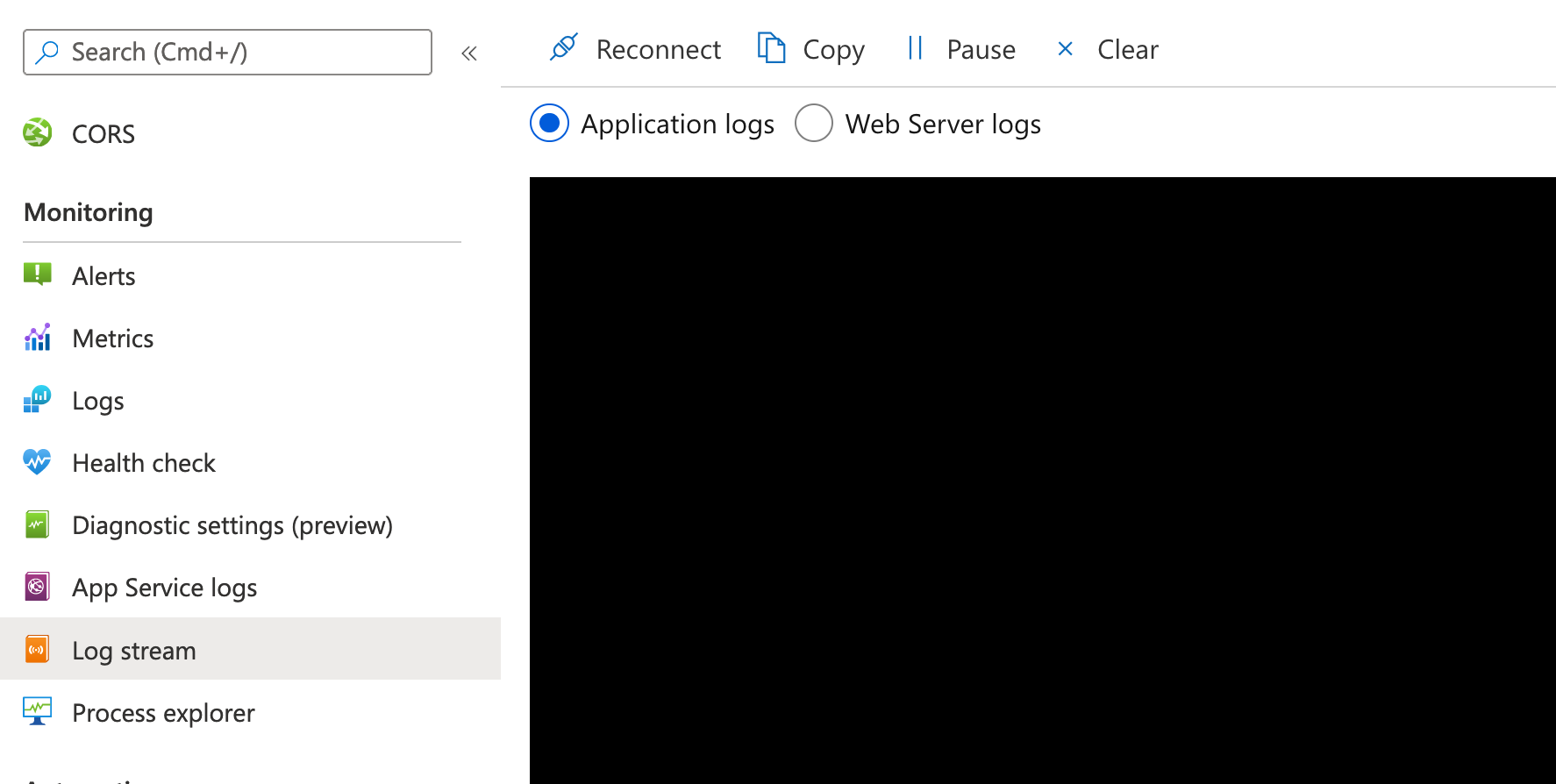
Then check out the live log via ‘Log Stream’ Option
-
Also sharing my code change for .netcore 3.1
using Microsoft.Extensions.Configuration;
using Microsoft.Extensions.Hosting;
using Microsoft.Extensions.Logging;
using Microsoft.Extensions.Logging.EventLog;namespace MPRC.Common.SAMPLE { public class Program { public static void Main(string[] args) { CreateHostBuilder(args).Build().Run(); } public static IHostBuilder CreateHostBuilder(string[] args) => Host.CreateDefaultBuilder(args) .ConfigureLogging((hostingContext, logging) => { logging.ClearProviders(); logging.AddConfiguration(..sample...); logging.AddEventLog(new EventLogSettings() { //........... }); logging.AddConsole(); logging.AddAzureWebAppDiagnostics(); }) .ConfigureWebHostDefaults(webBuilder => { webBuilder.UseStartup<Startup>(); }); - Just take a note of logging.AddAzureWebAppDiagnostics(); in above code
All methods was sourced from stackoverflow.com or stackexchange.com, is licensed under cc by-sa 2.5, cc by-sa 3.0 and cc by-sa 4.0