I have a block in which I’d like to display a link based on the site url. So for example, when the user enters “Futuristic”, the link will display as https://my-site.com/futuristic/
I’ve looked at REST API /settings/ endpoint, which is supposed to include a url field, but it doesn’t (at least on the two different sites I tried). Perhaps this is because I’ve got WP set up as multisite. There still should be a way to access the current site’s url I’m sure.
I’ve looked into what wp.data.select() can provide in the various namespaces, but I don’t see anything that would include the site url.
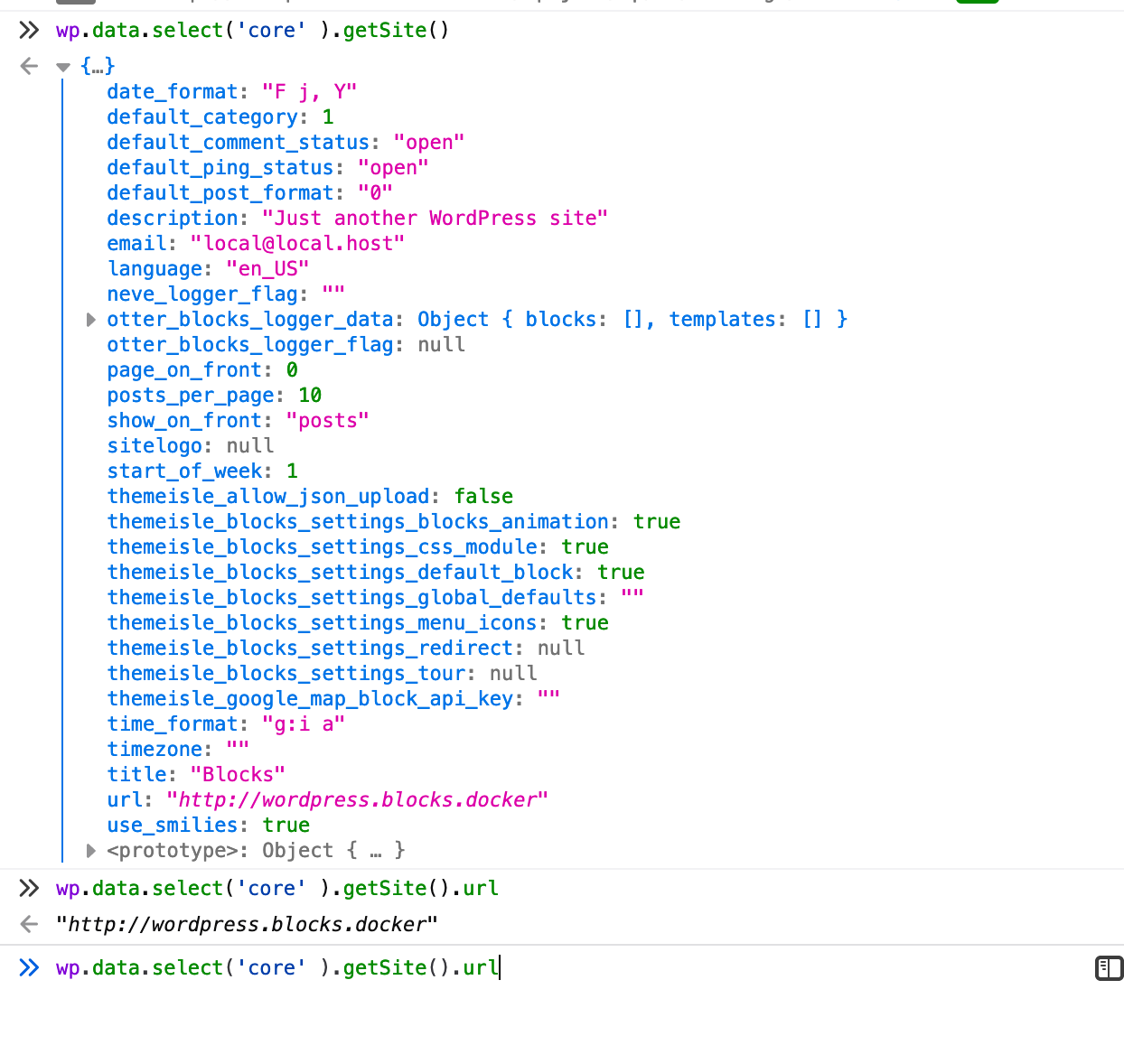
I tried looking at output of wp.data.select('core').getSite() (see Hardeep’s suggestion), but mine has no url property and looks like this:
{
date_format: "F j, Y"
default_category: 1
default_comment_status: "open"
default_ping_status: "open"
default_post_format: "0"
description: ""
language: ""
posts_per_page: 10
start_of_week: 0
time_format: "g:i a"
timezone: "America/New_York"
title: "The Name of My Site"
use_smilies: true
}
I suspect the difference has to do with Multisite being enabled, but not sure.
Answers:
Thank you for visiting the Q&A section on Magenaut. Please note that all the answers may not help you solve the issue immediately. So please treat them as advisements. If you found the post helpful (or not), leave a comment & I’ll get back to you as soon as possible.
Method 1
Perhaps this is because I’ve got WP set up as multisite.
Yes, that’s right, WordPress disables the siteurl (and also admin_email) settings on a Multisite — see register_initial_settings() for the source.
And I don’t know why they disable those (two) settings, but you can explicitly enable them like so for the url/siteurl setting, which for example, would go in the theme’s functions.php file:
// I copied this from the source..
register_setting(
    'general',
    'siteurl',
    array(
        'show_in_rest' => array(
            'name'   => 'url',
            'schema' => array(
                'format' => 'uri',
            ),
        ),
        'type'         => 'string',
        'description'  => __( 'Site URL.' ),
    )
);
Tried & tested working with WordPress 5.6.1 Multisite.
And also, wp.data.select( 'core' ).getSite() uses the Settings endpoint, so it’s normal that the url property is missing by default on a Multisite.
Apart from that, getSite() caches the API results, so you’d need to reload the post editing screen/page in order for getSite() to give you the correct result, i.e. with the url property.
Method 2
You can use wp_localize_script to pass anything you want, including site URL, to the editor as a global variable:
wp_localize_script(
    'script_name',
    'my_data',
    [
        'siteUrl' => get_site_url()
    ]
);
And then you can get it in the editor from window.my_data.siteUrl variable. Here script_name will be the script that you’re enqueuing to the editor.
If you want to use the Data API, you can use wp.data.select( 'core' ).getSite(); and once the promise has resolved, you can use the URL property.
All methods was sourced from stackoverflow.com or stackexchange.com, is licensed under cc by-sa 2.5, cc by-sa 3.0 and cc by-sa 4.0