I have quite a large bot for Discord written up. It has over 1000 lines of code. When I researched how to do it on Youtube and here, nothing seems to be working. I was wondering if someone could explain how to use a cog properly, possibly with photo examples. I can show what code I have to help you understand what I want.
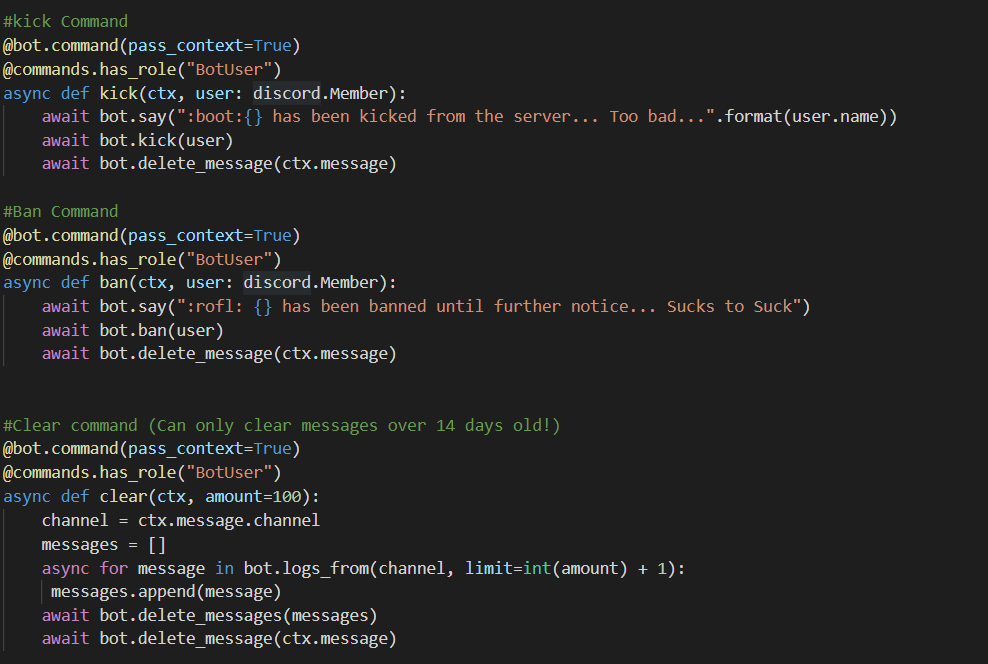
An example would be that I want to have all of my mod commands in a separate file, just so its cleaner and more organized. so, how do I go about doing this? Here is an example of my code:
Mod Commands I want to move to a separate file using a cog
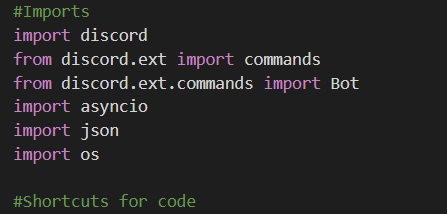
Imports currently that I have
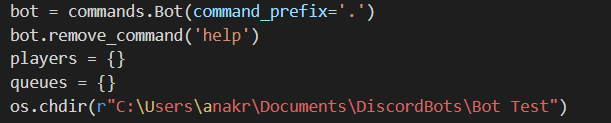
Prefix and directory
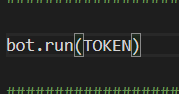
Calling token ID – token id is above, not shown in photo:
I am unsure how to start a cog completely, what else to import, how to call the file. I know Java well, but I am trying to work on my python skills with Discord.
Answers:
Thank you for visiting the Q&A section on Magenaut. Please note that all the answers may not help you solve the issue immediately. So please treat them as advisements. If you found the post helpful (or not), leave a comment & I’ll get back to you as soon as possible.
Method 1
Note:
The below was written for the older 0.16 version, which did not have good documentation of cogs. The new 1.0 version has good documentation, and has completely changed the structure of cogs. If you’re using a modern version of discord.py, you should consult the official documentation.
Introduction
Every cog has two parts: a class and a setup function. Almost all setup functions look the same:
def setup(bot):
    bot.add_cog(Cog(bot))
where Cog is the cog class.
The cog class contains all of our commands and events as methods.
Main Changes
There are four main transformations that you need to do to change your bot to a cog:
-
Replace
bot.commandwithcommands.command(commandsbeingfrom discord.ext import commands) -
Change the signatures of your functions to include
selfat the beginning, as all of your commands and events are now methods of the cog class -
Change all references to
botto refer toself.botinstead -
Remove all
bot.eventdecorators. Event listeners from your cog are registered on name alone
There are also some gotchas:
-
Remove
await bot.process_commands(message)from anyon_messageevents in your cog. For any message this should only be awaited once. The defaulton_messagedoes already does this for you. -
Registering an event through a cog does not remove other callbacks related to that event, from your main file or other cogs. That means that your bot could respond to a
on_member_joinevent multiple times for example, if you have behaviour for that event defined in multiple places.
Example
Let’s say you have the following discord.py bot, bot.py in the directory src:
from discord.ext import commands

bot = commands.Bot(command_prefix='!')

@bot.command(pass_context=True)
@commands.has_role("Mod")
async def acommand(ctx, argument):
   await bot.say("Stuff")

@bot.event
async def on_message(message):
    print(message.content)
    await bot.process_commands(message)

bot.run("token")
You then factor that functionality out into a cog src/cogs/maincog.py
from discord.ext import commands

class MainCog:
    def __init__(self, bot):
        self.bot = bot

    @commands.command(pass_context=True)
    @commands.has_role("Mod")
    async def acommand(self, ctx, argument):
       await self.bot.say("Stuff")

    async def on_message(self, message):
        print(message.content)

def setup(bot):
    bot.add_cog(MainCog(bot))
And your bot.py file would look like
from discord.ext import commands

bot = commands.Bot(command_prefix='!')

bot.load_extension("cogs.maincog")

bot.run("token")
Note that to load the extension at cogs/maincog.py, we use load_extension("cogs.maincog").
Other features
Cogs also allow you to define some special methods. Most of these are available only in discord.py-rewrite and are documented here.
-
__global_check, formerly__check, runs before every command and must returnTruefor that command to proceed. -
__local_checkruns only before commands from this cog. -
__global_check_onceI believe that this is similar to__global_checkexcept that it only checks once in the case of subcommands. I haven’t used this much. -
__unloadYou can live refresh your bot by unloading the extension, then reloading it, allowing you to update your cogs without taking your bot offline. This method is called when you unload the extension, or when your bot stop running, in case you need to do cleanup. -
__before_invokeand__after_invokeare run before and after every command from this cog, respectively. -
__erroris an error handler for commands from this cog.
Method 2
a basic cog template looks like this:
import discord
import asyncio
from discord.ext import commands

class cog_name(commands.Cog):
    def __init__(self, bot):
        self.bot = bot

def setup(bot):
    bot.add_cog(cog_name(bot))
and in order to add this cog to your bot, in your main file, add this :
client.load_extension('script_name')
and if the cog script is inside a folder,
client.load_extension('folder_name.script_name')
All methods was sourced from stackoverflow.com or stackexchange.com, is licensed under cc by-sa 2.5, cc by-sa 3.0 and cc by-sa 4.0