I am trying to create a spectrogram from a .wav file in python3.
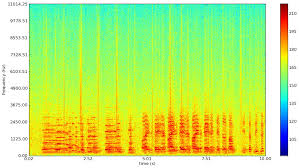
I want the final saved image to look similar to this image:
I have tried the following:
This stack overflow post:
Spectrogram of a wave file
This post worked, somewhat. After running it, I got
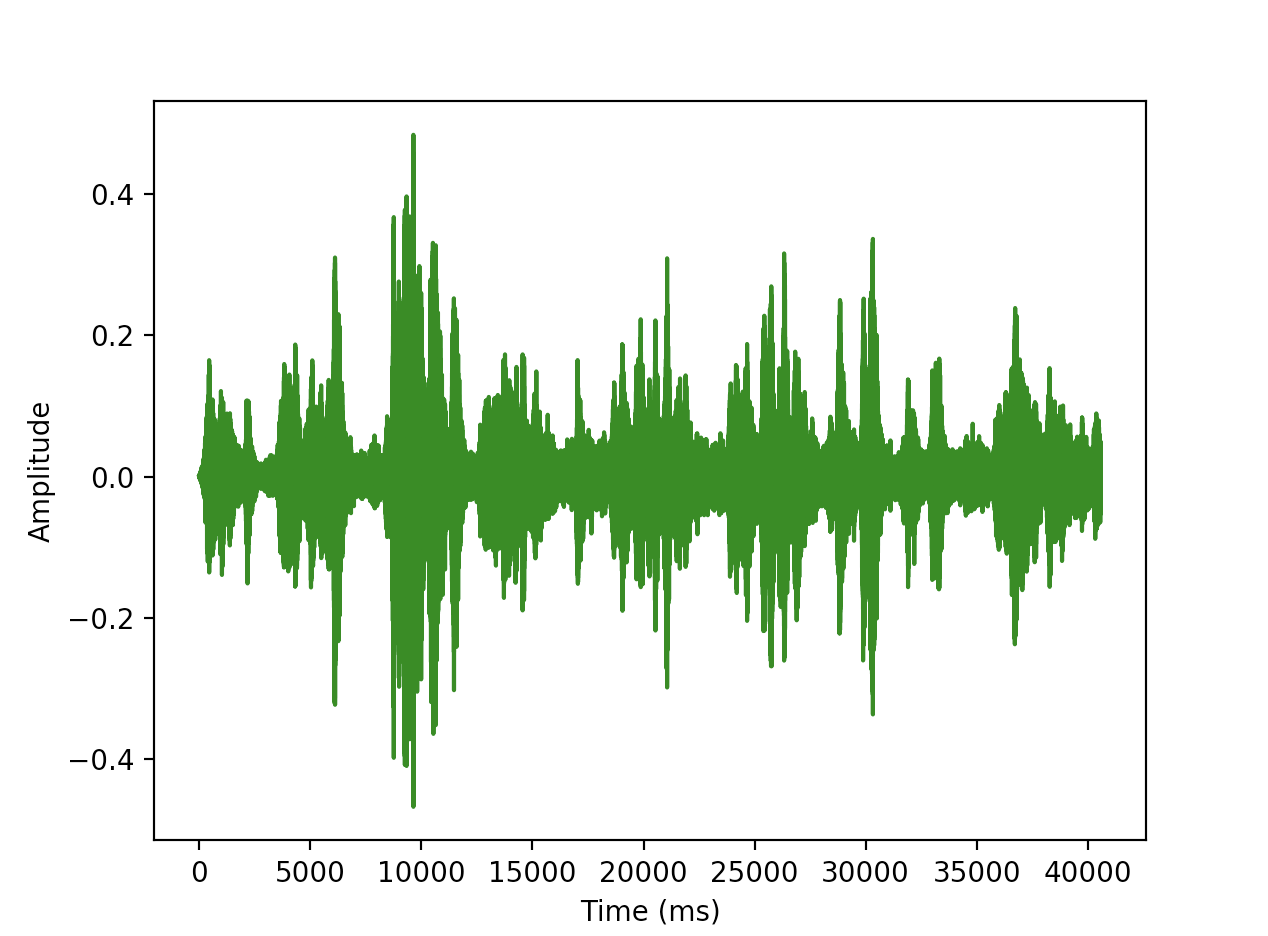
However, This graph does not contain the colors that I need. I need a spectrogram that has colors. I tried to tinker with this code to try and add the colors however after spending significant time and effort on this, I couldn’t figure it out!
I then tried this tutorial.
This code crashed(on line 17) when I tried to run it with the error TypeError: ‘numpy.float64’ object cannot be interpreted as an integer.
line 17:
samples = np.append(np.zeros(np.floor(frameSize/2.0)), sig)
I tried to fix it by casting
samples = int(np.append(np.zeros(np.floor(frameSize/2.0)), sig))
and I also tried
samples = np.append(np.zeros(int(np.floor(frameSize/2.0)), sig))
However neither of these worked in the end.
I would really like to know how to convert my .wav files to spectrograms with color so that I can analyze them! Any help would be appreciated!!!!!
Please tell me if you want me to provide any more information about my version of python, what I tried, or what I want to achieve.
Answers:
Thank you for visiting the Q&A section on Magenaut. Please note that all the answers may not help you solve the issue immediately. So please treat them as advisements. If you found the post helpful (or not), leave a comment & I’ll get back to you as soon as possible.
Method 1
Use scipy.signal.spectrogram.
import matplotlib.pyplot as plt
from scipy import signal
from scipy.io import wavfile

sample_rate, samples = wavfile.read('path-to-mono-audio-file.wav')
frequencies, times, spectrogram = signal.spectrogram(samples, sample_rate)

plt.pcolormesh(times, frequencies, spectrogram)
plt.imshow(spectrogram)
plt.ylabel('Frequency [Hz]')
plt.xlabel('Time [sec]')
plt.show()
Be sure that your wav file is mono (single channel) and not stereo (dual channel) before trying to do this. I highly recommend reading the scipy documentation at https://docs.scipy.org/doc/scipy-
0.19.0/reference/generated/scipy.signal.spectrogram.html.
Putting plt.pcolormesh before plt.imshow seems to fix some issues, as pointed out by @Davidjb, and if unpacking error occurs, follow the steps by @cgnorthcutt below.
Method 2
I have fixed the errors you are facing for http://www.frank-zalkow.de/en/code-snippets/create-audio-spectrograms-with-python.html
This implementation is better because you can change the binsize (e.g. binsize=2**8)
import numpy as np
from matplotlib import pyplot as plt
import scipy.io.wavfile as wav
from numpy.lib import stride_tricks

""" short time fourier transform of audio signal """
def stft(sig, frameSize, overlapFac=0.5, window=np.hanning):
    win = window(frameSize)
    hopSize = int(frameSize - np.floor(overlapFac * frameSize))

    # zeros at beginning (thus center of 1st window should be for sample nr. 0)
    samples = np.append(np.zeros(int(np.floor(frameSize/2.0))), sig)
    # cols for windowing
    cols = np.ceil( (len(samples) - frameSize) / float(hopSize)) + 1
    # zeros at end (thus samples can be fully covered by frames)
    samples = np.append(samples, np.zeros(frameSize))

    frames = stride_tricks.as_strided(samples, shape=(int(cols), frameSize), strides=(samples.strides[0]*hopSize, samples.strides[0])).copy()
    frames *= win

    return np.fft.rfft(frames)

""" scale frequency axis logarithmically """
def logscale_spec(spec, sr=44100, factor=20.):
    timebins, freqbins = np.shape(spec)

    scale = np.linspace(0, 1, freqbins) ** factor
    scale *= (freqbins-1)/max(scale)
    scale = np.unique(np.round(scale))

    # create spectrogram with new freq bins
    newspec = np.complex128(np.zeros([timebins, len(scale)]))
    for i in range(0, len(scale)):
        if i == len(scale)-1:
            newspec[:,i] = np.sum(spec[:,int(scale[i]):], axis=1)
        else:
            newspec[:,i] = np.sum(spec[:,int(scale[i]):int(scale[i+1])], axis=1)

    # list center freq of bins
    allfreqs = np.abs(np.fft.fftfreq(freqbins*2, 1./sr)[:freqbins+1])
    freqs = []
    for i in range(0, len(scale)):
        if i == len(scale)-1:
            freqs += [np.mean(allfreqs[int(scale[i]):])]
        else:
            freqs += [np.mean(allfreqs[int(scale[i]):int(scale[i+1])])]

    return newspec, freqs

""" plot spectrogram"""
def plotstft(audiopath, binsize=2**10, plotpath=None, colormap="jet"):
    samplerate, samples = wav.read(audiopath)

    s = stft(samples, binsize)

    sshow, freq = logscale_spec(s, factor=1.0, sr=samplerate)

    ims = 20.*np.log10(np.abs(sshow)/10e-6) # amplitude to decibel

    timebins, freqbins = np.shape(ims)

    print("timebins: ", timebins)
    print("freqbins: ", freqbins)

    plt.figure(figsize=(15, 7.5))
    plt.imshow(np.transpose(ims), origin="lower", aspect="auto", cmap=colormap, interpolation="none")
    plt.colorbar()

    plt.xlabel("time (s)")
    plt.ylabel("frequency (hz)")
    plt.xlim([0, timebins-1])
    plt.ylim([0, freqbins])

    xlocs = np.float32(np.linspace(0, timebins-1, 5))
    plt.xticks(xlocs, ["%.02f" % l for l in ((xlocs*len(samples)/timebins)+(0.5*binsize))/samplerate])
    ylocs = np.int16(np.round(np.linspace(0, freqbins-1, 10)))
    plt.yticks(ylocs, ["%.02f" % freq[i] for i in ylocs])

    if plotpath:
        plt.savefig(plotpath, bbox_inches="tight")
    else:
        plt.show()

    plt.clf()

    return ims

ims = plotstft(filepath)
Method 3
import os
import wave

import pylab
def graph_spectrogram(wav_file):
    sound_info, frame_rate = get_wav_info(wav_file)
    pylab.figure(num=None, figsize=(19, 12))
    pylab.subplot(111)
    pylab.title('spectrogram of %r' % wav_file)
    pylab.specgram(sound_info, Fs=frame_rate)
    pylab.savefig('spectrogram.png')
def get_wav_info(wav_file):
    wav = wave.open(wav_file, 'r')
    frames = wav.readframes(-1)
    sound_info = pylab.fromstring(frames, 'int16')
    frame_rate = wav.getframerate()
    wav.close()
    return sound_info, frame_rate
for A Capella Science – Bohemian Gravity! this gives:
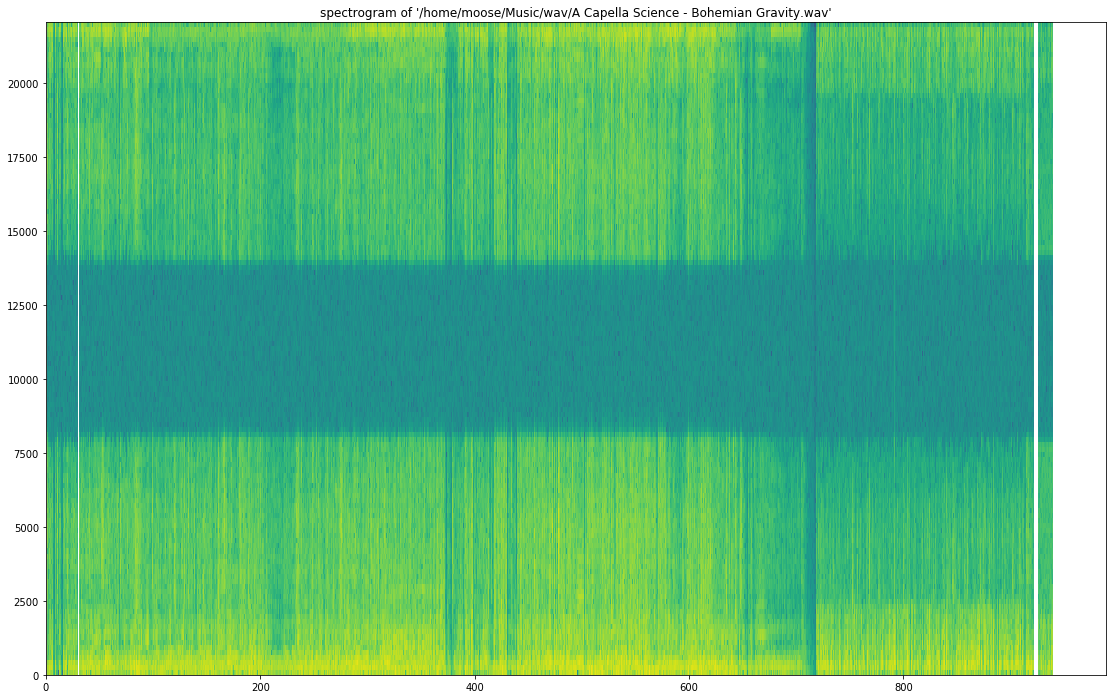
Use graph_spectrogram(path_to_your_wav_file).
I don’t remember the blog from where I took this snippet. I will add the link whenever I see it again.
Method 4
You can use librosa for your mp3 spectogram needs. Here is some code I found, thanks to Parul Pandey from medium. The code I used is this,
# Method described here https://stackoverflow.com/questions/15311853/plot-spectogram-from-mp3

import librosa
import librosa.display
from pydub import AudioSegment
import matplotlib.pyplot as plt
from scipy.io import wavfile
from tempfile import mktemp

def plot_mp3_matplot(filename):
    """
    plot_mp3_matplot -- using matplotlib to simply plot time vs amplitude waveplot

    Arguments:
    filename -- filepath to the file that you want to see the waveplot for

    Returns -- None
    """

    # sr is for 'sampling rate'
    # Feel free to adjust it
    x, sr = librosa.load(filename, sr=44100)
    plt.figure(figsize=(14, 5))
    librosa.display.waveplot(x, sr=sr)

def convert_audio_to_spectogram(filename):
    """
    convert_audio_to_spectogram -- using librosa to simply plot a spectogram

    Arguments:
    filename -- filepath to the file that you want to see the waveplot for

    Returns -- None
    """

    # sr == sampling rate
    x, sr = librosa.load(filename, sr=44100)

    # stft is short time fourier transform
    X = librosa.stft(x)

    # convert the slices to amplitude
    Xdb = librosa.amplitude_to_db(abs(X))

    # ... and plot, magic!
    plt.figure(figsize=(14, 5))
    librosa.display.specshow(Xdb, sr = sr, x_axis = 'time', y_axis = 'hz')
    plt.colorbar()

# same as above, just changed the y_axis from hz to log in the display func
def convert_audio_to_spectogram_log(filename):
    x, sr = librosa.load(filename, sr=44100)
    X = librosa.stft(x)
    Xdb = librosa.amplitude_to_db(abs(X))
    plt.figure(figsize=(14, 5))
    librosa.display.specshow(Xdb, sr = sr, x_axis = 'time', y_axis = 'log')
    plt.colorbar()
Cheers!
Method 5
Beginner’s answer above is excellent. I dont have 50 rep so I can’t comment on it, but if you want the correct amplitude in the frequency domain the stft function should look like this:
import numpy as np
from matplotlib import pyplot as plt
import scipy.io.wavfile as wav
from numpy.lib import stride_tricks

""" short time fourier transform of audio signal """
def stft(sig, frameSize, overlapFac=0, window=np.hanning):
    win = window(frameSize)
    hopSize = int(frameSize - np.floor(overlapFac * frameSize))

    # zeros at beginning (thus center of 1st window should be for sample nr. 0)
    samples = np.append(np.zeros(int(np.floor(frameSize/2.0))), sig)
    # cols for windowing
    cols = np.ceil( (len(samples) - frameSize) / float(hopSize)) + 1
    # zeros at end (thus samples can be fully covered by frames)
    samples = np.append(samples, np.zeros(frameSize))

    frames = stride_tricks.as_strided(samples, shape=(int(cols), frameSize), strides=(samples.strides[0]*hopSize, samples.strides[0])).copy()
    frames *= win

    fftResults = np.fft.rfft(frames)
    windowCorrection = 1/(np.sum(np.hanning(frameSize))/frameSize) #This is amplitude correct (1/mean(window)). Energy correction is 1/rms(window)
    FFTcorrection = 2/frameSize
    scaledFftResults = fftResults*windowCorrection*FFTcorrection

    return scaledFftResults
All methods was sourced from stackoverflow.com or stackexchange.com, is licensed under cc by-sa 2.5, cc by-sa 3.0 and cc by-sa 4.0