In short, I’m in an effort to replace less with vim (vimpager). I have settings for scripts to spit out colors (and bold and everything nice) whenever they can. less understands the color codes and displays them nicely. How can I make vim parse the codes and display colors/boldness the way less does?
Answers:
Thank you for visiting the Q&A section on Magenaut. Please note that all the answers may not help you solve the issue immediately. So please treat them as advisements. If you found the post helpful (or not), leave a comment & I’ll get back to you as soon as possible.
Method 1
Two answers:
A short one: you want to use the vim script AnsiEsc.vim. It will conceal the actual ANSI escape sequences in your file, and use syntax highlighting to color the text appropriately. The problem with using this in a pager is that you will have to make vim recognize when to use this. I am not sure if you can simply always load it, or if it will conflict with other syntax files. You will have to experiment with it.
A long answer: The best you can hope for is a partial non-portable solution. Less does not actually understand the terminal escape sequences, since these are largely terminal dependent, but less can recognize (a subset of) these, and will know to pass them through to the terminal, if you use the -r (or -R) option. The terminal will interprets the escape sequences and changes the attributes of the text (color, bold, underline …). Vim, being an editor rather than a pager, does not simply pass raw control characters to the terminal. It needs to display them in some way, so you can actually edit them. You can use other features of vim, such as concealment and syntax highlighting to hide the sequences and use them for setting colors of the text, however, it will always handle only a subset of the terminal sequences, and will probably not work on some terminals.
This is really just one of many issues you will run into when you try to use a text editor as a pager.
Method 2
Now with vim 8 you can use terminal mode :terminal and then in that terminal do cat myfile and go back to normal mode with Ctrl-w N. This will display ANSI color codes correctly. By automating these steps and reading from standard input instead of a file, it should be possible to use vim to replace less.
For example, you can run ls --color=always >/tmp/colored.txt
or unbuffer ls >/tmp/colored.txt
and then in vim :terminal cat /tmp/colored.txt followed by :only
Then you will have the ls output nicely colored in vim like less would do. As vim supports passing commands as command-line arguments on startup, it is clearly possible to fiddle around to make that solution work for replacing less 🙂
Method 3
Install the vim plugin Improved AnsiEsc
and put the below on your .profile/bash_profile/zprofile and you are good to go.
export PAGER="vim -R +AnsiEsc"
Method 4
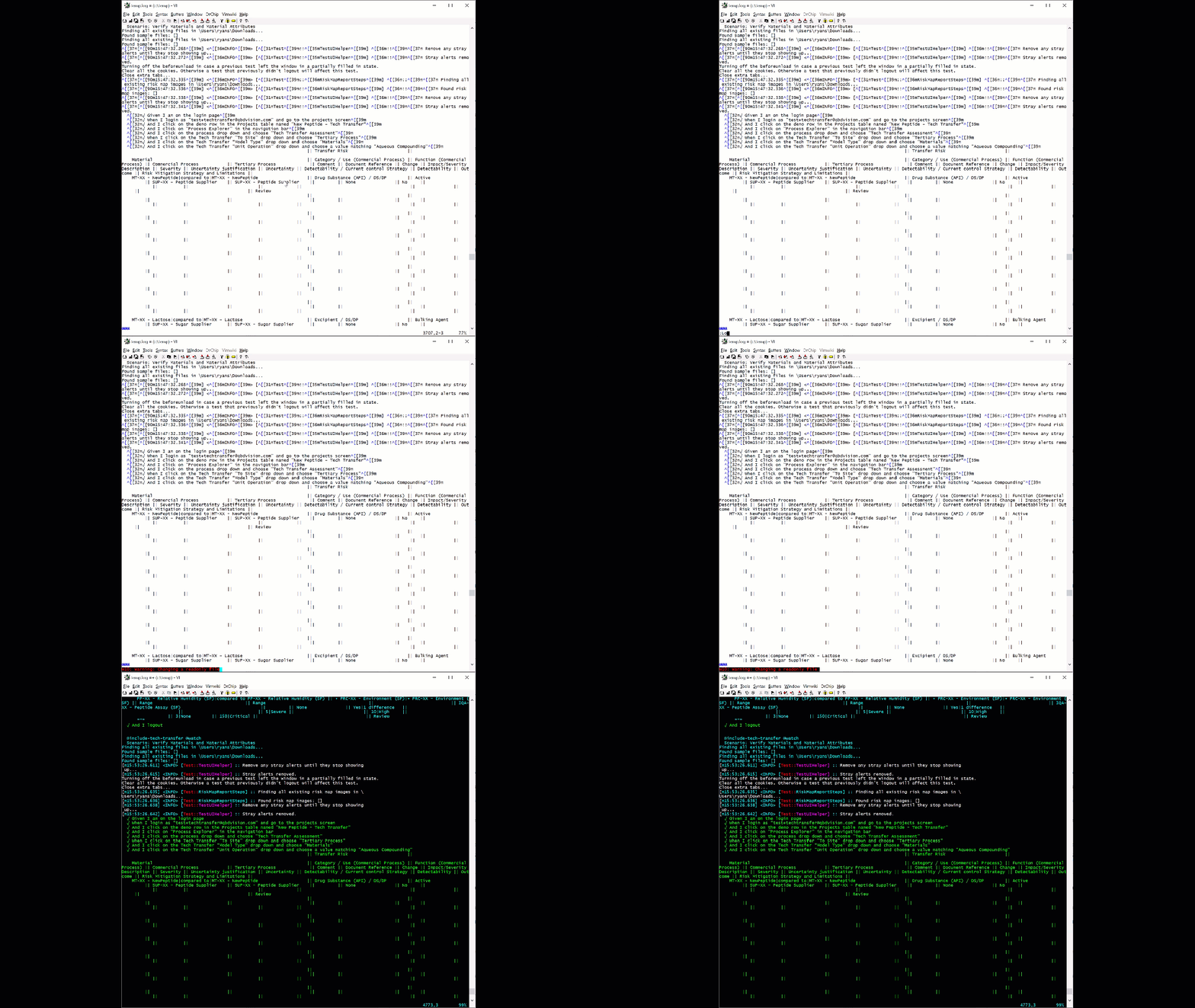
I installed AnsiEsc like the others and then added the following to my _vimrc:
command Log colorscheme elflord | %s/[39m//g | AnsiEsc
Now, when I load a file that contains a bunch of color control characters, I type:
:Log
And it looks like the command line, but I’m editing!
Method 5
You can use vim’s json syntax highlighting. Normally comes in most default vim installs. May not be all as pretty as the less -R BUT..
- If you have python, this makes is human readable with the
-mjson.tool
cat filename | python -mjson.tool | vim -c 'set syntax=json' -
- If you don’t have python but your json is pretty printed
cat filename | vim -c 'set syntax=json' -
Also some browsers have json extensions, and you could pipe it into the browser. Hmmm I wonder if w3m might suffice for a pure cli effort.
Hope that helps.
All methods was sourced from stackoverflow.com or stackexchange.com, is licensed under cc by-sa 2.5, cc by-sa 3.0 and cc by-sa 4.0