I would like to know, given a binary’s name, which package I should install on Alpine Linux.
How can I do that?
Answers:
Thank you for visiting the Q&A section on Magenaut. Please note that all the answers may not help you solve the issue immediately. So please treat them as advisements. If you found the post helpful (or not), leave a comment & I’ll get back to you as soon as possible.
Method 1
You have three ways basically.
First:
The package should be installed and you need to specify the full path :
apk info --who-owns /path/to/the/file
Second: Use the pkgs.alpinelinux.org website
Third: Use the api.alpinelinux.org API by filtering the json output.
For this you need a json parser like jq:
apk add jq
then use the API with the instructions provided here
UPDATE on 2022-04-07
I’ve released a tiny utility that allows to search via CLI what can be found on pkgs.alpinelinux.org website: https://github.com/fcolista/apkfile
.: Francesco
Method 2
You’re looking for the equivalent of Debian’s apt-file for Alpine. Searching for that yields apk-file.
Basically apt-file but for alpine.
Method 3
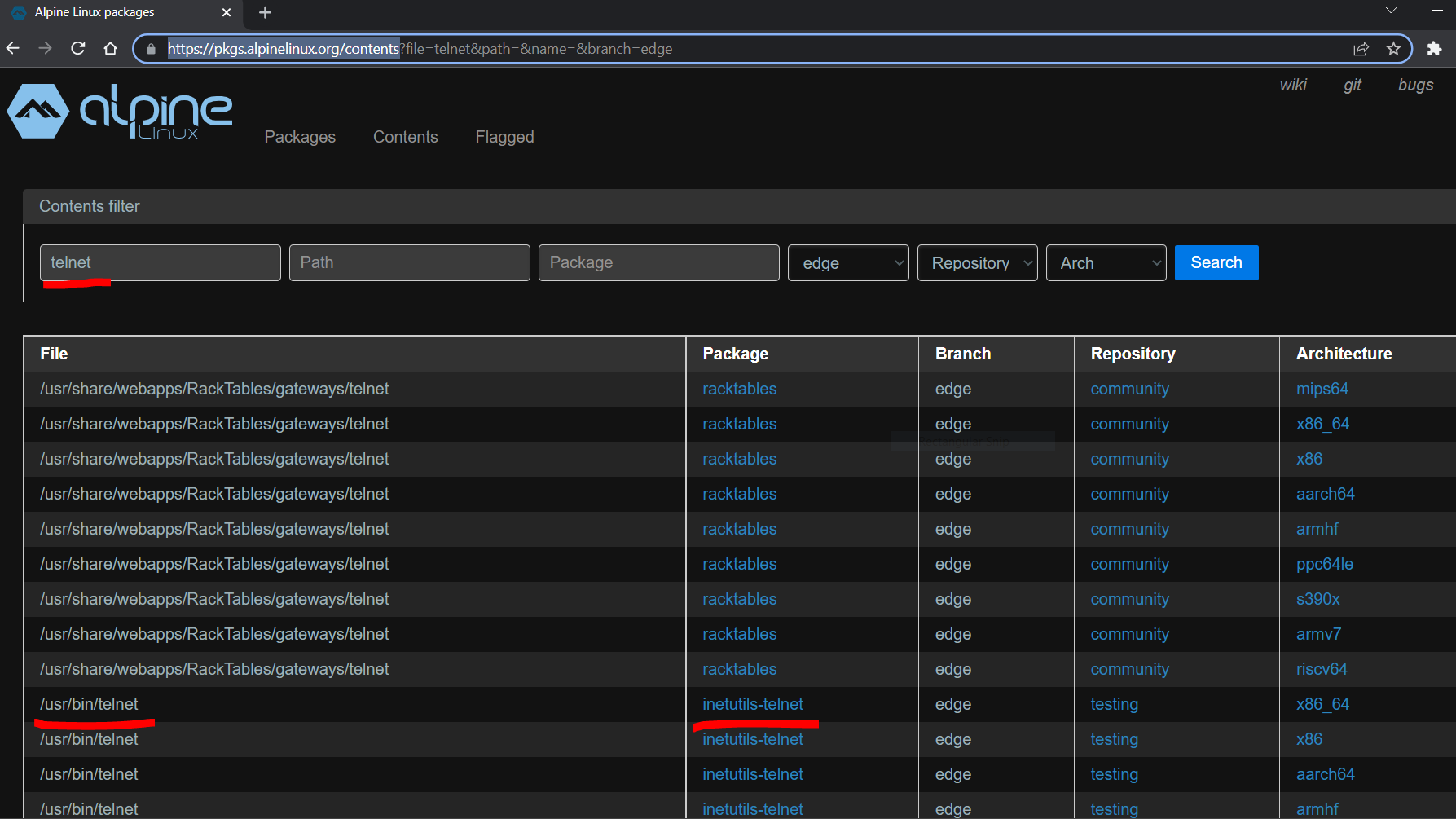
- Go to the official Alpine package-browsing website: https://pkgs.alpinelinux.org/contents
- In the
Filesearch bar, type the name of the file you are looking for
Example looking for file telnet:
Method 4
given a binary’s name, which package I should install on Alpine Linux.
The answer to the body of the question (not the same as the answer to the title of the question) is
apk search -xqa cmd:vim (where vim is the “binary’s name”). In this case, there are two packages that provide that command.
All methods was sourced from stackoverflow.com or stackexchange.com, is licensed under cc by-sa 2.5, cc by-sa 3.0 and cc by-sa 4.0