I changed the maxAllowedContentLength to
<security>
    <requestFiltering>
        <requestLimits maxAllowedContentLength="5024000000" />
    </requestFiltering>
</security>
In my web.config, but when running on IIS7 I get this error:
The ‘maxAllowedContentLength’ attribute is invalid. Not a valid unsigned integer
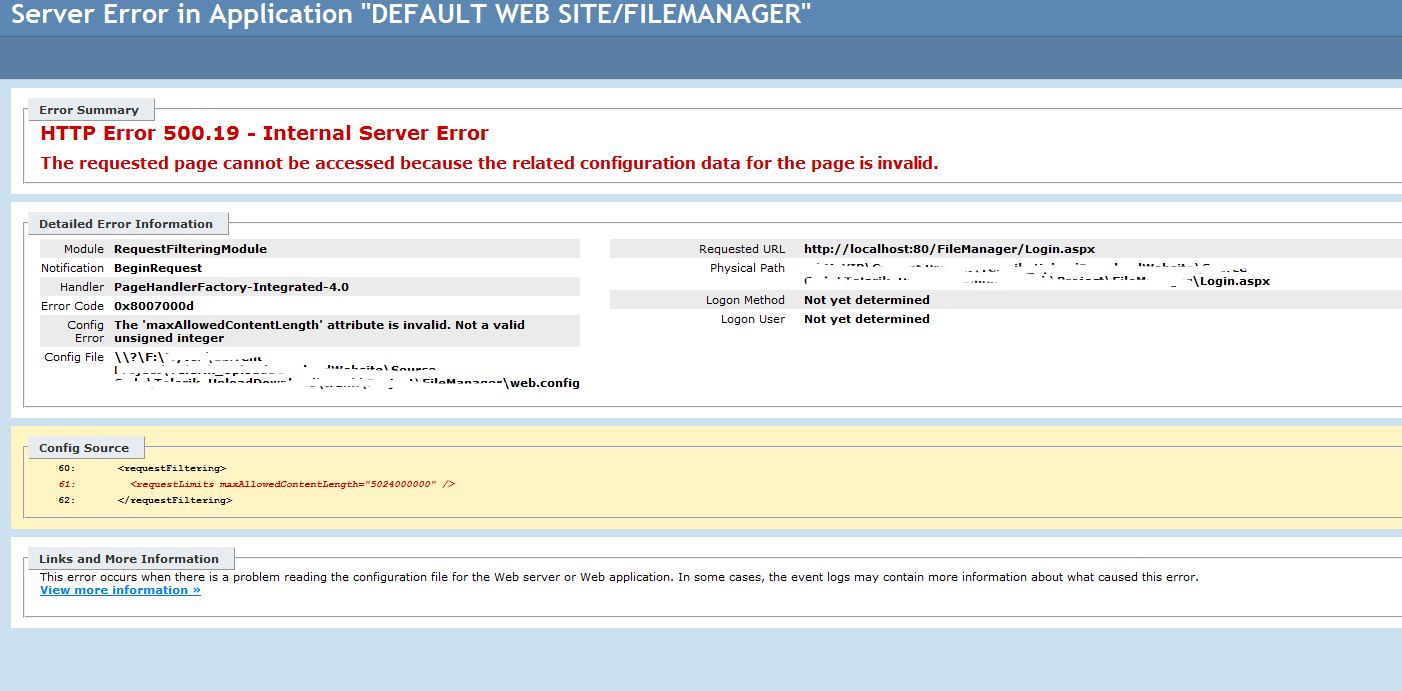
but when I run in the VS server it run normally without any errors.
How to config my website to allow upload files with 500MB size, without this problem on IIS7?
Answers:
Thank you for visiting the Q&A section on Magenaut. Please note that all the answers may not help you solve the issue immediately. So please treat them as advisements. If you found the post helpful (or not), leave a comment & I’ll get back to you as soon as possible.
Method 1
The limit of requests in .Net can be configured from two properties together:
First
Web.Config/system.web/httpRuntime/maxRequestLength- Unit of measurement: kilobytes
- Default value 4096 KB (4 MB)
- Max. value 2147483647 KB (2 TB)
Second
Web.Config/system.webServer/security/requestFiltering/requestLimits/maxAllowedContentLength(in bytes)- Unit of measurement: bytes
- Default value 30000000 bytes (28.6 MB)
- Max. value 4294967295 bytes (4 GB)
References:
- http://www.whatsabyte.com/P1/byteconverter.htm
- https://www.iis.net/configreference/system.webserver/security/requestfiltering/requestlimits
Example:
<location path="upl">
   <system.web>
     <!--The default size is 4096 kilobytes (4 MB). MaxValue is 2147483647 KB (2 TB)-->
     <!-- 100 MB in kilobytes -->
     <httpRuntime maxRequestLength="102400" />
   </system.web>
   <system.webServer>
     <security>
       <requestFiltering>
         <!--The default size is 30000000 bytes (28.6 MB). MaxValue is 4294967295 bytes (4 GB)-->
         <!-- 100 MB in bytes -->
         <requestLimits maxAllowedContentLength="104857600" />
       </requestFiltering>
     </security>
   </system.webServer>
 </location>
Method 2
According to MSDN maxAllowedContentLength has type uint, its maximum value is 4,294,967,295 bytes = 3,99 gb
So it should work fine.
See also Request Limits article. Does IIS return one of these errors when the appropriate section is not configured at all?
See also: Maximum request length exceeded
Method 3
IIS v10 (but this should be the same also for IIS 7.x)
Quick addition for people which are looking for respective max values
Max for maxAllowedContentLength is: UInt32.MaxValue
🡒 4294967295 bytes : ~4GB
Max for maxRequestLength is: Int32.MaxValue 🡒 2147483647 bytes : ~2GB
web.config
<?xml version="1.0" encoding="utf-8"?>
<configuration>
  <system.web>
    <!-- ~ 2GB -->
    <httpRuntime maxRequestLength="2147483647" />
  </system.web>
  <system.webServer>
    <security>
      <requestFiltering>
        <!-- ~ 4GB -->
        <requestLimits maxAllowedContentLength="4294967295" />
      </requestFiltering>
    </security>
  </system.webServer>
</configuration>
All methods was sourced from stackoverflow.com or stackexchange.com, is licensed under cc by-sa 2.5, cc by-sa 3.0 and cc by-sa 4.0