i have just created on newsletter application that for use bulk emails to clients. now i have done with code to retrieve data from sql to client side grid view. here i have specific requirement to show html preview inside iframe inside grid view.
here is my ajax call code :
function GetTemplateList(pageIndex, pageSize, name) {
UserType = 1;
$.ajax({
type: "POST",
url: "../Service/Template.asmx/ViewTemplate",
data: '{GroupId:' + GroupId + ', name: "' + name + '",PageIndex: ' + pageIndex + ',PageSize: ' + pageSize + '}',
contentType: "application/json; charset=utf-8",
dataType: "json",
async: true,
success: OnSuccessview,
failure: function (response) {
toastr["error"](response.d, "FAIL");
},
error: function (response) {
toastr["error"](response.d, "ERROR");
}
});
}
function OnSuccessview(response) {
var xmlDoc = $.parseXML(response.d);
var xml = $(xmlDoc);
var data = xml.find("Data");
var gridid = '[id*=<%=gvTemplate.ClientID %>]';
var gridlength = $(gridid + " tr").length;
var row;
if (data.length >= 1 && gridlength == 1) {
$(gridid + " tr:last").after('<tr><td></td><td></td><td></td><td></td><td></td></tr>');
row = $(gridid + " tr:last-child").clone(true);
$(gridid + " tr").not($(gridid + " tr:first-child")).remove();
}
else {
row = $(gridid + " tr:last-child").clone(true);
$(gridid + " tr").not($(gridid + " tr:first-child")).remove();
}
$.each(data, function () {
usertype = 1;
var customer = $(this);
$("td", row).eq(0).html($(this).find("strCategoryName").text());
$("td", row).eq(1).html($(this).find("strTemplateName").text());
$("td", row).eq(2).html($(this).find("strTemplateBody").html());
$("td", row).eq(3).html($(this).find("dtCreatedDt").text());
$("td", row).eq(4).html("<button type='button' class='btn btn-success' data-toggle='modal' data-target='#myModal' onclick='EditData(" + $(this).find("ID").text() + ")'>Edit</button> <button type='button' class='btn btn-danger' onclick='DeleteData(" + $(this).find("ID").text() + ")'>Delete</button>");
$(gridid).append(row);
row = $(gridid + " tr:last-child").clone(true);
});
var pager = xml.find("Pager");
$j(".Pager").ASPSnippets_Pager({
ActiveCssClass: "current",
PagerCssClass: "pager",
PageIndex: parseInt(pager.find("PageIndex").text()),
PageSize: parseInt(pager.find("PageSize").text()),
RecordCount: parseInt(pager.find("RecordCount").text())
});
};
and here is my asp grid view :
<asp:GridView ID="gvTemplate" runat="server" AutoGenerateColumns="false" class="table table-bordered"
                                    AllowPaging="false" AllowSorting="false" EmptyDataText="No Data Found." OnRowDataBound="gvTemplate_RowDataBound">
                                    <Columns>
                                        <asp:BoundField DataField="strCategoryName" HeaderText="Group Name" />
                                        <asp:BoundField DataField="strTemplateName" HeaderText="Template Name" />
                                        <asp:TemplateField HeaderText="Template Body">
                                            <ItemTemplate>
                                                <div class="thumb" style="height: 160px; width: 140px">
                                                    <iframe frameborder="0" scrolling="no" height="150px" width="130px" style="text-align: left; vertical-align: top;" src='<%#Eval("strTemplateBody")%>'></iframe>
                                                </div>
                                            </ItemTemplate>
                                        </asp:TemplateField>
                                        <asp:BoundField DataField="dtCreatedDt" HeaderText="Created Date" />
                                        <asp:BoundField HeaderText="Action" ItemStyle-Width="170px" />
                                    </Columns>
                                </asp:GridView>
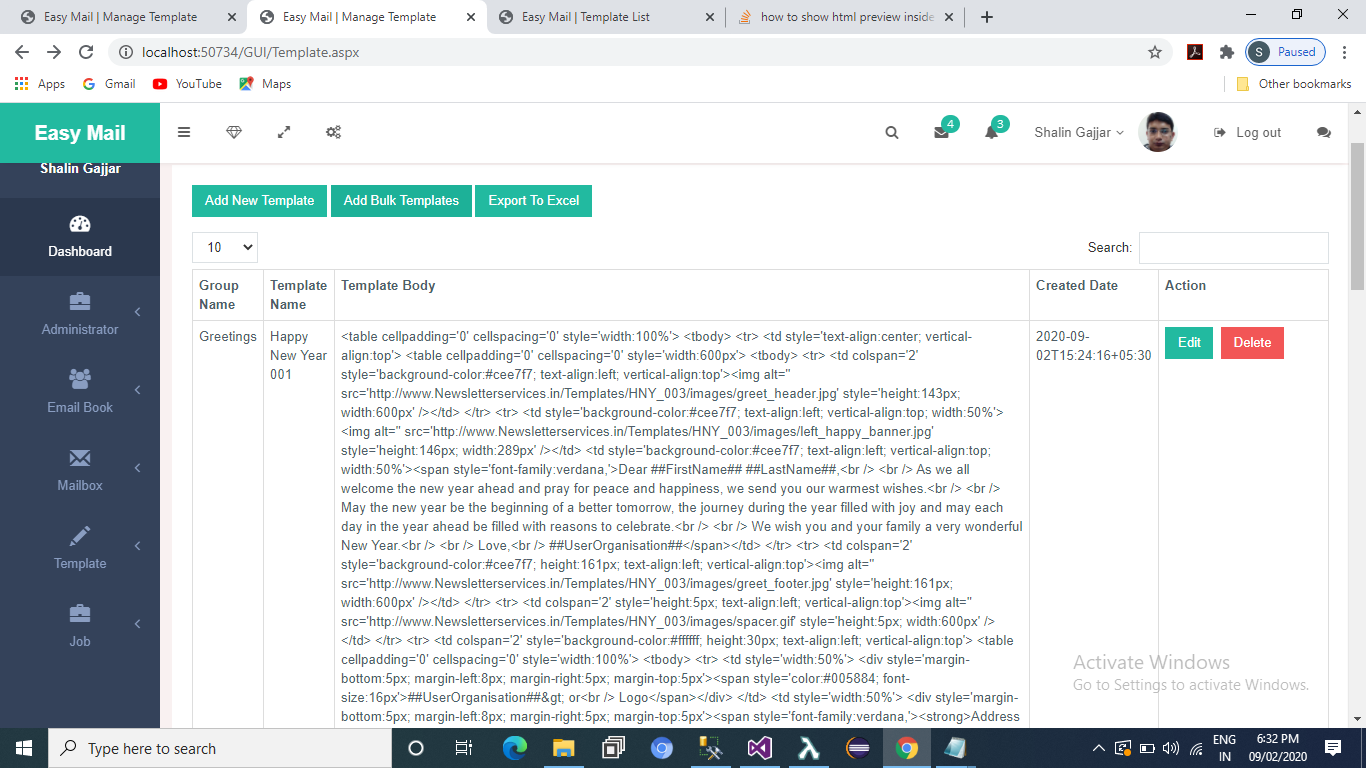
now all things data rendered properly to grid view like as below image :
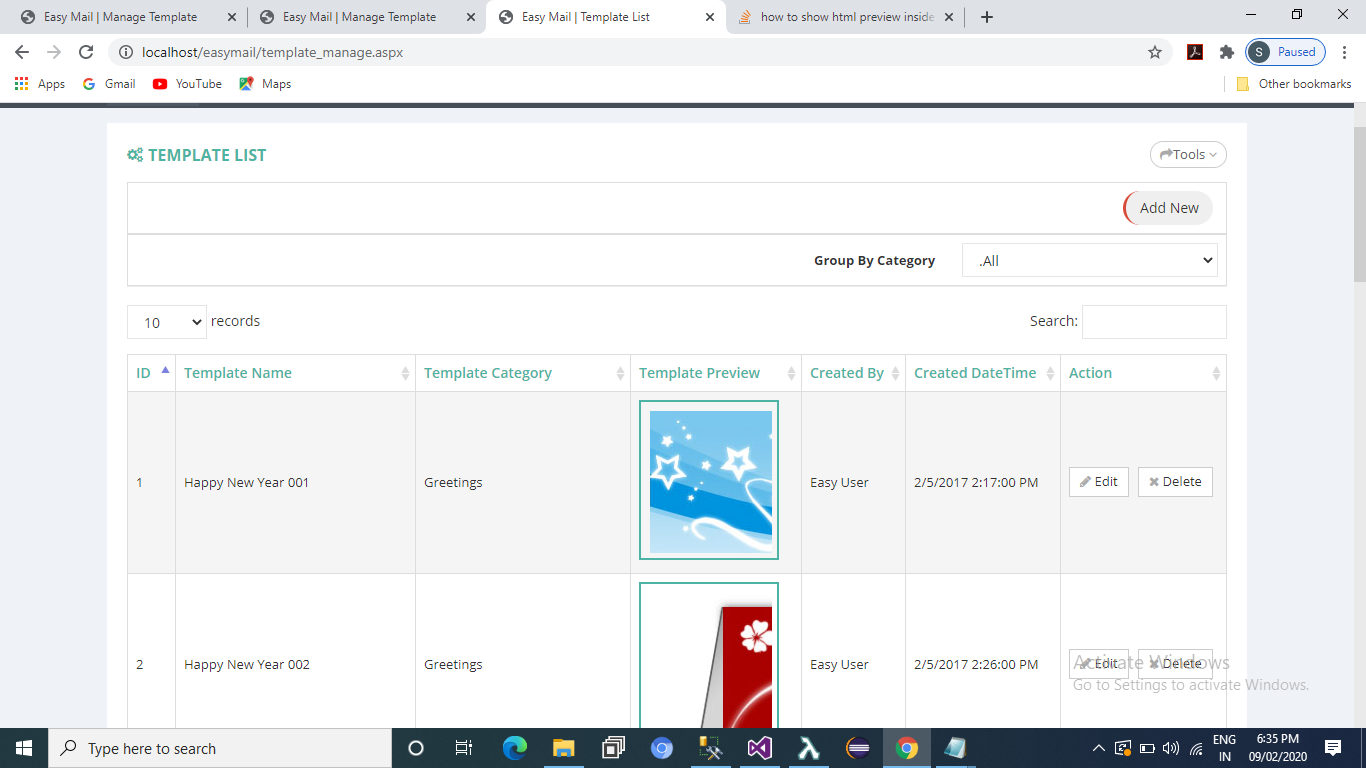
here is TemplateBody which have html tags content. i just want to preview this to html preview format. just like as below image :
Answers:
Thank you for visiting the Q&A section on Magenaut. Please note that all the answers may not help you solve the issue immediately. So please treat them as advisements. If you found the post helpful (or not), leave a comment & I’ll get back to you as soon as possible.
Method 1
@Shalin Gajjar – Can you add this line in your project to the HTML convert from a string.
I have passed my Remarks field with HTML content.
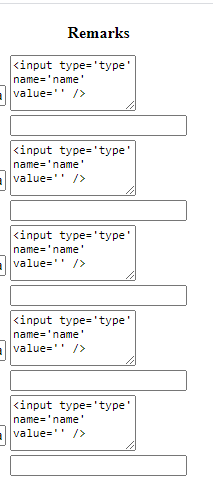
Also, I shared my HTML table “Remarks” column screenshot with simple HTML string content and after use “Server.HtmlDecode” this and show the textbox.

<%# Server.HtmlDecode(Eval("Remarks").ToString()) %>
Method 2
<asp:TemplateField HeaderText="DETAILS" >
<ItemTemplate>
<asp:PlaceHolder ID="PlaceHolder1" runat="server" ></asp:PlaceHolder>
<asp:HiddenField ID="HiddenBoardDETAILS" Value='<%#Bind("Description") %>' runat="server" />
</ItemTemplate>
</asp:TemplateField>
add rowdatabound in grid control:
if (e.Row.RowType == DataControlRowType.DataRow)
{
    HiddenField hr = (HiddenField)e.Row.FindControl("HiddenBoardDETAILS");
    PlaceHolder pl = (PlaceHolder)e.Row.FindControl("PlaceHolder1");
    StringBuilder html = new StringBuilder();
    html.Append (hr.Value.ToString());
    pl.Controls.Add(new Literal { Text = html.ToString() });

}
All methods was sourced from stackoverflow.com or stackexchange.com, is licensed under cc by-sa 2.5, cc by-sa 3.0 and cc by-sa 4.0