I currently developing a wordpress plugin that is using two custom post types. What I want to know here: is it possible to add a custom post type menu as another custom post type’s sub menu?
Answers:
Thank you for visiting the Q&A section on Magenaut. Please note that all the answers may not help you solve the issue immediately. So please treat them as advisements. If you found the post helpful (or not), leave a comment & I’ll get back to you as soon as possible.
Method 1
Yes. When you register your post type you need to set show_in_menu to the page you would like it displayed on.
Here we set the “movies” post type to be included in the sub-menu under Posts.
register_post_type( 'movies',
    array(
            'labels' => array(
                    'name' => __( 'Movies' ),
                    'singular_name' => __( 'Movie' )
            ),
    'public' => true,
    'has_archive' => true,
    'show_in_menu' => 'edit.php'
    )
);
If you have a taxonomy registered to the custom post type it will need to be added to the page as well.
In add_submenu_page() the first argument is the page to assign it to and the last is the menu slug.
add_action('admin_menu', 'my_admin_menu');
function my_admin_menu() {
    add_submenu_page('edit.php', 'Genre', 'Genre', 'manage_options', 'edit-tags.php?taxonomy=genre');
}
To add the pages to another custom post type include the post type’s query string parameter along with the page names.
To add the CPT Movies and its taxonomy Genre under the post type Entertainment adjust the code like this.
edit.php becomes edit.php?post_type=entertainment
edit-tags.php becomes edit-tags.php?taxonomy=genre&post_type=entertainment
register_post_type( 'movies',
    array(
            'labels' => array(
                    'name' => __( 'Movies' ),
                    'singular_name' => __( 'Movie' )
            ),
    'public' => true,
    'has_archive' => true,
    'show_in_menu' => 'edit.php?post_type=entertainment'
    )
);

add_action('admin_menu', 'my_admin_menu');
function my_admin_menu() {
    add_submenu_page('edit.php?post_type=entertainment', 'Genre', 'Genre', 'manage_options', 'edit-tags.php?taxonomy=genre&post_type=entertainment');
}
Method 2
Our custom post type:
$args['show_in_menu'] = false;
register_post_type('custom_plugin_post_type', $args);
Add him for existing Custom Post Type (“product” for example):
$existing_CPT_menu = 'edit.php?post_type=product';
$link_our_new_CPT = 'edit.php?post_type=custom_plugin_post_type';
add_submenu_page($existign_CPT_menu, 'SubmenuTitle', 'SubmenuTitle', 'manage_options', $link_our_new_CPT);
Or add for our custom plugin menu:
// Create plugin menu
add_menu_page('MyPlugin', 'MyPlugin', 'manage_options', 'myPluginSlug', 'callback_render_plugin_menu');

// Create submenu with href to view custom_plugin_post_type
$link_our_new_CPT = 'edit.php?post_type=custom_plugin_post_type';
add_submenu_page('myPluginSlug', 'SubmenuTitle', 'SubmenuTitle', 'manage_options', $link_our_new_CPT);
Method 3
This is what worked for me
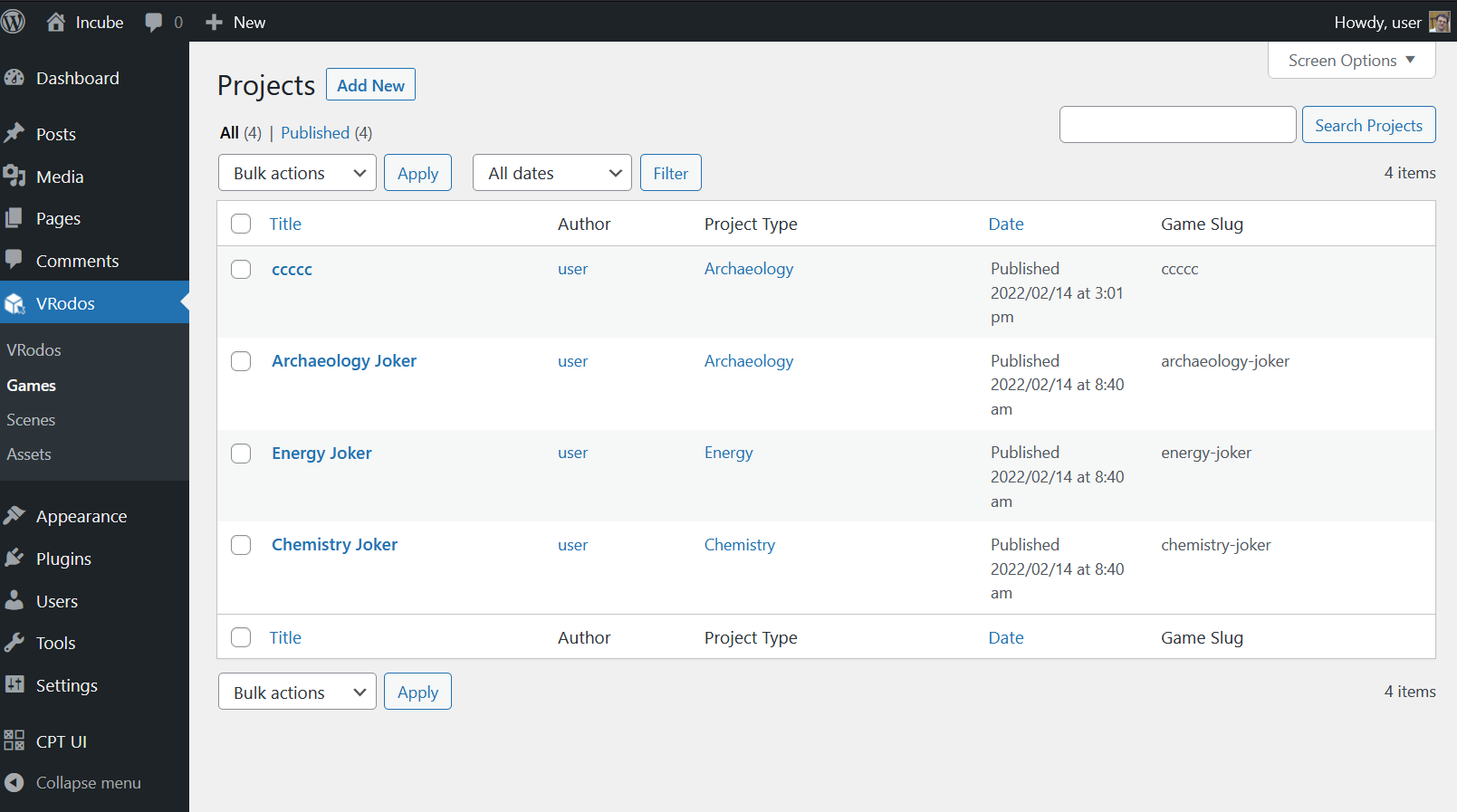
add_action('admin_menu', 'vrodos_plugin_menu');

function vrodos_plugin_menu(){
    add_menu_page( 'VRodos Plugin Page',
                   'VRodos',
                    'manage_options',
                    'vrodos-plugin',
                    'vrodos_plugin_main_page');


    add_submenu_page('vrodos-plugin',
                     'Games',
                     'Games',
                     'manage_options',
                     'edit.php?post_type=vrodos_game'
                     );
}
When I register the cpt ‘vrodos_game’ I set
    'show_ui'               => true,
    'show_in_menu'          => false,
All methods was sourced from stackoverflow.com or stackexchange.com, is licensed under cc by-sa 2.5, cc by-sa 3.0 and cc by-sa 4.0