I’ve set up an options page for my CPT that contains the drag’n’drop upload area (just like Media → Add New). Basicly, I’ve copied all the relevant stuff from wp-admin/media-new.php and it works like charming.
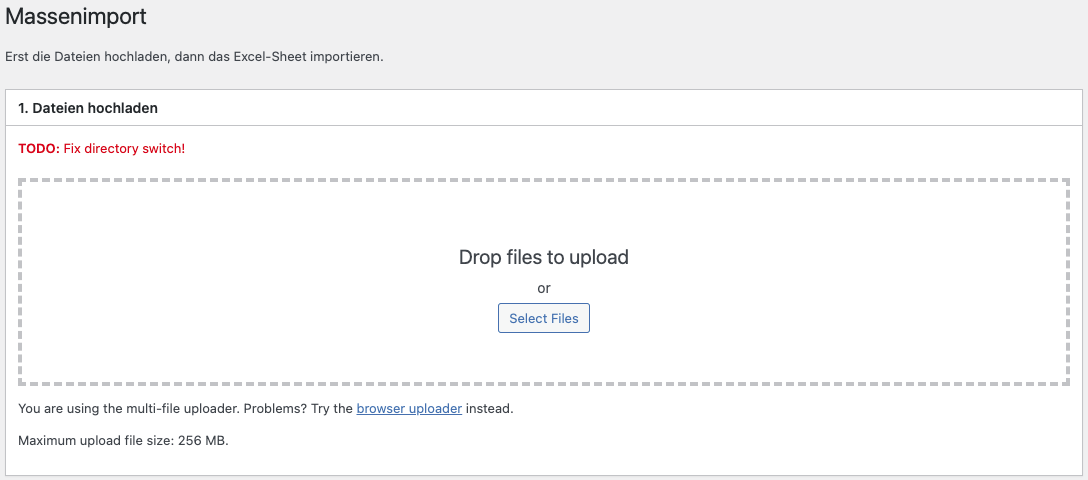
This is the code of my options page:
/**
* Callback for the submenu page
*/
function syk_bulk_import_callback() {

    // Taken from media-new.php
    if ( ! current_user_can( 'upload_files' ) ) {
        wp_die( __( 'Sorry, you are not allowed to upload files.' ) );
    }

    wp_enqueue_script( 'plupload-handlers' );

    $post_id = 0;
    if ( isset( $_REQUEST['post_id'] ) ) {
        $post_id = absint( $_REQUEST['post_id'] );
        if ( ! get_post( $post_id ) || ! current_user_can( 'edit_post', $post_id ) ) {
            $post_id = 0;
        }
    }

    if ( $_POST ) {
        if ( isset( $_POST['html-upload'] ) && ! empty( $_FILES ) ) {
            check_admin_referer( 'media-form' );
            // Upload File button was clicked.
            $upload_id = media_handle_upload( 'async-upload', $post_id );
            if ( is_wp_error( $upload_id ) ) {
                wp_die( $upload_id );
            }
        }
        wp_redirect( admin_url( 'edit.php?post_type=symbol&page=syk-bulk-import' ) );
        exit;
    }

    $form_class = 'media-upload-form type-form validate';

    if ( get_user_setting( 'uploader' ) || isset( $_GET['browser-uploader'] ) ) {
        $form_class .= ' html-uploader';
    }

    ?>
    <div class="wrap">
        <h1>Massenimport</h1>
        <div id="poststuff">
            <div id="post-body" class="metabox-holder columns-1">
                <div class="postbox-container">
                    <div class="postbox">
                        <div class="postbox-header">
                            <h2>Upload files</h2>
                        </div>
                        <div class="inside">
                            <form enctype="multipart/form-data" method="post" class="<?php echo esc_attr( $form_class ); ?>" id="file-form">

                                <?php media_upload_form(); ?>

                                <script type="text/javascript">
                                var post_id = <?php echo absint( $post_id ); ?>, shortform = 3;
                                </script>
                                <input type="hidden" name="post_id" id="post_id" value="<?php echo absint( $post_id ); ?>" />
                                <?php wp_nonce_field( 'media-form' ); ?>
                                <div id="media-items" class="hide-if-no-js"></div>
                            </form>
                        </div>
                    </div>
                </div>
            </div>
        </div>
    </div>
    <?php
}
But I need these files to go to a custom folder within wp-content/uploads. For images uploaded through a single cusom post’s edit screen I switch the upload dir using the wp_handle_upload_prefilter hook:
// Upload directory switch for Symbole
add_filter( 'wp_handle_upload_prefilter', 'syk_uldir_switch_pre' );
function syk_uldir_switch_pre( $file ) {
    add_filter( 'upload_dir', 'syk_uldir_switch' );
    return $file;
}

add_filter( 'wp_handle_upload', 'syk_uldir_switch_post' );
function syk_uldir_switch_post( $file ) {
    remove_filter( 'upload_dir', 'syk_uldir_switch' );
    return $file;
}

function syk_uldir_switch( $upload_dir ) {
    $is_symbol = false;

    // Check if upload is from custom post type edit screen
    if ( isset( $_REQUEST['post_id'] ) ) {
        $post_id = $_REQUEST['post_id'];

        if ( get_post_type( $post_id ) == 'symbol' )
        $is_symbol = true;

        if ( is_object( get_post( $post_id ) ) && get_post_type( get_post( $post_id )->post_parent ) == 'symbol' )
        $is_symbol = true;
    }

    // Change upload dir for post type 'symbol'
    if ( $is_symbol ) {
        $upload_dir['subdir'] = '/symbole';
        $upload_dir['path'] = $upload_dir['basedir'].$upload_dir['subdir'];
        $upload_dir['url']  = $upload_dir['baseurl'].$upload_dir['subdir'];
    }

    return $upload_dir;
}
But this won’t work for uploads coming from my CPT options screen. Can I somehow ‘detect’ where the upload comes from in my hook callback? Or can I add something in the options page telling WordPress where to upload those files?
Right now I’m not quite sure which is the right place to achieve this. Any ideas?
Answers:
Thank you for visiting the Q&A section on Magenaut. Please note that all the answers may not help you solve the issue immediately. So please treat them as advisements. If you found the post helpful (or not), leave a comment & I’ll get back to you as soon as possible.
Method 1
I finally found a solution that works for me which I want to share with you. It’s more or less what EHerman posted here, I just made some little changes to adapt the code to my case. Basicly the idea is to find out that the upload comes from my admin page. This is done by checking the referrer for my admin page’s name if ( strpos( $referrer, 'page=syk-bulk-import' ) !== false ...:
add_filter( 'admin_init', 'syk_bulk_import_admin', 999 );
function syk_bulk_import_admin() {
  global $pagenow;
  $referrer = isset( $_SERVER['HTTP_REFERER'] ) ? $_SERVER['HTTP_REFERER'] : '';
  if ( strpos( $referrer, 'page=syk-bulk-import' ) !== false && ( 'async-upload.php' == $pagenow || 'media-upload.php' == $pagenow ) ) {
    add_filter( 'upload_dir', 'syk_admin_uldir_switch' );
  }
}

function syk_admin_uldir_switch( $upload_dir ) {
  $upload_dir['subdir'] = '/symbole';
  $upload_dir['path'] = $upload_dir['basedir'].$upload_dir['subdir'];
  $upload_dir['url']  = $upload_dir['baseurl'].$upload_dir['subdir'];
  return $upload_dir;
}
PHP 8 introduced str_contains() which would probably be more accurate instead of the strpos() statement.
All methods was sourced from stackoverflow.com or stackexchange.com, is licensed under cc by-sa 2.5, cc by-sa 3.0 and cc by-sa 4.0