I’ve installed webdrivermanager on my windows-10 system
C:Usersusername>pip install webdrivermanager
Requirement already satisfied: webdrivermanager in c:pythonlibsite-packages (0.8.0)
Requirement already satisfied: lxml in c:pythonlibsite-packages (from webdrivermanager) (4.5.1)
Requirement already satisfied: requests in c:pythonlibsite-packages (from webdrivermanager) (2.20.1)
Requirement already satisfied: tqdm in c:pythonlibsite-packages (from webdrivermanager) (4.46.1)
Requirement already satisfied: appdirs in c:pythonlibsite-packages (from webdrivermanager) (1.4.4)
Requirement already satisfied: BeautifulSoup4 in c:pythonlibsite-packages (from webdrivermanager) (4.6.0)
Requirement already satisfied: certifi>=2017.4.17 in c:pythonlibsite-packages (from requests->webdrivermanager) (2018.11.29)
Requirement already satisfied: chardet<3.1.0,>=3.0.2 in c:pythonlibsite-packages (from requests->webdrivermanager) (3.0.4)
Requirement already satisfied: idna<2.8,>=2.5 in c:pythonlibsite-packages (from requests->webdrivermanager) (2.7)
Requirement already satisfied: urllib3<1.25,>=1.21.1 in c:pythonlibsite-packages (from requests->webdrivermanager) (1.23)
Still whenever I am trying to use webdrivermanager I’m facing an error.
-
Code Block:
from selenium import webdriver from webdriver_manager.chrome import ChromeDriverManager driver = webdriver.Chrome(executable_path=ChromeDriverManager().install()) driver.get('https://www.google.com/') -
Console Output:
C:UsersusernameDesktopDebanjanPyPrograms>webdriverManagerChrome.py
Traceback (most recent call last):
  File "C:UsersusernameDesktopDebanjanPyProgramswebdriverManagerChrome.py", line 2, in <module>
    from webdriver_manager.chrome import ChromeDriverManager
ModuleNotFoundError: No module named 'webdriver_manager'
Can someone help me, if I’m missing something?
Incase it adds any value, I’m using sublimetext3
Answers:
Thank you for visiting the Q&A section on Magenaut. Please note that all the answers may not help you solve the issue immediately. So please treat them as advisements. If you found the post helpful (or not), leave a comment & I’ll get back to you as soon as possible.
Method 1
Update (thanks to Vishal Kharde)
The documentation now suggests:
pip install webdriver-manager
Solution:
Install it like that:
pip install webdriver_manager
instead of pip install webdrivermanager.
Requirements:
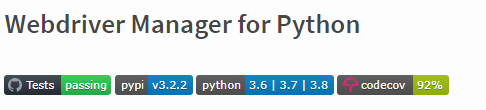
The newest version, according to the documentation supports python 3.6 or newer versions:
Reference:
https://pypi.org/project/webdriver-manager/
Method 2
First install webdriver manager using the following command in command prompt opened from the python file path.
pip install webdriver-manager.
Next open your pycharm tool and go to settings -> project interpreter -> and click on + icon and search for webdriver-manager and install that.
And run the below code:
from selenium import webdriver
from webdriver_manager.chrome import ChromeDriverManager

driver = webdriver.Chrome(ChromeDriverManager().install())
Method 3
I found that this one worked for me so:
pip3 install webdrivermanager
Not sure if it’ll help anyone, but pip3 works better than normal pip as it installs correct dependencies
Method 4
You can try this
py -3 -m pip install webdriver_manager
Method 5
This worked for me:
python3 -m pip install webdriver-manager
I’m on windows so I’ll leave this incase it helps anyone.
Method 6
some times just restarting your code editor can be the ultimate solution
that is what worked for me after spending 2 hours on the web trying to find out why the webdriver_manager is not picked up by python
use this to install
pip install webdriver_manager
and then restart your VScode if that is what you are using as a code editor
I don’t know why I have to but it worked the time waste.
Method 7
It is an installation error.
It can be solved by:
pip install webdriver_manager
Method 8
Use this in code:
from webdriver_manager.chrome import ChromeDriverManager
Method 9
Make sure u have installed a correct python version.
I have noted that it works on python version 3.7 or lower version.
Method 10
This works for me in all python version.
pip install webdriver-manager
Here’s Lib, Check out:
https://pypi.org/project/webdriver-manager/
All methods was sourced from stackoverflow.com or stackexchange.com, is licensed under cc by-sa 2.5, cc by-sa 3.0 and cc by-sa 4.0