I use Nautilus 3.10.1 on Trisquel 7.0 GNU/Linux. In context menu, there is no such option like create new file/document. So, I want to add such an option (which may work like that of existing option: New folder).
- Is there any nautilus plug-in available? or
- I have Nautilus Action Configuration Tool installed. So, what command/script I can use for this purpose?
Further I am also interested in featuring options like: New Writer Document, New Calc Document, etc.
Answers:
Thank you for visiting the Q&A section on Magenaut. Please note that all the answers may not help you solve the issue immediately. So please treat them as advisements. If you found the post helpful (or not), leave a comment & I’ll get back to you as soon as possible.
Method 1
Access Nautilushelp (click on Files on top bar then select Help) and then navigate to Tips and questions > Templates for commonly-used document types:
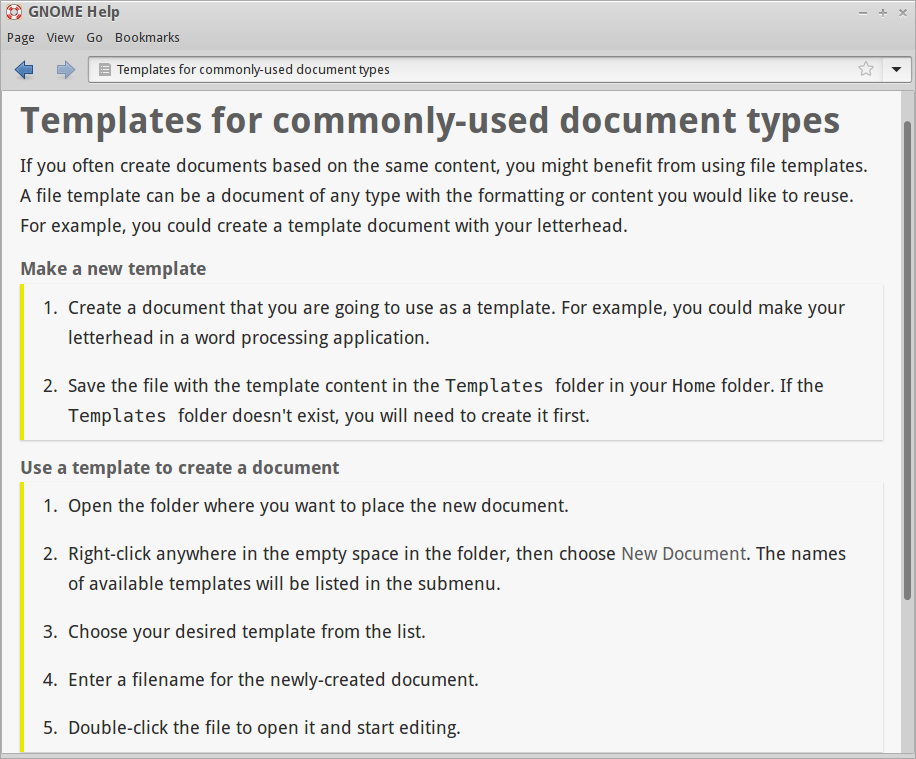
There is something missing from the documentation: you have to add your Templates location to your xdg-user-dirs, e.g. if you set your templates dir as ~/Templates you’ll have to add the following line
XDG_TEMPLATES_DIR="$HOME/Templates"
in ~/.config/user-dirs.dirs.
You then follow the help instructions to create templates (e.g. after placing an empty text file named New Text Document and an empty writer document named New Writer Document in Templates you’ll get a new context menu option named New Document which will expand to New Text Document and New Writer Document)
All methods was sourced from stackoverflow.com or stackexchange.com, is licensed under cc by-sa 2.5, cc by-sa 3.0 and cc by-sa 4.0