I was able to get the values to save, but now I’m running into issues unsetting the value when the data is removed from the control. I’ve tried the onRemove function as suggested in the documentation on Github here.
For some reason I can’t get this function to fire so even if the URL is removed from the control, it’s still stored in state.
Any help would be greatly appreciated!
import { __experimentalLinkControl as LinkControl } from '@wordpress/block-editor';

export default function Edit ( { attributes: { linkURL }, setAttributes } ) {

    const handleLinkChange = ( value ) => {

        setAttributes( {
            linkURL: value.url
        } );

    };

    // This function doesn't seem to be firing
    const handleLinkRemove = () => {

        console.log( 'remove link' ); // This does not run on remove of the link

        setAttributes( {
            linkURL: null
        } );
    };

    return (

        <LinkControl
            onChange={ handleLinkChange }
            onRemove={ handleLinkRemove }
            value={ { url: linkURL } }
        />

    );

}
@Tom really appreciate your help. I’m new to stackexchange so I wasn’t sure where to add the screenshots below.
Here is more context: the company I work for is transitioning from ACF to the Block Editor. Our content editors are used to using a versatile link component that will allow them to do internal/external links as well as links to PDFs or YouTube modal pop-ups. I’m trying to recreate this with a custom component that we can drop into blocks when needed. The screenshots below show the variations I’m trying to accomplish:

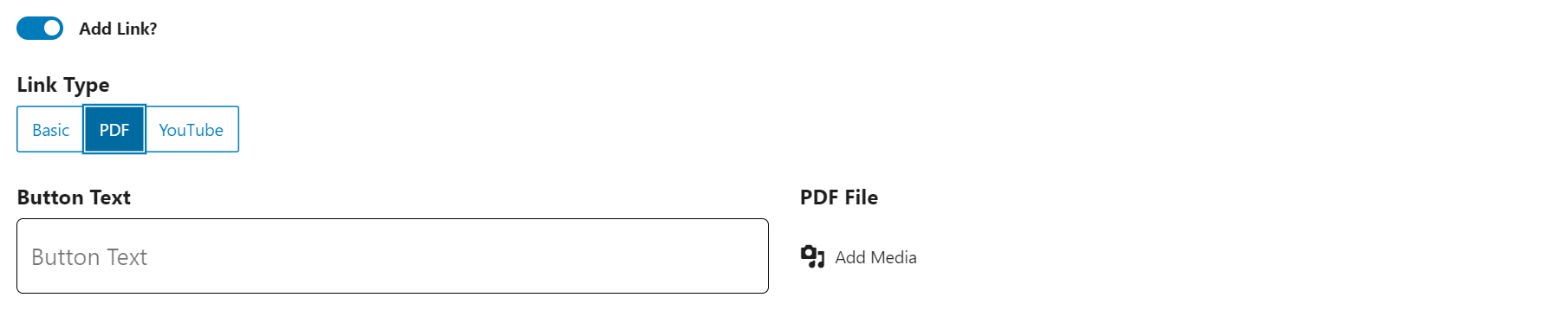
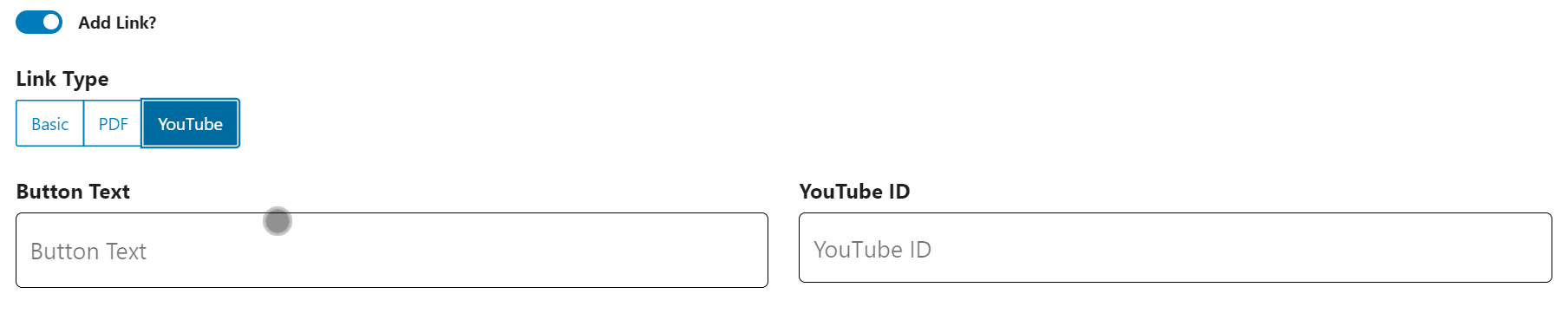
If one of our content editors add a url to the LinkControl, but decide to go with a PDF or YouTube link instead, there is no way for them to truly remove the URL from state. The field will show as empty when they delete out the URL but when they save the post again, that LinkControl field will repopulate with the data in state.
Maybe I’m using the wrong component to accomplish this, but I liked the idea of the editors being able to select from a list of pages in the dropdown and control the open in a new tab.
You mentioned that if the conditions are right, an unlink button would be available, but I haven’t figured out how to meet these conditions. I’m open to any suggestions.
Answers:
Thank you for visiting the Q&A section on Magenaut. Please note that all the answers may not help you solve the issue immediately. So please treat them as advisements. If you found the post helpful (or not), leave a comment & I’ll get back to you as soon as possible.
Method 1
That’s not how that component works.
onRemove is called when the link is unlinked, via a button that only appears when certain conditions are met:
                { onRemove && value && ! isEditingLink && ! isCreatingPage && (
                    <Button
                        className="block-editor-link-control__unlink"
                        isDestructive
                        variant="link"
                        onClick={ onRemove }
                    >
                        { __( 'Unlink' ) }
                    </Button>
                ) }
When an onRemove props is given, and the value is not empty, the link is not being edited, and you’re not currently using the control to create a page.
This isn’t so that you can erase or reset the value of the link, this is so that you can remove it completely. It is possible to have <a href="">, but unlink would remove the anchor completely, so it does not make sense for you to use.
Instead, to catch the blank URL use case, you should watch the change event
All methods was sourced from stackoverflow.com or stackexchange.com, is licensed under cc by-sa 2.5, cc by-sa 3.0 and cc by-sa 4.0