I am plotting some big numbers with matplotlib in a pyqt program using python 2.7. I have a y-axis that ranges from 1e+18 to 3e+18 (usually). I’d like to see each tick mark show values in scientific notation and with 2 decimal places. For example 2.35e+18 instead of just 2e+18 because values between 2e+18 and 3e+18 still read just 2e+18 for a few tickmarks. Here is an example of that problem.
import numpy as np
import matplotlib.pyplot as plt
fig = plt.figure()
ax = fig.add_subplot(111)
x = np.linspace(0, 300, 20)
y = np.linspace(0,300, 20)
y = y*1e16
ax.plot(x,y)
ax.get_xaxis().set_major_formatter(plt.LogFormatter(10,  labelOnlyBase=False))
ax.get_yaxis().set_major_formatter(plt.LogFormatter(10,  labelOnlyBase=False))
plt.show()
Answers:
Thank you for visiting the Q&A section on Magenaut. Please note that all the answers may not help you solve the issue immediately. So please treat them as advisements. If you found the post helpful (or not), leave a comment & I’ll get back to you as soon as possible.
Method 1
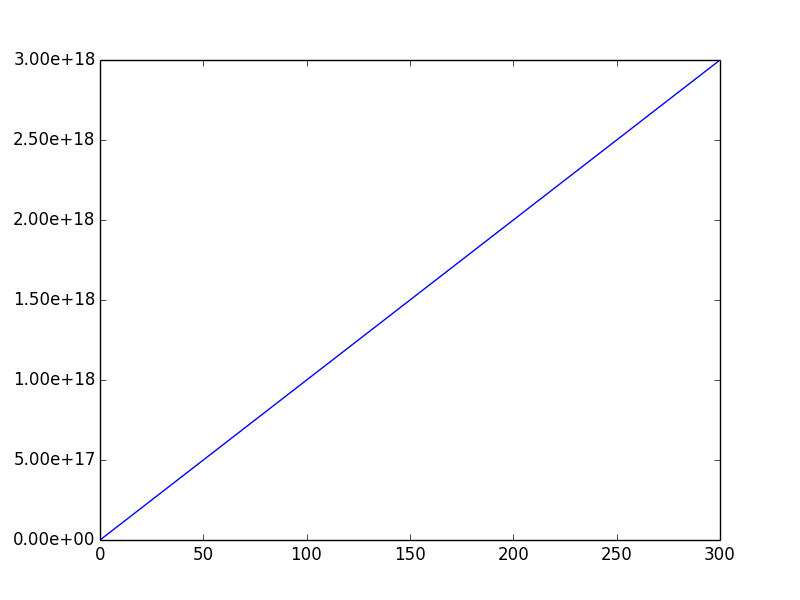
This is really easy to do if you use the matplotlib.ticker.FormatStrFormatter as opposed to the LogFormatter. The following code will label everything with the format '%.2e':
import numpy as np
import matplotlib.pyplot as plt
import matplotlib.ticker as mtick

fig = plt.figure()

ax = fig.add_subplot(111)

x = np.linspace(0, 300, 20)

y = np.linspace(0,300, 20)
y = y*1e16

ax.plot(x,y)

ax.yaxis.set_major_formatter(mtick.FormatStrFormatter('%.2e'))

plt.show()
Method 2
In order to get nicely formatted labels in scientific notation one may use the formatting capabilities of a ScalarFormatter which uses MathText (Latex) and apply it to the labels.
import matplotlib.pyplot as plt
import numpy as np
import matplotlib.ticker as mticker

fig, ax = plt.subplots()

x = np.linspace(0, 300, 20)
y = np.linspace(0,300, 20)
y = y*1e16

ax.plot(x,y)

f = mticker.ScalarFormatter(useOffset=False, useMathText=True)
g = lambda x,pos : "${}$".format(f._formatSciNotation('%1.10e' % x))
plt.gca().yaxis.set_major_formatter(mticker.FuncFormatter(g))

plt.show()
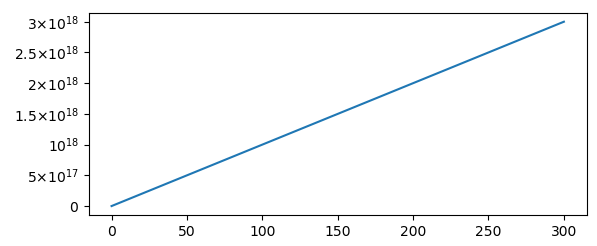
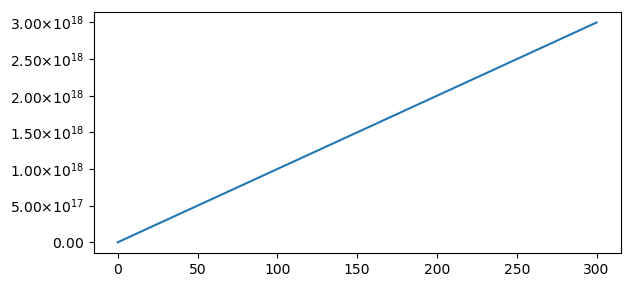
While this may be useful in a lot of cases, it does not actually meet the requirements of the question. To have equal digits on all labels a more customized version can be used.
import matplotlib.pyplot as plt
import numpy as np
import matplotlib.ticker as mticker

fig, ax = plt.subplots()

x = np.linspace(0, 300, 20)
y = np.linspace(0,300, 20)
y = y*1e16

ax.plot(x,y)

class MathTextSciFormatter(mticker.Formatter):
    def __init__(self, fmt="%1.2e"):
        self.fmt = fmt
    def __call__(self, x, pos=None):
        s = self.fmt % x
        decimal_point = '.'
        positive_sign = '+'
        tup = s.split('e')
        significand = tup[0].rstrip(decimal_point)
        sign = tup[1][0].replace(positive_sign, '')
        exponent = tup[1][1:].lstrip('0')
        if exponent:
            exponent = '10^{%s%s}' % (sign, exponent)
        if significand and exponent:
            s =  r'%s{times}%s' % (significand, exponent)
        else:
            s =  r'%s%s' % (significand, exponent)
        return "${}$".format(s)

# Format with 2 decimal places
plt.gca().yaxis.set_major_formatter(MathTextSciFormatter("%1.2e"))

plt.show()
All methods was sourced from stackoverflow.com or stackexchange.com, is licensed under cc by-sa 2.5, cc by-sa 3.0 and cc by-sa 4.0