Aligning rotated xticklabels with their respective xticks
Check the x axis of the figure below. How can I move the labels a bit to the left so that they align with their respective ticks?
Check the x axis of the figure below. How can I move the labels a bit to the left so that they align with their respective ticks?
I am plotting some big numbers with matplotlib in a pyqt program using python 2.7. I have a y-axis that ranges from 1e+18 to 3e+18 (usually). I’d like to see each tick mark show values in scientific notation and with 2 decimal places. For example 2.35e+18 instead of just 2e+18 because values between 2e+18 and 3e+18 still read just 2e+18 for a few tickmarks. Here is an example of that problem.
Have a look at the graph below:
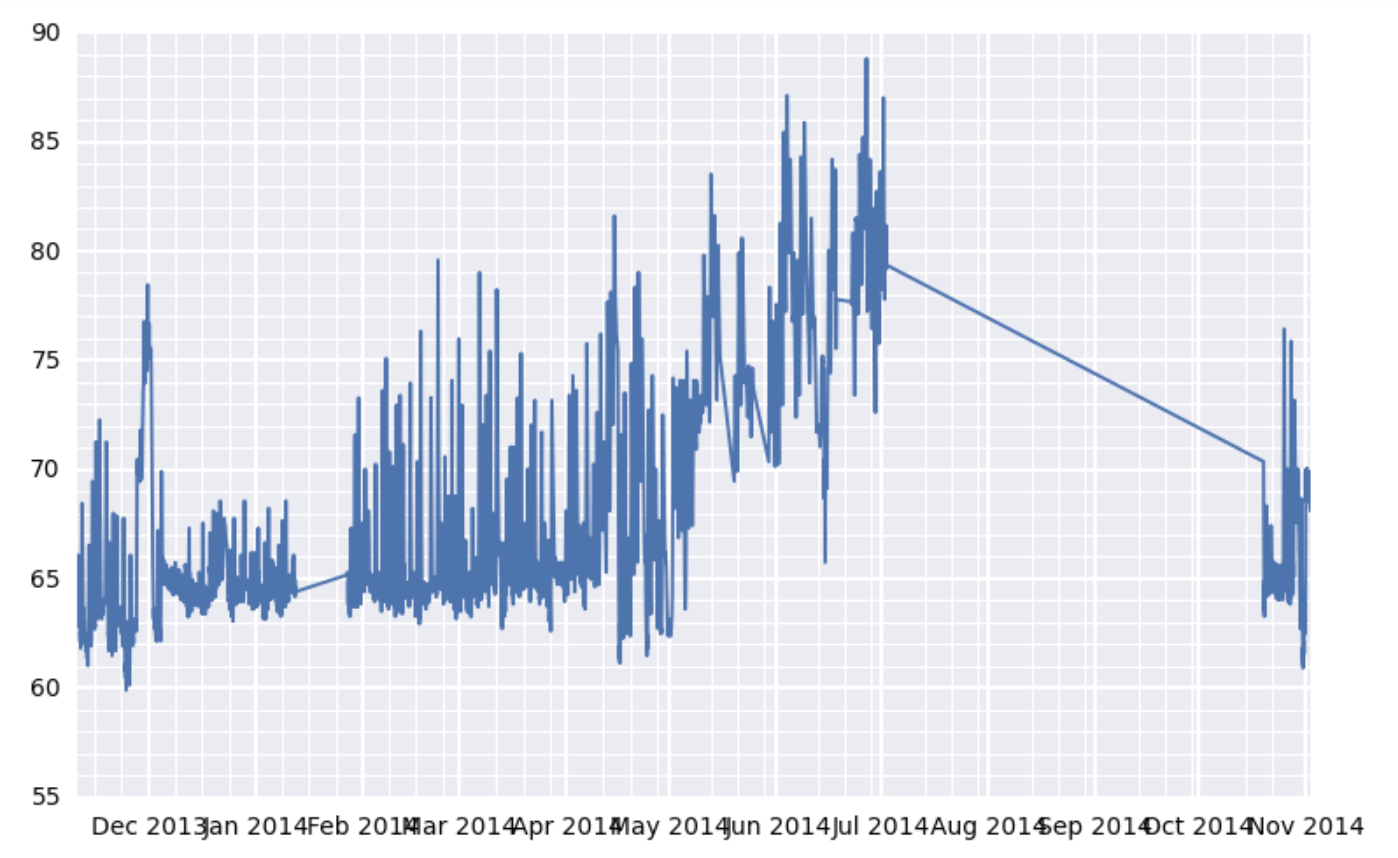
I seem to have a problem in figuring out how to increase or decrease the fontsize of both the x and y tick labels while using matplotlib.
I’m plotting a histogram using the matplotlib.pyplot module and I am wondering how I can force the y-axis labels to only show integers (e.g. 0, 1, 2, 3 etc.) and not decimals (e.g. 0., 0.5, 1., 1.5, 2. etc.).