How to setup https when developing localy with webpack and hosting on Azure in Docker container running ASP.NET Core

I am hosting on Azure and have it configured to only allow https. The backend is running ASP .NET Core in a Linux container. The webserver (Kestrel) is running without https enabled. I’ve configured Azure TLS/SSL settings to force https, so when users connect from the public internet, they have to use https. I have a cert that is signed by a cert authority and it’s configured in the Azure App Service -> TLS/SSL -> Bindings settings.

How to obtain Request.ServerVariables(“CERT_SUBJECT”) from a CAC while debugging in Visual Studio 2015 with IIS Express

I have an ASP.NET webpage that reads a user’s CAC card. When publishing to a test server, it works fine; however, in my local development environment with IIS Express I get empty strings when using Request.ServerVariables(“CERT_SUBJECT”). I AM able to retrieve the “LOGON_USER” variable, but the “CERT_*” are all empty strings.

Bootstrap 4.5 Dropdown appearing as multiple links on iOS

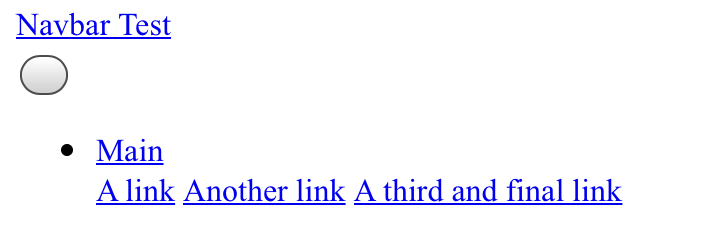
When I try to load a dropdown list in a Bootstrap navbar on an ASP.NET page, the desktop version of the list loads exactly as it appears on the official navbar documentation, but not when loading the same page on an iPad Air 2 with iOS 13.3.1. Instead of loading the listed items in a dropdown fashion, they appear below the dropdown menu’s name. Just as well, the toggle “hamburger” button appears as a blank button.
Bootstrap 4.5 Dropdown appearing as multiple links on iOS

IIS 8.5 overriding custom JSON error response, instead returns the default 500 error response page. How can I get IIS 8.5 to return my custom error?

I’ve come across an annoying issue, which I think is being caused by IIS 8.5. With a web app that I’m creating, I have created a custom JSON HttpStatusResult class (which was an idea from this stackoverflow post), which enables me to return JSON along side a 500, 400 or other types of HTTP response status codes. Here is that code: