I have a USB device and i’m trying to create it in a way that it has 2 partitions: one for a live linux disc and the other for document storage.
I created the partitions using gparted and and set a boot flag to the one I want to use as the live disc. Now, I have a usb like this:
Disk /dev/sdc: 14.6 GiB, 15623782400 bytes, 30515200 sectors
Units: sectors of 1 * 512 = 512 bytes
Sector size (logical/physical): 512 bytes / 512 bytes
I/O size (minimum/optimal): 512 bytes / 512 bytes
Disklabel type: dos
Disk identifier: 0xc3072e18

Device     Boot   Start      End  Sectors  Size Id Type
/dev/sdc1       8439808 30515199 22075392 10.5G 83 Linux
/dev/sdc2  *      51200  8439807  8388608    4G  b W95 FAT32
I then used dd to flash an Ubuntu iso to /dev/sdc2
sudo dd if=/dev/shm/ubuntu-17.04-desktop-amd64.iso of=/dev/sdc2 bs=4M
When the disc is flashed onto the usb drive, I try to boot from my laptop and it shows “Operating system not found”. When i try to use qemu/kvm, it shows a kernel panic like this:
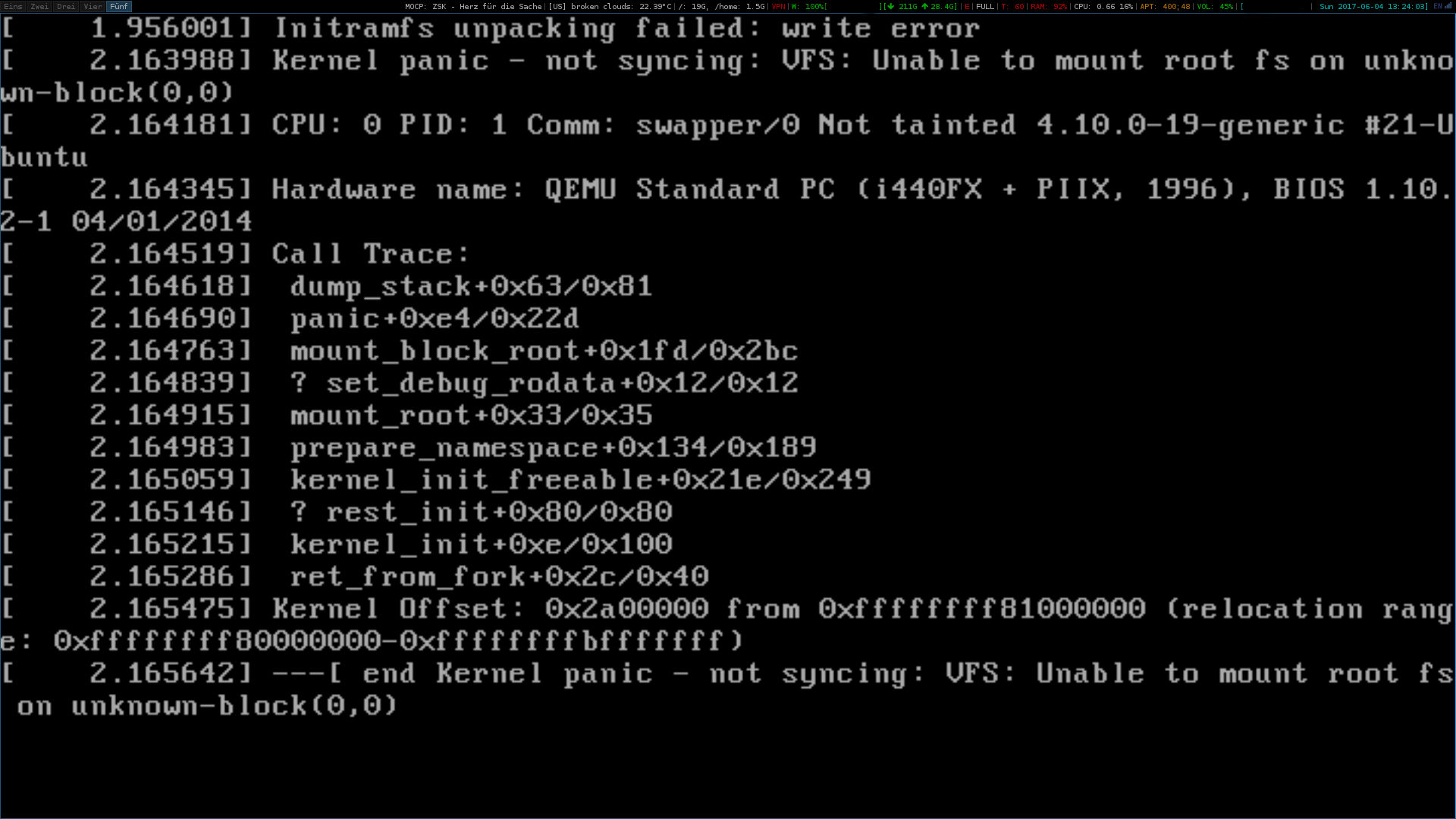
How would I be able to do this properly?
Answers:
Thank you for visiting the Q&A section on Magenaut. Please note that all the answers may not help you solve the issue immediately. So please treat them as advisements. If you found the post helpful (or not), leave a comment & I’ll get back to you as soon as possible.
Method 1
You received the Operating system not found error because by writing the ISO to a disk partition rather than the disk as a whole, you inadvertently did not write a boot loader to the disk’s MBR gap. And… apparently the PC doesn’t care about the boot flag.
I see two possible solutions, but I must say, I’m really just pulling this out of my [censored].
Partition the disk after dd‘ing the ISO
The best part of this solution is that you’ll know whether it’s feasible real quick.
ddthe ISO to the entire USB disk- Check the USB disk for partitions using a partitioning tool. If you see partitions, you can probably add one for your encrypted volume.
Add a bootloader to chainload into the partition.
The idea here is to add a boot loader to the USB disk’s MBR gap, and have it chainload whatever boot loader is in the partition. Chainloading basically delegates the boot loader’s functionality to another bootloader. I’ll direct to you Gentoo’s documentation on the topic, considering it’s quite thorough.
Other
If the above fail, you can try building your own Ubuntu ISO, adjusting how it boots.
All methods was sourced from stackoverflow.com or stackexchange.com, is licensed under cc by-sa 2.5, cc by-sa 3.0 and cc by-sa 4.0