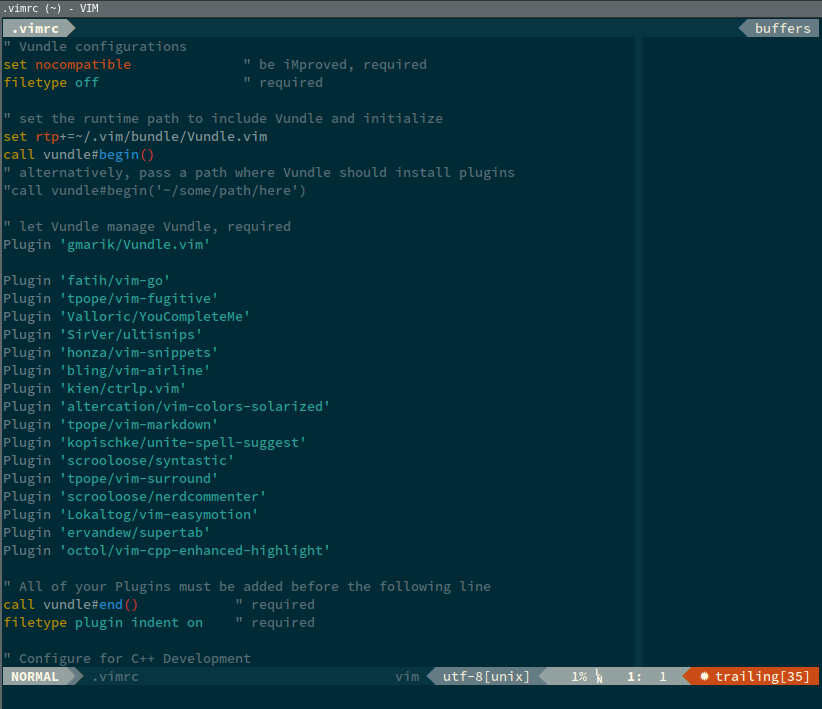
I am trying to use the solarized color scheme in VIM using gnome terminal (Ubuntu). When I run vim without tmux, it looks great, see below:
If I add the following commands to my .bashrc
# tmux configuration
tmux attach &> /dev/null

if [[ ! $TERM =~ screen ]]; then
    exec tmux
fi
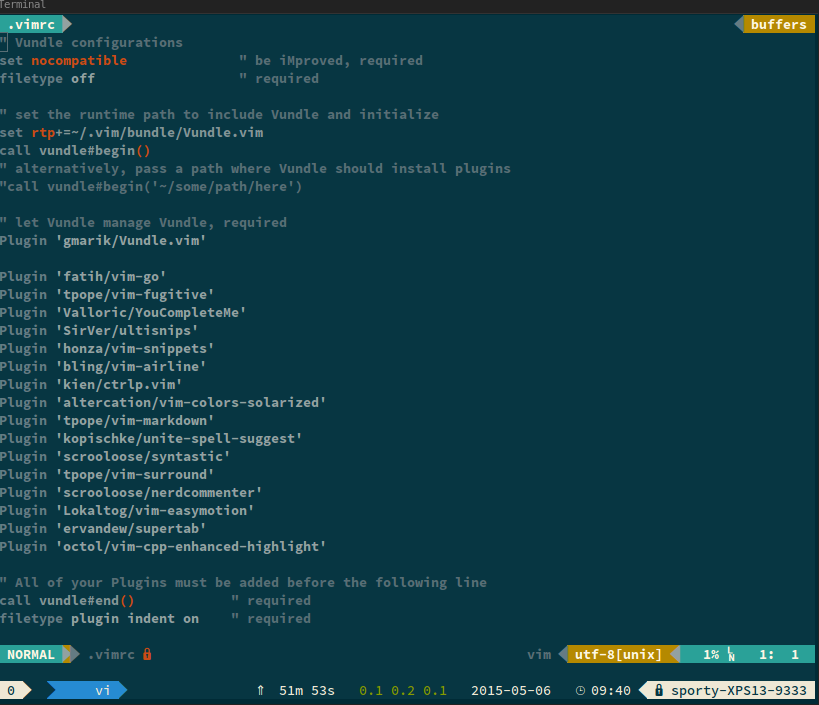
and start the terminal with tmux, the colors do not look right, see below:
Here is the contents of the .tmux.conf file
source ~/.local/lib/python2.7/site-packages/powerline/bindings  /tmux/powerline.conf
set-option -g default-terminal "screen-256color"
set-option -g history-limit 10000
I am using https://github.com/altercation/vim-colors-solarized for the vim color scheme, and the terminal is: https://github.com/Anthony25/gnome-terminal-colors-solarized.
EDIT:
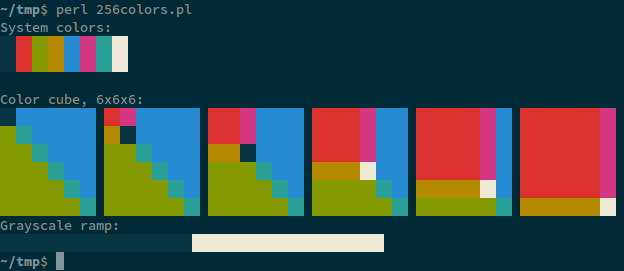
With tmux:
~$ echo $TERM
screen
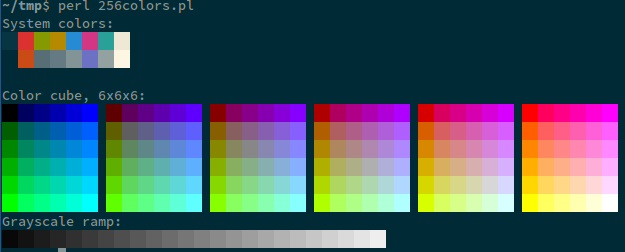
Without tmux:
~$ echo $TERM
xterm
Answers:
Thank you for visiting the Q&A section on Magenaut. Please note that all the answers may not help you solve the issue immediately. So please treat them as advisements. If you found the post helpful (or not), leave a comment & I’ll get back to you as soon as possible.
Method 1
The value of $TERM must be screen-256color, so that Vim correctly detects the availability of 256 colors. (tmux reuses the terminal definitions of screen, as this tool implements similar multiplexing.)
You either need to set the correct value for TERM inside tmux adding the line
set-option -g default-terminal "screen-256color"
to ~/.tmux.conf, or force 256 colors in your ~/.vimrc via set t_Co=256 (which would be a workaround, and best guarded by if $TERM == 'screen' if you also use non-high color terminals).
Method 2
The issue was the tmux version 1.8. I used advice from here:
https://stackoverflow.com/questions/25940944/ugrade-tmux-from-1-8-to-1-9-on-ubuntu-14-04
Upgraded tmux to version 1.9a, and the problem went away.
Method 3
Try tmux -2, the -2 means Force tmux to assume the terminal supports 256 colours.
I created an alias so that tmux always starts that way.
Method 4
I had the same problem with tmux and vim using solarized theme.
The problem was solved with the help of this blog post: http://www.terminally-incoherent.com/blog/2012/10/17/vim-solarized-and-tmux/
My steps to solve this problem were:
-
Upgrade tmux to 2.0 version. (To see what your current version is use:
tmux -V) -
Add terminal support for 256 color mode (
~/.bashrc):export TERM="screen-256color" alias tmux="tmux -2"
-
Tell tmux what terminal type should be used (
~/.tmux.conf):set -g default-terminal "screen-256color"
-
Force vim to use 256 colors (
~/.vimrc):set t_Co=256 " force vim to use 256 colors let g:solarized_termcolors=256 " use solarized 256 fallback
Restart terminal for changes to take effect.
Method 5
Vim
~/.vimrc:
set t_Co=256
colorscheme <name>
Tmux
~/.tmux.conf:
set -g default-terminal "screen-256color"
Shell
After the previous changes, you should adapt your workflow to one of these options:
Option #1: always start tmux with the -2 argument:
tmux -2
Option #2: set up an alias in your shell config file (~/.bashrc, ~/.zshrc):
alias tmux="tmux -2"
Option #3: create a tmux script in /usr/local/bin/tmux and make sure /usr/local/bin/ comes before /usr/bin in your $PATH:
#!/bin/sh
/usr/bin/tmux -2 "<a href="https://getridbug.com/cdn-cgi/l/email-protection" class="__cf_email__" data-cfemail="d1f591">[email protected]</a>"
Method 6
You may also use Selenized, which is a redesign of Solarized that uses standard color mapping, so such problems don’t appear.
It also has slightly increased contrast and adjusted colors, resulting in better readability.
All methods was sourced from stackoverflow.com or stackexchange.com, is licensed under cc by-sa 2.5, cc by-sa 3.0 and cc by-sa 4.0