I would like to install chef via apt non-interactively, but by default, apt installation brings up this prompt:
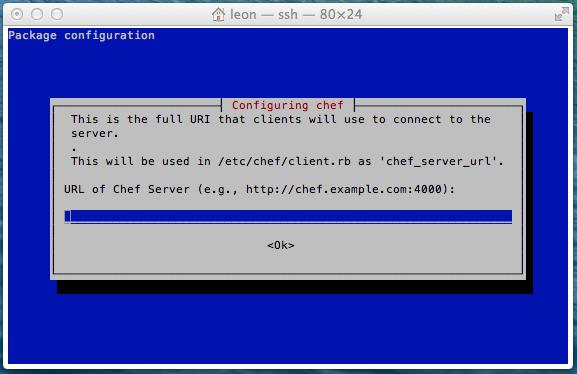
Is there a way to skip this step during installation or pass a value to apt install? I’m only using chef-solo, so don’t actually need the server component, so simply press return on this prompt.
Answers:
Thank you for visiting the Q&A section on Magenaut. Please note that all the answers may not help you solve the issue immediately. So please treat them as advisements. If you found the post helpful (or not), leave a comment & I’ll get back to you as soon as possible.
Method 1
You can configure debconf into non-interactive prompt:
sudo DEBIAN_FRONTEND=noninteractive aptitude install -y -q chef
If you find the complete key, you can also pre-configure the default value:
echo package package/key {boolean,string} {true, some string} | sudo debconf-set-selections
sudo apt-get install package
In this specific instance:
echo chef chef/chef_server_url string | sudo debconf-set-selections
To find the key, after installing the package you can look for it with debconf-get-selections (shipped in the debconf-utils package):
debconf-get-selections | grep chef
# URL of Chef Server (e.g., http://chef.example.com:4000):
chef    chef/chef_server_url    string
or with debconf-show:
debconf-show chef
All methods was sourced from stackoverflow.com or stackexchange.com, is licensed under cc by-sa 2.5, cc by-sa 3.0 and cc by-sa 4.0