External service configuration not working with identity server 4.
public static void ConfigureExternalOidcProvider(this IServiceCollection services)
        {
            services.AddAuthentication().AddGoogle("Google", options =>
            {
                options.SignInScheme = IdentityServerConstants.ExternalCookieAuthenticationScheme;

                options.ClientId = "xxxxxxxxxxx-xxxxxxxxxxxxxxxxxx.apps.googleusercontent.com";
                options.ClientSecret = "xxxxxxxxxxxxxxx";
            }).AddFacebook(options =>
            {
                options.SignInScheme = IdentityServerConstants.ExternalCookieAuthenticationScheme;
                options.AppId = "xxxxxxxxxxxxx";
                options.AppSecret = "xxxxxxxxxxxxxxxxxxx";
            });
        }
In the external controller, the schema is null, but I hardcoded the schema with IdentityServerConstants.ExternalCookieAuthenticationScheme even though it is not working.
public IActionResult Challenge(string scheme, string returnUrl)
    {
        if (string.IsNullOrEmpty(returnUrl)) returnUrl = "~/";

        // validate returnUrl - either it is a valid OIDC URL or back to a local page
        if (Url.IsLocalUrl(returnUrl) == false && _interaction.IsValidReturnUrl(returnUrl) == false)
        {
            // user might have clicked on a malicious link - should be logged
            throw new Exception("invalid return URL");
        }

        // start challenge and roundtrip the return URL and scheme
        var props = new AuthenticationProperties
        {
            RedirectUri = Url.Action(nameof(Callback)),
            Items =
            {
                { "returnUrl", returnUrl },
                { "scheme", scheme },
            }
        };

        return Challenge(props, scheme);

    }
When I click on the Google and facebook button it, never redirects to the google or facebook page.
Here is the result from my debug option
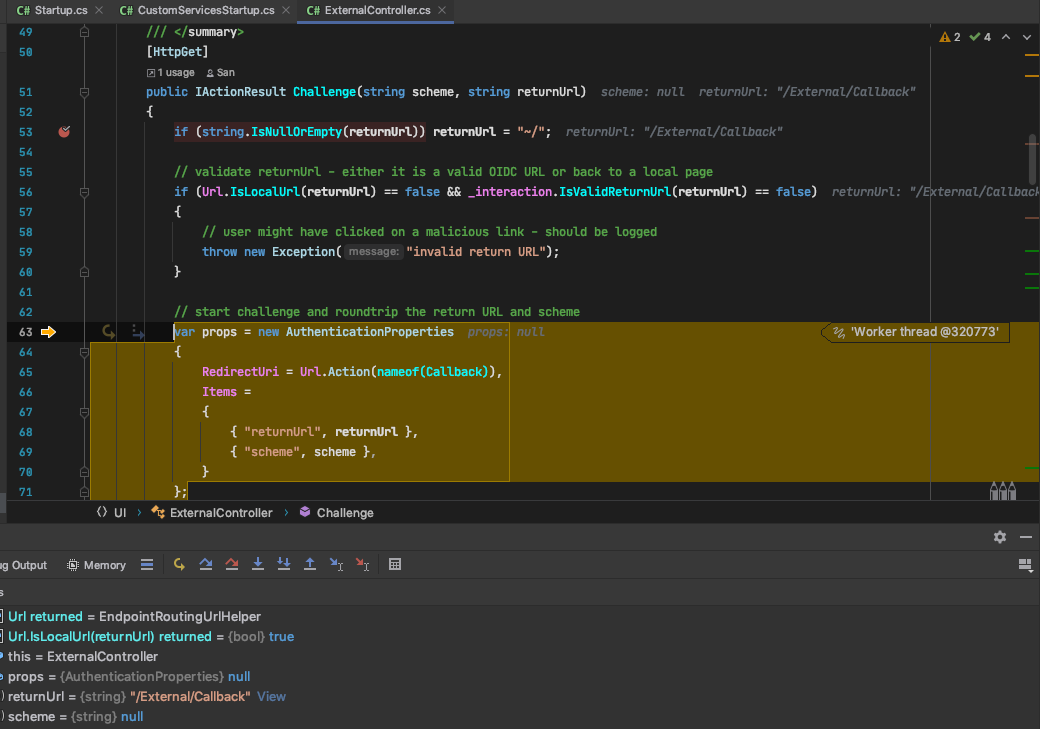
Google click

Facebook click

CSHTML code
   @if (Model.VisibleExternalProviders.Any())
                    {
                        @foreach (var provider in Model.VisibleExternalProviders)
                        {
                            <a class="@($"mdc-button mdc-button--outlined ml-1 mb-1 {(provider.AuthenticationScheme == "Google" ? "mdl-button--googleplus google-logo" : "mdl-button--facebook")}")"
                               asp-controller="External"
                               asp-action="Challenge"
                               asp-route-provider="@provider.AuthenticationScheme"
                               asp-route-returnUrl="@Model.ReturnUrl">
                                @if (provider.AuthenticationScheme == "Google")
                                {
                                    <i class="fab fa-google fa-fw google-logo"></i>
                                }
                                else
                                {
                                    <i class="fab fa-facebook-square fa-fw"></i>
                                }
                                @provider.DisplayName
                            </a>
                        }
                    }
Answers:
Thank you for visiting the Q&A section on Magenaut. Please note that all the answers may not help you solve the issue immediately. So please treat them as advisements. If you found the post helpful (or not), leave a comment & I’ll get back to you as soon as possible.
Method 1
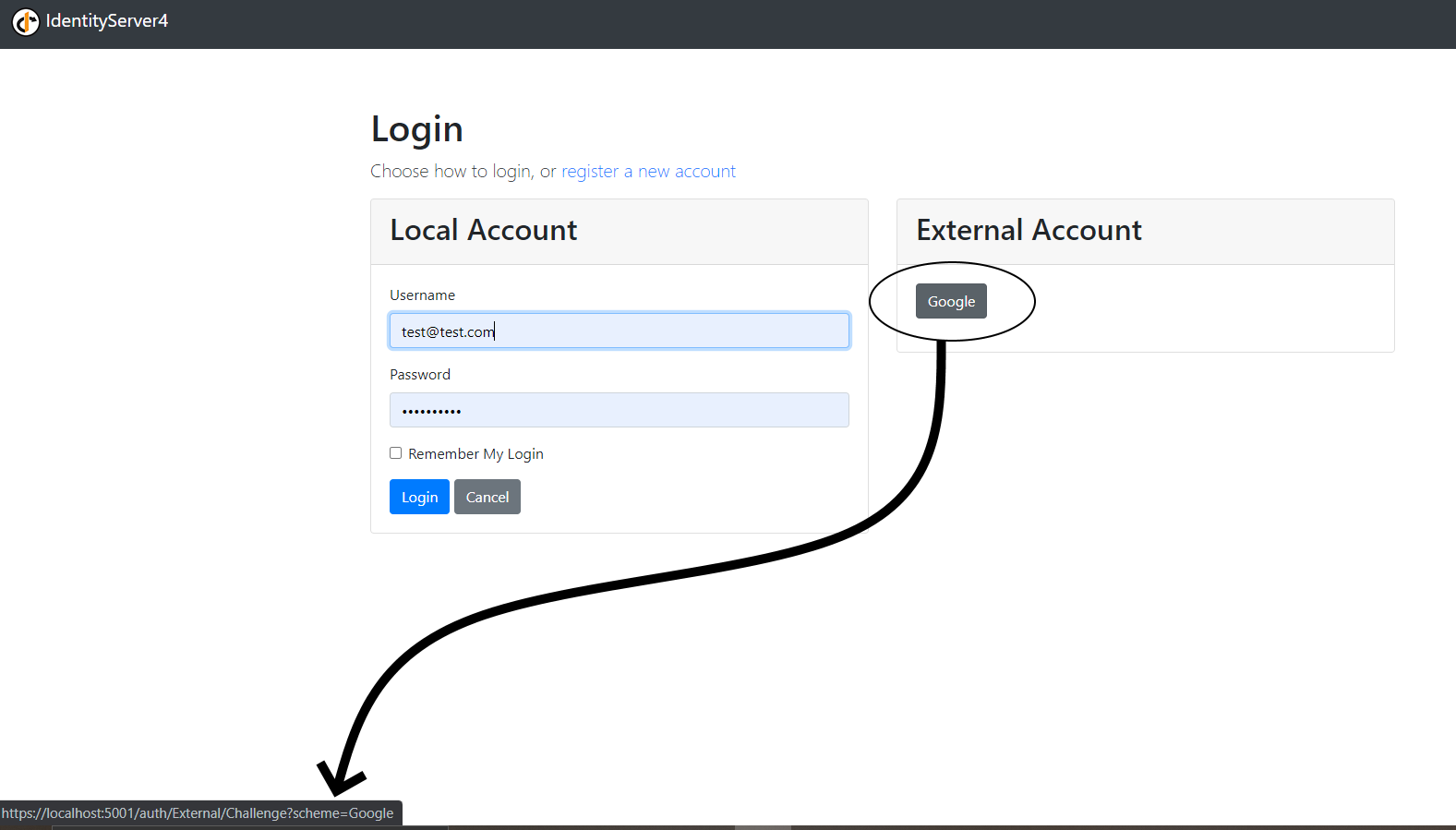
Without further information it is hard to answer your question, so I am going to start, and then improve on my answer as you give more details. First of all verify that you see a scheme query parameter when hovering over the external login button:
All methods was sourced from stackoverflow.com or stackexchange.com, is licensed under cc by-sa 2.5, cc by-sa 3.0 and cc by-sa 4.0