I have a output from lstopo --output-format txt -v --no-io > lstopo.txt for a 8-core node in a cluster, which is https://dl.dropboxusercontent.com/u/13029929/lstopo.txt
- The file is a text drawing of the node. It is too wide for both the terminal and gedit on Ubuntu of my laptop, and some of its right is moved by my laptop to the left and overlap the left part of the drawing. I wonder how I can view the file properly? ( Added: I realize that I can view the drawing properly by uploading to dropbox and opening in Firefox, which zoom out the drawing properly. But open the local file in Firefox will mis-display the dash lines “-“, and I wonder why? Other than Firefox, any software can also work on it?)
- what does “PU P#” mean in each core “Core P#”? Why are their numbers not the same?
- Does “L1i” mean a L1 instruction cache, and “L1d” a L1 data cache?
- Why do L2 and L3 caches not have distinction between instruction cache and data cache? Is this common for computers?
- What does “Socket P#” mean? Is the “socket” used for connection between the L3 caches and the main memory?
- What does “NUMANode P# (16GB)” mean? Is it a main memory chip?
- Does the drawing show that there are four cores sharing a main memory chip , and the other four cores sharing another main memory chip?
- Is there not a main memory shared by all the 8 cores in the node? So is the node just like a distributed system with two 4-core computers without shared memory between them? How can the two 4-core groups communicate with each other?
- Does “Machine (32GB)” mean the sum of the sizes of the two main memory chips mentioned in 6?
Answers:
Thank you for visiting the Q&A section on Magenaut. Please note that all the answers may not help you solve the issue immediately. So please treat them as advisements. If you found the post helpful (or not), leave a comment & I’ll get back to you as soon as possible.
Method 1
Here are the answers to your questions:
-
I’d view it as a graphical image rather than an ASCII image.
$ lstopo --output-format png -v --no-io > cpu.png
NOTE: You can view the generated file cpu.png
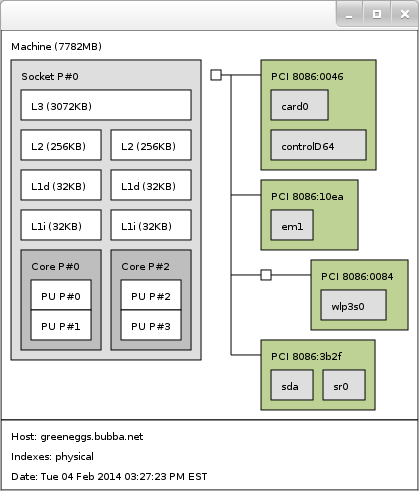
- “PU P#” = Processing Unit Processor #. These are processing elements within the cores of the CPU. On my laptop (Intel i5) I have 2 cores that each have 2 processing elements, for a total of 4. But in actuality I have only 2 physical cores.
- L#i = Instruction Cache, L#d = Data Cache. L1 = a Level 1 cache.
- In the Intel architectures the instruction & data get mixed as you move down from L1 → L2 → L3.
- “Socket P#” is that there are 2 physical sockets on the motherboard, there are 2 physically discrete CPUs in this setup.
-
In multiple CPU architectures the RAM is usually split so that a portion of it is assigned to each core. If CPU0 needs data from CPU1’s RAM, then it needs to “request” this data through CPU1. There are a number of reasons why this is done, too many to elaborate here. Read up on NUMA style memory architectures if you’re really curious.
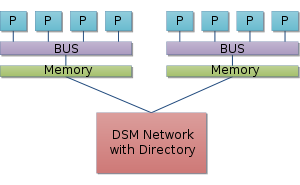
- The drawing is showing 4 cores (with 1 Processing Unit in each) that are in 2 physical CPU packages. Each physical CPU has “isolated” access to 16 GB of RAM.
- No, there is no shared memory among all the CPUs. The 2 CPUs have to interact with the other’s RAM through the CPU. Again see the NUMA Wikipage for more on the Non Uniform Memory Architecture.
- Yes, the system has a total of 32 GB of RAM. But only 1/2 of the RAM is accessible by either physical CPU directly.
What’s a socket?
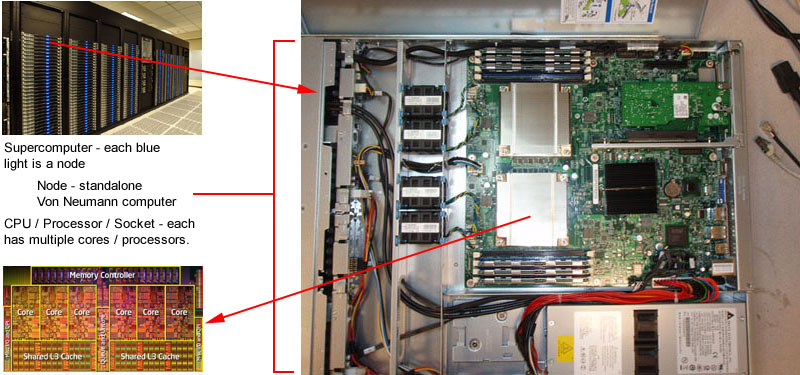
A socket is the term used to describe the actual package that a CPU is contained inside of, for mounting on the motherboard. There are many different styles and configurations; check out the Wikipedia page on CPU Sockets.
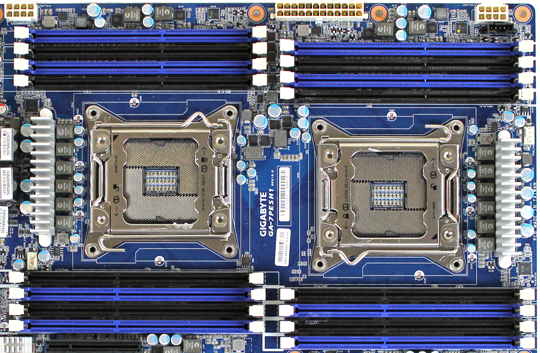
This picture also kind of illustrates the relationships between the “cores”, the CPUs, and the “sockets”.
Method 2
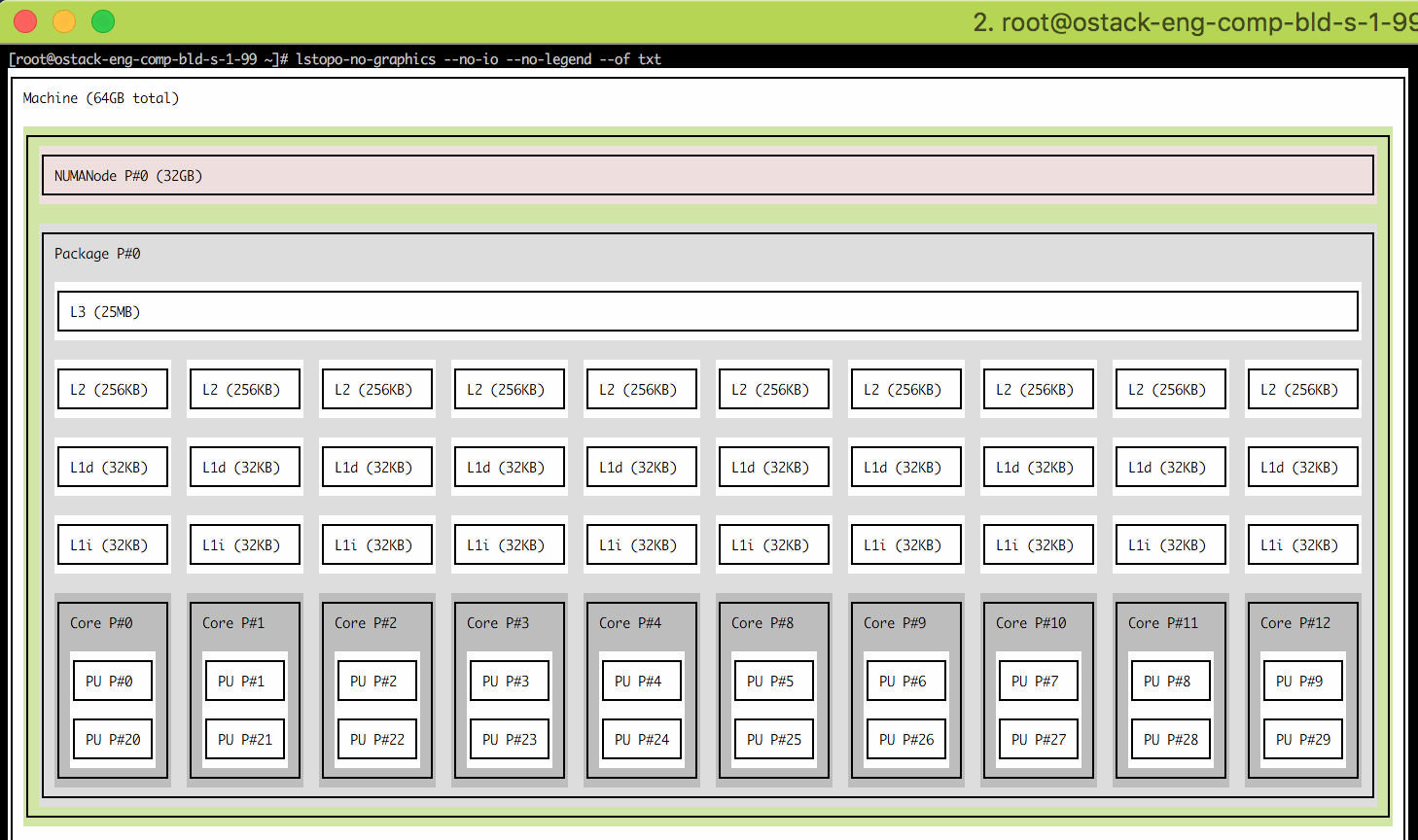
You can use lstopo-no-graphics --no-io --no-legend --of txt command directly to get graphical view on your terminal
you may need to install yum install hwloc package if command missing.
All methods was sourced from stackoverflow.com or stackexchange.com, is licensed under cc by-sa 2.5, cc by-sa 3.0 and cc by-sa 4.0