I’m just curious if it’s possible to install the Linux kernel alone, or if you need to use one of the flavours. If it were possible, how would you do it? I don’t need a detailed tutorial. I just want to know how it would be done conceptually. I’m not good with low-level stuff, and want to know how you get an OS into the computer. I imagine it has something to do with the MBR.
Oh and I noticed that a lot of the answers suggest a certain distribution of some minimal Linux. I should have probably stated that I am not looking to install a minimal or bare bones Linux. This question is purely theoretical. Still, I really appreciate all the answers, and will refer to them immediately, if ever I would want to install a truly personalized Linux.
Answers:
Thank you for visiting the Q&A section on Magenaut. Please note that all the answers may not help you solve the issue immediately. So please treat them as advisements. If you found the post helpful (or not), leave a comment & I’ll get back to you as soon as possible.
Method 1
You can technically install just a bootloader and the kernel alone, but as soon as the kernel boots, it will complain about not being able to start “init”, then it will just sit there and you can’t do anything with it.
BTW, it is a part of the bootloader that is in the MBR. The kernel sits somewhere on the regular area of a disk. The bootloader is configured to know where that is, so it can load the kernel and execute it.
Method 2
I don’t think you understand exactly what you’re asking, but you might want to take a look at the Linux From Scratch project.
Method 3
If you are asking if you can just install or upgrade a kernel “over” an existing system without installing a bunch of other programs?
The Linux kernel is a binary file usually named vmlinuz-x.x.x-x-name in the boot directory (which is usually a separate small partition at the beginning of the hard drive) where the x’s are a version number. “name” is just a chosen name for the kernel that can be set at compile time, you can use it to identify what type of machine or architecture the kernel is for or any other reason.
It’s loaded at boottime by a bootloader, typically GRUB which is invoked by boot code in the MBR which is invoked by the BIOS ROM. Once it’s loaded it’s not “held open” or protected specially. So you can replace that file with another working kernel. But, GRUB has a cool feature which lets you select multiple kernels to boot from. So it’s pretty smart to add your additional kernel to that list, but keep the original known working kernel just in case things go wrong.
Almost all distributions I believe make a “modular” kernel where device drivers are in separate files. So most kernels need a filesystem containing drivers available to it at boot time and that is what an “initrd” (initial RAM disk) or “initramfs” is for. GRUB will load the kernel at a location in memory, and the initrd at a different location, and jump to the kernel telling it where the initrd is, starting Linux.
Drivers can also be “built into” the kernel and are therefore automatically loaded and available when the bootloader loads the vmlinuz image. Kernels that are meant to work on diverse systems (such as those of most distributions) usually minimize what is built into the kernel because available hardware will be scanned later in the boot process and only modules representing present hardware will be loaded.
There are tools to modify and create initrds. Debian has nice tools and I imagine other distributions do as well.
So, if you download a more recent kernel from kernel.org and compile it to create a new kernel binary image, you need to make or update an initrd with drivers that work with that kernel. The old initrd won’t work because drivers have to match up with the version of the kernel that is running.
The initrd file is named initrd.img-x.x.x.x-name similarly to the kernel, and can be replaced after boot just like the kernel, and best practice would indicate you don’t delete a known working initrd until you know you can boot into your new kernel+initrd successfully.
I hope that provides some context.
If you are looking for a “barebones” Linux install that has little to no additional programs installed with it, my favorite choice has always been installing the Debian netinst image. Pretty much you have only the most basic tools needed to run a command line text console and nano as a text editor.
Method 4
Single executable rootfs
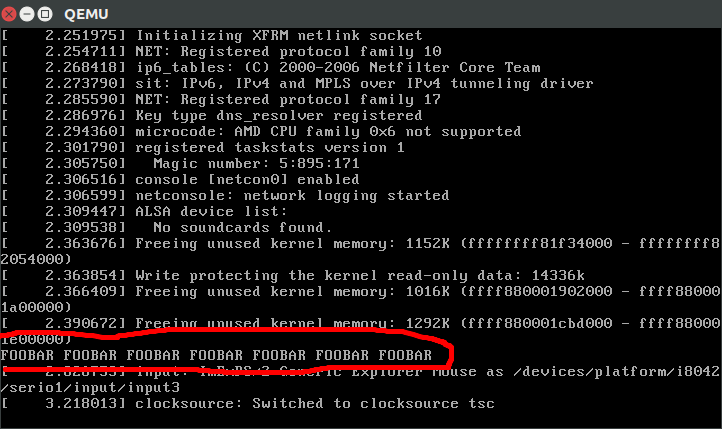
The absolute minimum system runs a single /init program as I’ve explained at Single Application Linux | Super User
Minimal Linux Live
https://github.com/ivandavidov/minimal
For a more interesting interactive system, this is a (mostly educational) small script that:
- downloads the source for the kernel and busybox
- compiles them
- generates a bootable 8Mb ISO with them
The ISO then leaves you in a minimal shell with busybox.
With QEMU you can easily boot into the system.
I have modified it to allow running it from the kernel source directory: https://github.com/cirosantilli/runlinux
Usage:
git clone https://github.com/ivandavidov/minimal
cd minimal/src
./build_minimal_linux_live.sh
# Wait.
# Install QEMU.
# minimal_linux_live.iso was generated
./qemu64.sh
and you will be left inside a QEMU Window with you new minimal system. Awesome.
Since it is small, this is a good option to read the source and understand what is going on.
Tested on Ubuntu 16.04.
Buildroot
Large set of Makefile scripts that manage:
- GCC cross compilation toolchain
- kernel compilation
- bootloader compilation
- generation of rootfs
- has tons of package download / build recipes in the source tree, including complex stuff like GTK. There is a dependency system.
Minimal example:
git clone git://git.buildroot.net/buildroot
cd buildroot
git checkout 2016.05
make qemu_x86_defconfig
# Can't use -jN, use `BR2_JLEVEL=2` instead.
BR2_JLEVEL=2 make
# Wait.
# cat board/qemu/x86_64/readme.txt
qemu-system-x86_64 -M pc -kernel output/images/bzImage -drive file=output/images/rootfs.ext2,if=virtio,format=raw -append root=/dev/vda -net nic,model=virtio -net user
# You are now in a shell with BusyBox utilities.
It even has recipes for building X11 from scratch: How to install X11 on my own Linux Buildroot system?
Professional stuff.
Alpine Linux
https://github.com/gliderlabs/docker-alpine
Embedded distribution with a package manager that offers precompiled binaries from a website.
See also
- Linux distro with just busybox and bash
- Load Linux bzImage in QEMU?
- What are the minimum root filesystem applications that are required to fully boot linux?
User mode Linux (UML)
Not what you want most likely, but arguably the thing that answers the question most literally: https://en.wikipedia.org/wiki/User-mode_Linux
It basically compiles the kernel into a userland executable that acts as a kernel simulator.
Kind of cool, but also kind of killed by QEMU: https://stackoverflow.com/questions/36353143/is-user-mode-linux-uml-project-stopped/44670393#44670393
Method 5
I would like to second Shadur’s suggestion you should make your hands dirty the Linux From Scratch way.
Also, something similar, try Pocket Linux.
The Pocket Linux Guide demonstrates how to build a small console-based GNU/Linux system using only source code and a couple of diskettes. It is intended for Linux users who would like to gain a deeper understanding about how their system works beneath the shroud of distribution specific features and tools.
Method 6
It is possible to install a Linux kernel without the usual user-space tools. This is commonly done in embedded systems such as routers. Typically, the kernel is loaded from ROM or Flash memory, and has been customised for the device in question (usually with required drivers compiled into the kernel rather than being loaded as modules).
At least one user-space program needs to exist, to become the ‘init’ process (not necessarily called init, but started by the kernel as process 1, and the automatic parent of any orphaned processes) – unless the kernel has been modified (rather than simply customised) to not require this.
It’s certainly not necessary to have a shell available to have a working Linux-based device, although it can make development much easier!
All methods was sourced from stackoverflow.com or stackexchange.com, is licensed under cc by-sa 2.5, cc by-sa 3.0 and cc by-sa 4.0