show tooltip on hover when button is disabled
I have a button that when pressed it go to disable state till the server update so it go back to enable state
I have a button that when pressed it go to disable state till the server update so it go back to enable state
I am creating a login button like this:
I’ve been developing an application for mobile hand scanning devices using asp.net and C#. Up until last week this application has been on windows CE. Now the platform has been switched to Android. I’m having issues with the application looking very “zoomed out”(see picture). What could be causing this? I believe my CSS is correct, but I’m also not too familiar with how it behaves on an android platform.
I have the following ASP.NET code:
Please how can i make use of the html.actionlink() without having the String LinkText Underlined.
When I try to load a dropdown list in a Bootstrap navbar on an ASP.NET page, the desktop version of the list loads exactly as it appears on the official navbar documentation, but not when loading the same page on an iPad Air 2 with iOS 13.3.1. Instead of loading the listed items in a dropdown fashion, they appear below the dropdown menu’s name. Just as well, the toggle “hamburger” button appears as a blank button.
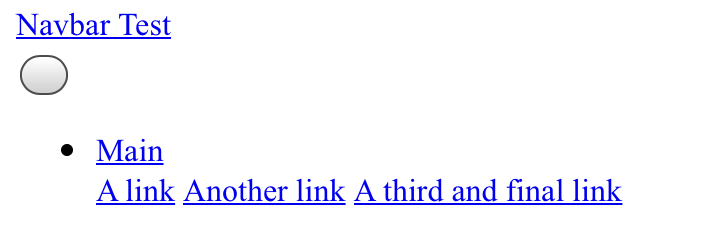
I’m trying to add an”active” class to my bootstrap navbar in MVC, but the following doesn’t show the active class when written like this:
I am trying to work with jQuery’s Datatable JS for my project from this link.
I have the following HTML and CSS code. It works fine in IE8 in one machine; but misaligns in second machine with IE8. What is to be changed in order to correct it?
Since there are no header sections for user controls in asp.net, user controls have no way of knowing about stylesheet files. So css classes in the user controls are not recognized by visual studio and produces warnings. How can I make a user control know that it will relate to a css class, so if it is warning me about a non-existing css class, it means that the class really do not exist?