Export HTML Table to Excel using ASP.NET
I have an html table (Not Gridview) and that has no proper Header and rows. Instead it has customized structure and data. I want to export this table to Excel. How can I do using ASP.NET?
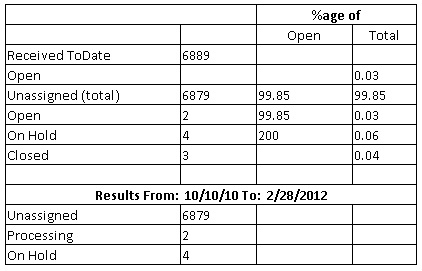
I have an html table (Not Gridview) and that has no proper Header and rows. Instead it has customized structure and data. I want to export this table to Excel. How can I do using ASP.NET?
I have created a table in ASPX. I want to hide one of the columns based on the requirement but there is no attribute like visible in the HTML table building. How can I solve my problem?
I’ve three divs. Header, central and footer. There is a table in central div (gridview) which is almost always longer than outer div. So I’ve made this div scrollable vertically. The question is: how can I make table header that it would be visible after div is scrolled down? I could have done this header with separate div or table and make it fixed but widths of columns in the table are not always the same – so I don’t know how to maintain widths of columns in header then. Any clue?
How to create thead and tbody in ASP.NET Table? I need those tags because of jquery and asp.net gives me only tr, th and td.
I would like to be able to use the ASP.Net Repeater control to create an HTML Table that has three columns and as many rows as necc.
Why can’t <p> be nested inside <table>? What is the correction I could make?
Removing the <div> and <p> tags corrupt my design. As the website follows a client provided design.
I am using ASP.NET to create a page with a GridView that is very editable for the end user. Basically, all rows contain TextBoxes (instead of static text) which the user can edit whenever he wants. No postback occurs ever, except when he clicks the Save button on the bottom of the page. Then, I loop through each row in the grid, retrieve the values in the controls in each row and save them back to the database.
I want to remove all rows of my table except the header.
I’m trying to build a HTML table using an ASP repeater:
Can somebody explain to me how to hide a repeater column based on the user privileges.