Reduce left and right margins in matplotlib plot
I’m struggling to deal with my plot margins in matplotlib. I’ve used the code below to produce my chart:
I’m struggling to deal with my plot margins in matplotlib. I’ve used the code below to produce my chart:
I’m sure I’m forgetting something very simple, but I cannot get certain plots to work with Seaborn.
I’m trying to colorize a Voronoi Diagram created using scipy.spatial.Voronoi. Here’s my code:
When making a semi-log plot (y is log), the minor tick marks (8 in a decade) on the y axis appear automatically, but it seems that when the axis range exceeds 10**10, they disappear. I tried many ways to force them back in, but to no avail. It might be that they go away for large ranges to avoid overcrowding, but one should have a choice?
I currently generate my legend with matplotlib this way:
I have a sequence of line plots for two variables (x,y) for a number of different values of a variable z. I would normally add the line plots with legends like this:
How can I prevent a specific plot to be shown in Jupyter notebook? I have several plots in a notebook but I want a subset of them to be saved to a file and not shown on the notebook as this slows considerably.
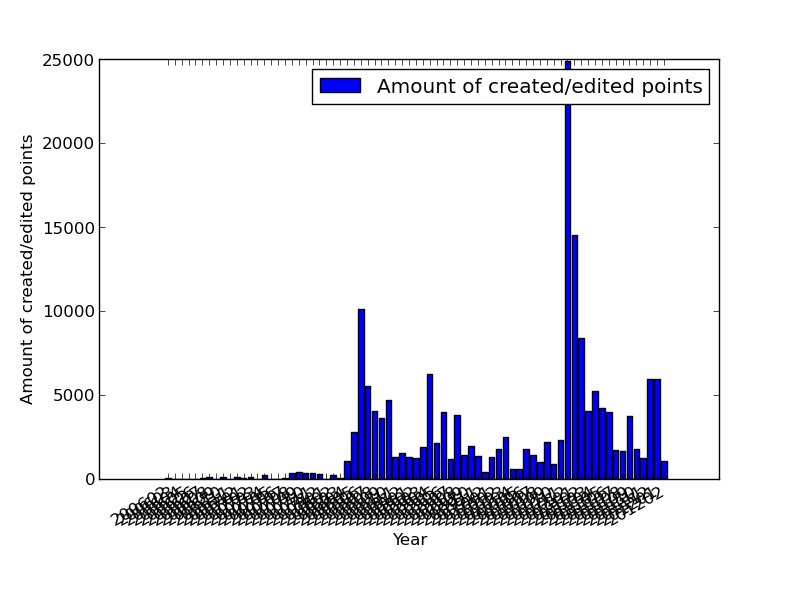
I’m generating a bar-chart with matplotlib. It all works well but I can’t figure out how to prevent the labels of the x-axis from overlapping each other. Here an example:
Given a mean and a variance is there a simple function call which will plot a normal distribution?
I have 2 variables (x,y) that change with time (t). I want to plot x vs. t and color the ticks based on the value of y. e.g. for highest values of y the tick color is dark green, for lowest value is dark red, and for intermediate values the color will be scaled in between green and red.