When I boot, PulseAudio defaults to sending output to Headphones. I’d like it to default to sending output to Line Out. How do I do that?
I can manually change where the output is current sent as follows: launch the Pulseaudio Volume Control application, go to the Output Devices tab, and next to Port, select the Line Out option instead of Headphones. However, I have to do this after each time I boot the machine — after a reboot, Pulseaudio resets itself back to Headphones. That’s a bit annoying. How do I make my selection stick and persist across reboots?
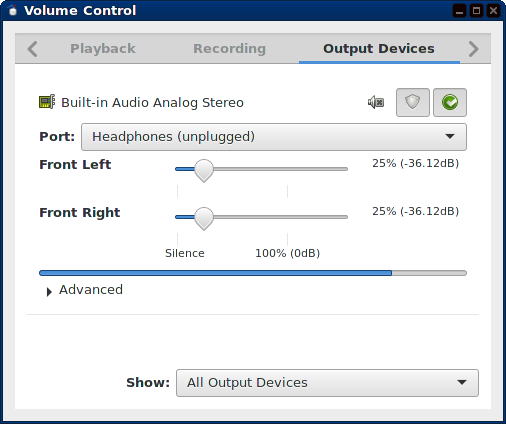
Here’s a screenshot of how the Volume Control application looks after a reboot, with Headphones selected:
If I click on the chooser next to Port, I get the following two options:
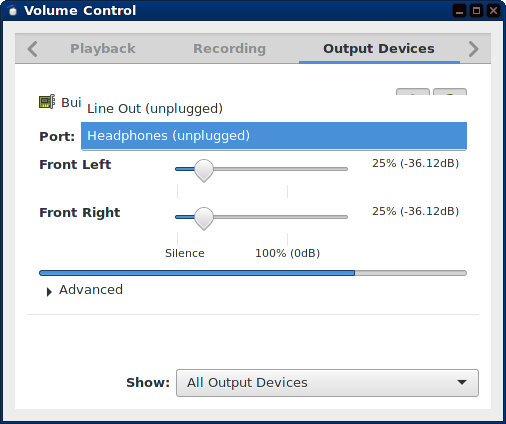
Selecting Line Out makes sound work. (Notice that both Headphones and Line Out are marked as “unplugged”, but actually I do have something plugged into the Line Out port.)
Comments: I’m not looking for a way to change the default output device. I have only one sound card. pacmd list-sinks shows only one sink. Therefore, pacmd set-default-sink is not helpful. (This doesn’t help either.) Here what I need to set is the “Port”, not the output device. If it’s relevant, I’m using Fedora 20 and pulseaudio-5.0-25.fc21.x86_64.
Answers:
Thank you for visiting the Q&A section on Magenaut. Please note that all the answers may not help you solve the issue immediately. So please treat them as advisements. If you found the post helpful (or not), leave a comment & I’ll get back to you as soon as possible.
Method 1
I had the same problem (for at least a year now), and the following seemed to work:
Taken from: https://bbs.archlinux.org/viewtopic.php?id=164868
Use pavucontrol to change the port to your desired one. Then find the internal name of the port with this command:
$ pacmd list | grep "active port"
    active port: <hdmi-output-0>
    active port: <analog-output-lineout>
    active port: <analog-input-linein>
Using this information about the internal name of the port, we can change it with the command:
pacmd set-sink-port 0 analog-output-lineout
If you (or someone else with the problem) has multiple cards, try changing the 0 to a 1.
If this works, you can put:
set-sink-port 0 analog-output-lineout
in your /etc/pulse/default.pa file to have it across reboots.
Method 2
When you opened pavucontrol, is your Line Out output uplugged?
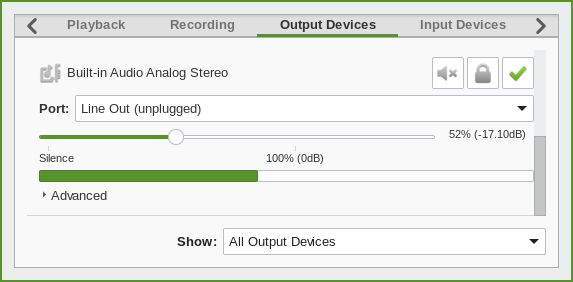
- Yes: You have your speakers in wrong connector.
- No or didn’t help: Good luck, I have no idea what is wrong.
Explanation: Only plugged in port is used as default, if all are unplugged who knows why it’s headphones. PulseAudio tests only one connector (Front speakers / green) but outputs stereo in all of them (if you have more than stereo capable card but your PulseAudio is set to stereo only).
All methods was sourced from stackoverflow.com or stackexchange.com, is licensed under cc by-sa 2.5, cc by-sa 3.0 and cc by-sa 4.0